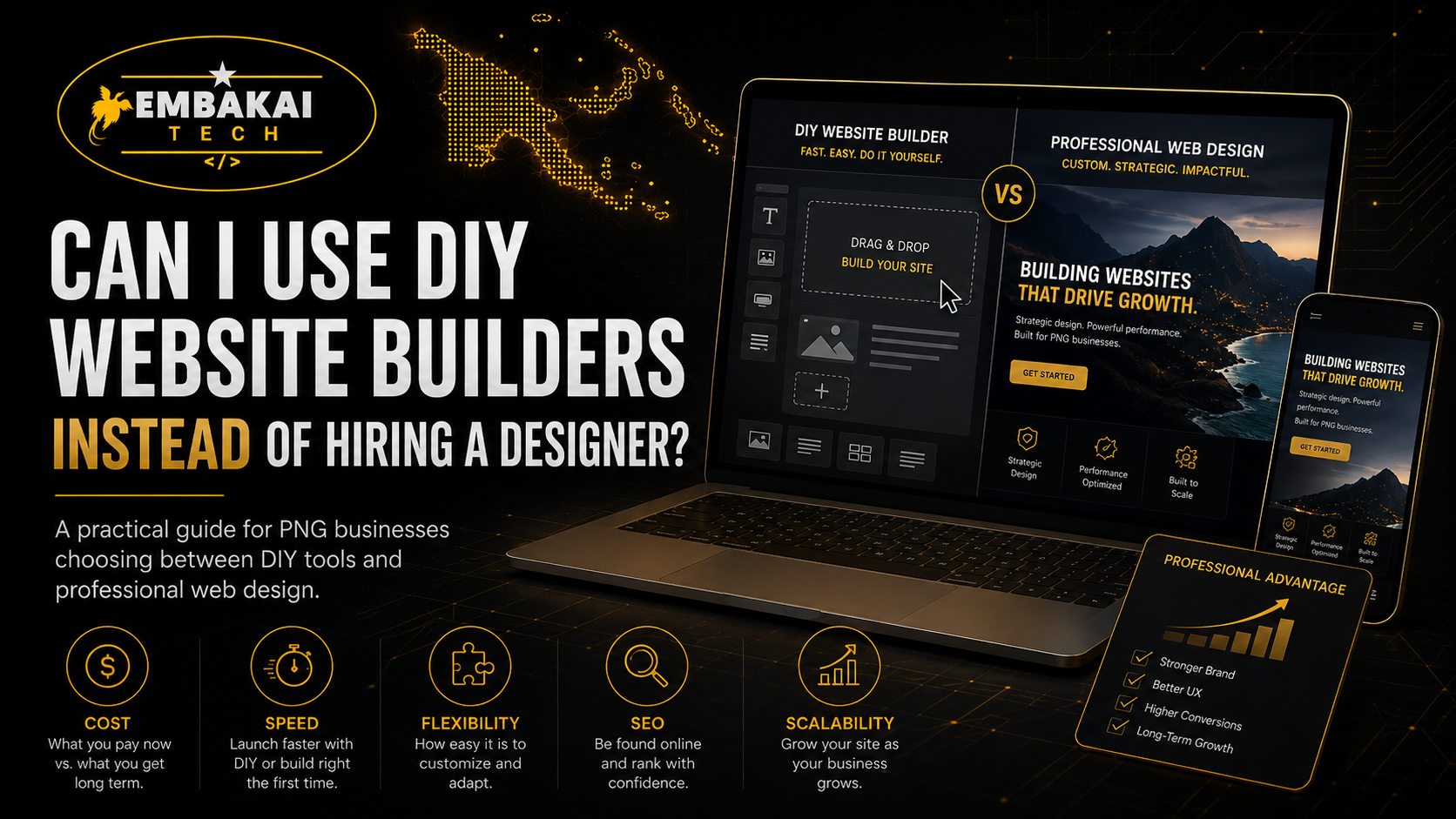
Many business owners ask the same question before starting a website project:
“Can I use a DIY website builder instead of hiring a designer?”
The answer is yes, you can. Platforms such as WordPress, Wix, Shopify, Squarespace, and other website builders make it possible for someone with little or no coding knowledge to create a basic website.
But the more important question is:
Will a DIY website builder give your business the result it actually needs?
For some small businesses, a DIY website can be a practical starting point. If you only need a basic online page with your business name, services, contact number, location, and social media links, a website builder may be enough.
However, if your website needs to look highly professional, load fast, rank on Google, work properly on mobile, collect leads, accept payments, manage products, handle bookings, connect with WhatsApp, protect customer data, or support your business as it grows, hiring a professional can be a better long-term decision.
A website is not only about putting information online. It is part of your business identity. It affects how customers see you, how easily they can contact you, and whether they trust your business enough to buy, book, register, or request a quote.
This guide explains the difference between DIY website builders and professional website design, including when each option makes sense for SMEs in Papua New Guinea.
A DIY website builder is an online platform that allows you to create a website yourself using templates, drag-and-drop tools, pre-built sections, and basic settings.
Instead of coding a website from scratch, you choose a template and edit it by changing text, colours, photos, buttons, and page sections.
A typical DIY builder may let you create:
This can be useful for someone who wants a website quickly and is comfortable learning how the platform works.
However, using a website builder still requires time, planning, content, branding, and technical understanding. The platform may make the building process easier, but it does not automatically make the final website effective.
DIY website builders are popular because they look affordable and simple.
Many platforms advertise that you can build a website in minutes. You choose a template, drag sections into place, add your business details, and publish.
For a new business with a limited budget, that can sound attractive.
The main reasons people choose DIY website builders include:
For a startup, side business, personal brand, freelancer, or very small service provider, a DIY website can help establish an early online presence.
But affordability and ease of use are only part of the story.
DIY website builders can be useful in the right situation.
The biggest advantage is that the initial cost can be lower than hiring a designer or developer.
You may only need to pay for:
This can help new businesses get online while keeping costs controlled.
However, remember that low upfront cost does not always mean low total cost. You may still spend money later on upgrades, premium features, marketing tools, apps, plugins, maintenance, design improvements, and technical support.
If you need only a basic website, a DIY platform can help you launch quickly.
For example, a small service business may only need:
A basic template can be enough for this type of website, especially when your goal is to give customers a place to find your business information.
DIY builders usually give business owners access to edit text, images, services, and pages without needing a developer for every small update.
This can be useful if you regularly change:
For someone who is willing to learn, this level of control can be helpful.
A DIY website can be useful for testing whether there is demand for a product or service.
For example, if you are starting a small side business, launching a new product, testing online orders, or promoting a temporary campaign, you may not need a large custom website immediately.
A simple landing page can help you test:
Once the business grows, you can invest in a more professional website or custom system.
DIY website builders are useful, but they have limitations. Many business owners only realise this after they have spent hours building a website that still does not feel professional.
Most website builders depend heavily on templates.
Templates are useful because they give you a starting point. But if many businesses use the same template, your website can look similar to hundreds or thousands of other websites.
A generic template may not reflect your brand, your industry, or your business goals.
For example, a professional engineering company, law firm, training organisation, government program, e-commerce store, or major service business may need a stronger identity than a basic template can provide.
A professional designer can create a layout that is built around your specific business, services, target customers, and brand.
A website builder gives you tools, but it does not automatically give you good design.
You still need to understand:
Many DIY websites fail because the owner adds too much text, too many colours, low-quality images, large files, unnecessary animations, or confusing sections.
A website can be technically published but still look unprofessional.
Good design is not about filling the page with content. It is about helping visitors understand your business quickly and take the next step.
Most DIY builders say their templates are mobile responsive. That is helpful, but it does not mean every page will look perfect on a phone.
When you edit layouts, add custom content, upload large images, create columns, or use embedded tools, the mobile version can become messy.
Common DIY mobile problems include:
For businesses in Papua New Guinea, mobile performance matters because many customers browse from phones.
A professional designer or developer should test your website on different screen sizes before launch, not just assume the template will work.
A website builder can provide basic SEO tools, but SEO still needs proper planning.
Your website needs more than a few keywords. It should have:
Many DIY websites are published without proper SEO structure. The result is a website that exists online but is difficult for potential customers to find on Google.
For a PNG business that wants to appear for searches such as “website designer in Papua New Guinea,” “construction company Port Moresby,” “training provider PNG,” or “online shop PNG,” SEO should be planned properly from the beginning.
DIY builders are often good for simple features. But once your business needs advanced functionality, things can become more complicated.
You may need:
At this point, a DIY platform may become restrictive, expensive, slow, or difficult to manage.
You may need extra plugins, paid apps, third-party services, custom code, or technical support. The more tools you add, the higher the risk of compatibility issues, slow performance, security gaps, or confusing workflows.
A professional developer can recommend the right platform or build a custom solution when your business needs something beyond a basic website.
Many business owners assume that using a website builder means security is fully handled.
Some security may be included by the platform, but you still need to think about:
If you use WordPress, for example, you may need to manage plugins, themes, updates, backups, and security tools. If you use another platform, you may still need to manage your account access, connected services, and business data.
A professional website setup should include clear security practices, backup planning, and support.
DIY builders can save money, but they can cost time.
Building a website involves more than dragging and dropping sections.
You still need to:
For a busy business owner, this can take many hours or even weeks.
You should ask yourself:
Is my time better spent building the website, or running and growing my business?
For some people, building it themselves is worth it. For others, hiring a professional saves time and produces a better outcome.
A DIY website builder can be a good option when your needs are simple.
It may suit you if:
For example, a freelancer, small home-based business, side hustle, temporary project, or early-stage startup may benefit from a DIY website.
The key is to be realistic about what you are building.
Hiring a professional web designer or developer is usually the better option when your website represents a serious business investment.
You should consider hiring a professional if:
A professional can help turn your business requirements into a proper digital solution.
Instead of using a template and hoping it works, you get a website designed around your services, customers, business goals, and future plans.
Best for:
Main benefits:
Main risks:
Best for:
Main benefits:
Main considerations:
DIY does not always mean cheap.
You may save money on initial design costs but spend more over time on:
You may also lose potential customers if the website looks unprofessional, loads slowly, or does not work properly on mobile.
A poor website can create a bad first impression. Customers may not say anything. They may simply leave and contact a competitor.
That is why the decision should not only be based on the website builder subscription price.
You should think about the value the website needs to provide for your business.
You do not always have to choose between a basic template website and a very large custom system.
A practical option for some SMEs is to start with a professional but simple website, then upgrade as the business grows.
For example, you can begin with:
Later, you can add:
This approach gives you a strong professional foundation without trying to build everything at once.
Before choosing to build your own website, ask yourself:
If the answer to many of these questions is no, hiring a professional may be the better business decision.
At Embakai Tech Solutions, we understand that every business has a different budget, goal, and level of technical experience.
Some clients need a simple professional website. Others need e-commerce, booking systems, business emails, dashboards, online forms, payment integrations, or fully custom web applications.
We help businesses choose the right solution instead of forcing them into something they do not need.
Our website solutions can include:
Whether you are starting small or building something larger, the goal is the same: create a website that works properly for your business.
Yes, you can use a DIY website builder instead of hiring a designer.
For a basic website, a temporary campaign, a personal brand, or an early-stage business, it may be a practical option.
But a DIY builder is only a tool. It does not automatically give you a strong brand, professional content, fast loading speed, good mobile experience, search visibility, security, or a website that grows with your business.
If your website is important for sales, trust, enquiries, bookings, online orders, or long-term growth, hiring a professional is usually a smarter investment.
The best choice depends on your business goals, available time, budget, and the level of quality you need.
A good website should do more than exist online. It should help customers understand your business, trust your brand, and take action.
Not sure whether a DIY website builder or professional website is right for your business?
Embakai Tech Solutions helps SMEs, organisations, startups, and entrepreneurs in Papua New Guinea choose the right website solution based on their budget, goals, and future plans.
From simple business websites to e-commerce stores and custom web systems, we build practical, mobile-friendly, secure, and scalable digital solutions.
Contact Embakai Tech Solutions today and get the right website solution for your business.
Contact Embakai Tech Solutions for a focused review, implementation plan or quote for your organisation in Papua New Guinea.