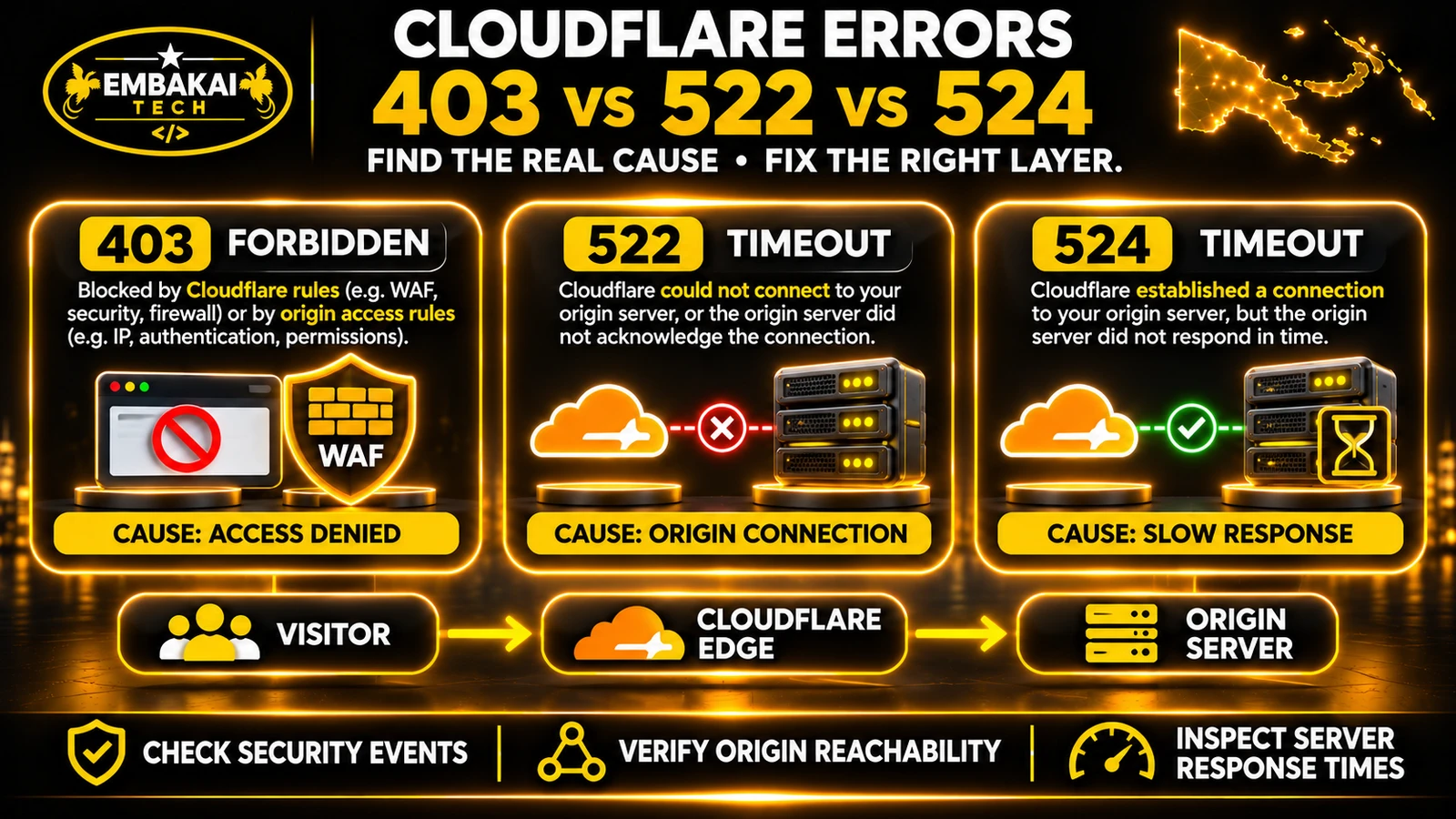
Cloudflare and cPanel AutoSSL protect different parts of a proxied website connection. Cloudflare serves the browser-facing certificate, while AutoSSL can provide a certificate for the hosting server. If you use Full (strict), check the origin certificate, hostname coverage and renewal status as well as the certificate visitors see.
SSL stands for Secure Sockets Layer, while TLS stands for Transport Layer Security.
TLS is the modern protocol used to protect HTTPS connections.
Although the term SSL certificate remains common in hosting panels and marketing materials, modern secure websites use TLS.
A TLS certificate helps establish the identity of the server participating in a secure connection.
During the TLS handshake, the communicating systems negotiate cryptographic settings and verify certificate information according to their trust requirements.
Once established, the connection protects data in transit.
For a business website, this is particularly important when customers:
It protects the transport connection, while application access controls, software updates and other safeguards remain separate responsibilities.
When Cloudflare proxies your website, a visitor usually does not communicate directly with the hosting server.
Instead, Cloudflare sits between the browser and the origin.
The traffic follows this simplified path:
Customer Browser
       |
       | HTTPS Connection 1
       v
Cloudflare Edge
       |
       | HTTPS Connection 2
       v
cPanel Hosting Server
       |
       v
Website Application
Each connection has its own certificate requirements.
Cloudflare presents an edge certificate that the visitor's browser can validate.
This certificate protects communication between the visitor and Cloudflare.
It may be provided through Cloudflare Universal SSL or another supported edge certificate arrangement.
Cloudflare connects to the origin server that hosts your website.
If the configured SSL/TLS mode uses HTTPS to the origin, that server must provide a TLS certificate.
Depending on your configuration, it could be:
A valid Cloudflare edge certificate does not automatically make the origin server's certificate valid.
This explains why customers can encounter a Cloudflare certificate error even when Cloudflare's edge certificate is active.
Cloudflare provides HTTPS connectivity between website visitors and its edge network.
With Universal SSL, eligible hostnames receive publicly trusted certificates managed by Cloudflare.
This allows browsers to establish secure connections with Cloudflare.
Depending on the service and configuration, Cloudflare handles:
That distinction is especially important when the origin uses cPanel AutoSSL.
Suppose a PNG business uses:
Website: https://www.example.com
DNS and proxy: Cloudflare.
Hosting: Shared cPanel server.
A customer opens the website in Chrome.
The browser receives and validates the certificate presented by Cloudflare.
That browser certificate is not necessarily the same one installed in the company's cPanel account.
If the cPanel certificate expires, the visitor may still see a valid Cloudflare certificate during the first TLS connection.
However, Cloudflare Full (strict) may reject the second connection to the origin.
The result can be an HTTPS error instead of the requested webpage.
AutoSSL is a feature of cPanel & WHM that can automatically request, install and renew eligible domain-validated TLS certificates.
The hosting provider determines which certificate authority and AutoSSL configuration the server uses.
Current cPanel installations commonly use Let's Encrypt, but specific provider arrangements can differ.
Depending on server configuration, AutoSSL can:
It is not the same as Cloudflare Universal SSL.
In cPanel, look for the available SSL/TLS Certificates or SSL/TLS Status interface, depending on your installed cPanel version and hosting provider.
Review:
If the relevant controls are unavailable, ask the hosting provider to verify the certificate and renewal configuration.
Ask your host how certificate requests and renewals are enabled on your plan. Check the certificate served by the origin before relying on Full (strict).
| Feature | Cloudflare Edge SSL | cPanel AutoSSL |
|---|---|---|
| Main purpose | Protect visitor-to-Cloudflare HTTPS | Protect eligible connections to services on the hosting server |
| Certificate location | Cloudflare edge | Hosting server |
| Public browser trust | Normally publicly trusted | Publicly trusted when issued by a supported CA |
| Certificate provisioning | Managed through Cloudflare | Managed through cPanel/hosting provider |
| Renewal system | Cloudflare's edge certificate lifecycle | Hosting server's AutoSSL lifecycle |
| Domain validation | Cloudflare certificate process | AutoSSL provider's DCV process |
| Can expire independently? | Yes | Yes |
| Compatible with Full (strict)? | Covers visitor side | Yes, with a valid matching origin certificate |
| Replaces the other certificate? | No | No |
The systems complement each other rather than compete.
For a typical proxied cPanel website, both can operate simultaneously.
Cloudflare provides several origin encryption modes.
Choosing the correct mode is essential.
In Flexible mode, the browser-to-Cloudflare connection may use HTTPS while Cloudflare communicates with the origin over HTTP.
This does not provide end-to-end encryption between the visitor and your hosting server.
It can also contribute to redirect loops when the origin forces HTTPS.
Flexible mode is generally not the preferred architecture for a production business website that can support origin HTTPS.
In Full mode, Cloudflare can establish an encrypted connection to the origin for HTTPS requests.
However, it does not validate the origin certificate's trust and hostname requirements in the same way as Full (strict).
An expired, self-signed or mismatched origin certificate may therefore remain accepted.
This is an important limitation.
In Full (strict), Cloudflare uses HTTPS to the origin and validates the certificate.
The origin certificate must:
| Mode | Origin HTTPS | Origin certificate validated |
|---|---|---|
| Flexible | No, for normal proxied HTTPS requests | No |
| Full | Yes | No |
| Full (strict) | Yes | Yes |
Cloudflare also offers additional encryption configurations, depending on the account and requirements.
For most ordinary shared cPanel websites, Full (strict) with a valid origin certificate is a sensible target configuration.
Yes.
A publicly trusted certificate issued through cPanel AutoSSL can satisfy Cloudflare Full (strict) requirements when correctly installed and configured.
This is an appropriate setup for many shared hosting accounts.
A PNG business has:
Cloudflare establishes the visitor-side TLS connection.
Cloudflare then connects to the origin over HTTPS, validates the origin certificate and retrieves the requested content.
The origin certificate should:
It is incorrect to say that Cloudflare proxying always prevents AutoSSL from working.
However, proxying can interfere with particular domain-validation methods if the challenge request is not allowed to reach the expected validation resource.
That leads to the next issue.
Before a certificate authority issues a domain-validated certificate, the requester must prove control of the domain.
This process is known as Domain Control Validation (DCV).
Certificate providers support different validation methods.
Two important methods are HTTP validation and DNS validation.
With Let's Encrypt HTTP-01 validation, the certificate authority attempts to retrieve a specific challenge file from a URL under: http://example.com/.well-known/acme-challenge/ The challenge file must contain the expected validation information.
If Cloudflare proxies the domain, the validation request may pass through Cloudflare before reaching the origin.
The process can fail when:
cPanel documents a situation in which Cloudflare security settings cause Let's Encrypt HTTP validation to fail with a 403 response.
The certificate authority cannot retrieve the required challenge.
As a result, the certificate cannot be issued or renewed through that attempt.
The correct investigation is to inspect the specific challenge request and security action.
Do not assume the entire Cloudflare service must be disabled.
DNS validation uses a TXT record under a name such as: _acme-challenge.example.com The certificate authority checks the authoritative DNS system for the required value.
DNS-01 can work without exposing the website to direct HTTP validation requests.
It also supports wildcard certificate issuance.
However, automation requires the certificate-management system to update the correct authoritative DNS records.
If Cloudflare manages authoritative DNS while cPanel has no compatible DNS-update integration, cPanel may not be able to complete automated DNS validation.
The supported options depend on the hosting provider and its AutoSSL configuration.
Certificate renewal requires both a functioning certificate manager and a validation method that continues to work.
An active certificate today is not proof that renewal will succeed when the current certificate approaches expiration.
For a production website, the aim should be to preserve both HTTPS security and reliable certificate renewal.
Start by determining which validation method the hosting provider uses.
Check the certificate-management interface or request the relevant AutoSSL log information from the hosting provider.
Look for messages describing:
For HTTP validation, verify that the intended challenge path can be served correctly.
For DNS validation, check whether the required TXT record can be published in the authoritative DNS zone.
Do not make unrelated DNS changes.
If HTTP challenge requests are receiving 403 responses, inspect Cloudflare's security logs where available.
Determine whether a specific WAF or other security rule is blocking them.
If a confirmed Cloudflare rule is incorrectly blocking the legitimate challenge path, configure an appropriately restricted exception or change to that rule.
Avoid broad exceptions that disable protections for unrelated requests.
Some hosting providers support automated DNS validation through suitable integrations.
Where this is available, it may provide an alternative to HTTP-based renewal.
After correcting the problem, run an authorised AutoSSL check or ask the hosting provider to do so.
Confirm that the required hostnames pass validation and the certificate is eligible for renewal.
Certificate automation should be monitored.
A one-time successful certificate issuance does not guarantee that future validation will remain operational after DNS, WAF or hosting changes.
Do not routinely disable the Cloudflare proxy for certificate renewals when a supported validation method can work through the existing architecture.
Temporary proxy changes should only be considered through an approved maintenance process, with a clear understanding of the security and availability consequences.
Error 526 occurs when Cloudflare cannot validate the origin certificate under the applicable strict encryption configuration.
These include:
A company website uses Cloudflare Full (strict).
Its cPanel AutoSSL certificate expires because the renewal challenge has been failing.
Cloudflare's edge certificate remains valid.
Visitors connect successfully to Cloudflare, but Cloudflare refuses to accept the expired origin certificate.
The website displays Error 526.
First, inspect the certificate actually installed on the origin.
Verify its expiration date, hostname coverage, issuer and chain.
Next, inspect the AutoSSL renewal status.
If renewal failed, determine why.
Then repair the actual problem and install or renew the appropriate certificate.
Finally, test the live website again under Full (strict).
Cloudflare documentation identifies Full mode as a possible temporary workaround in some 526 situations.
However, doing so removes strict certificate validation for the affected connection.
It should not be treated as the permanent fix for an expired or invalid certificate.
For an appropriately secured business website, the preferred correction is to restore a valid origin certificate and maintain Full (strict).
A 525 error is different from 526.
Error 525 means the TLS handshake between Cloudflare and the origin failed.
The failure may occur before Cloudflare can complete the required connection.
Verify that the origin accepts HTTPS connections on the required port.
Check the hosting server's TLS configuration and certificate selection.
If the website uses shared cPanel hosting, the hosting provider may need to inspect the relevant web-server configuration and logs.
Do not assume every 525 is simply an expired certificate.
A 525 and a 526 require different investigations.
Another problem appears when visitors receive a browser message such as:
Too many redirects.
This often happens when different systems disagree about whether the original request is using HTTP or HTTPS.
Cloudflare Flexible mode connects to the origin over HTTP.
The origin application is configured to redirect HTTP requests to HTTPS.
Cloudflare receives that redirect and repeats the origin request over HTTP.
The process can continue until the browser stops following redirects.
Redirect loops can also result from:
Identify which component issues each redirect.
Check the active Cloudflare encryption mode, web-server redirect configuration and application URL settings.
Avoid adding more redirect rules without understanding the existing sequence.
For a server supporting a valid origin certificate, using an appropriate end-to-end HTTPS configuration often simplifies the architecture.
Cloudflare offers Origin CA certificates specifically for connections between Cloudflare and an origin server.
These certificates can be used with Full (strict).
However, they are not identical to publicly trusted AutoSSL certificates.
An Origin CA certificate is trusted by Cloudflare for the intended origin connection.
Ordinary browsers do not generally trust Cloudflare Origin CA certificates when connecting directly to the server.
This means a direct browser connection to an origin using only an Origin CA certificate may show a certificate warning.
A certificate issued through a publicly trusted AutoSSL provider can be validated by ordinary browsers, provided the certificate and chain are correctly configured.
It can also satisfy Cloudflare Full (strict).
It depends on the hosting arrangement.
If your hosting provider supports reliable AutoSSL issuance and renewal, retaining a publicly trusted origin certificate is often straightforward.
Cloudflare Origin CA can be appropriate where the origin is intentionally used only through Cloudflare and the hosting provider supports the necessary installation.
However, a shared hosting account may use the same certificate-management environment for other hosting services.
Replacing certificates without considering those dependencies can cause problems.
Cloudflare Origin CA certificates are not a general replacement for publicly trusted certificates required by ordinary email clients.
If mail services use TLS connections directly from customers' devices, they need appropriate certificates and hostnames for those connections.
Do not assume that installing a Cloudflare Origin CA certificate for a website will also secure IMAP, SMTP, webmail or other hosting services.
For a shared hosting environment, certificate changes should be scoped carefully.
Not by itself.
An SSL certificate encrypts and authenticates a connection according to its trust rules.
It does not automatically prevent visitors or attackers from attempting direct connections to the hosting server's public IP address.
That requires an additional origin-access design.
Depending on the hosting infrastructure, appropriate options may include:
The hosting provider may need to implement the relevant restrictions.
Origin access restrictions must be designed alongside the chosen certificate-validation method.
For example, public HTTP-01 validation must be able to retrieve the required challenge through the supported request path.
DNS-01 validation has different requirements and may be better suited to environments that restrict direct public access.
Do not create a configuration that protects the origin today but prevents its certificate from renewing later.
The most reliable approach is to check the two certificate systems independently.
Open the public website: https://www.example.com/ Inspect the certificate information through the browser's security controls.
For a proxied website, this normally shows the certificate presented by Cloudflare.
Check the hostname and certificate validity.
Remember: this does not reveal the origin certificate.
Open the appropriate cPanel certificate-management interface.
Find the domain and review its installed certificate.
Verify:
In the Cloudflare dashboard, open the SSL/TLS settings.
Confirm the intended encryption mode.
For a typical production configuration using a valid origin certificate, this should normally be Full (strict).
On Windows, open PowerShell:
curl.exe -I https://www.example.com/
This retrieves response headers.
Look for the expected HTTP status and any unexpected redirects or errors.
A successful response confirms that the tested request was handled, but it does not prove that every certificate-renewal mechanism is functioning.
Test the root and www hostnames where applicable.
If the certificate is intended to cover other website subdomains, confirm those hostnames independently.
Do not assume one certificate automatically covers every nested subdomain.
Verify that AutoSSL can perform the required domain validation.
If access to AutoSSL logs is unavailable, ask the hosting provider to confirm the result.
Record the certificate expiration dates.
For AutoSSL, confirm that the system is enabled, the domain is included, validation succeeds and the renewal mechanism is operational.
For Cloudflare-managed edge certificates, inspect the certificate status in Cloudflare.
If using a Cloudflare Origin CA certificate, maintain separate expiration monitoring.
Cloudflare notes that it does not currently send expiration notifications for Origin CA certificates.
| Symptom | What to investigate |
|---|---|
| Cloudflare 526 | Invalid, expired, mismatched or untrusted origin certificate |
| Cloudflare 525 | TLS handshake failure between Cloudflare and origin |
| Too many redirects | Conflicting HTTPS redirects or proxy scheme handling |
| AutoSSL HTTP DCV 403 | Blocked certificate-validation request |
| AutoSSL DNS DCV failure | Incorrect or inaccessible authoritative DNS validation record |
| Certificate covers apex but not www | Missing hostname coverage or failed validation |
| Browser warns when connecting directly to origin | Possibly a Cloudflare Origin CA certificate or another certificate issue |
| Website HTTPS works but mail client warns | Separate mail-service certificate or hostname problem |
| Website breaks after certificate renewal | Incorrect installed certificate, chain, hostname or server configuration |
| Public certificate appears valid but Full (strict) fails | Origin certificate or TLS connection problem |
These symptoms identify areas to investigate, not confirmed diagnoses.
Use actual logs, certificate information and controlled testing before changing production settings.
Consider a hypothetical professional services business in Port Moresby.
The company uses:
A security rule is later introduced in Cloudflare.
Unfortunately, that rule also blocks the certificate authority's HTTP validation requests.
The existing AutoSSL certificate remains valid for some time, so ordinary visitors do not notice the problem immediately.
When the hosting server attempts renewal, the challenge receives a 403 response.
AutoSSL cannot complete validation.
Eventually, the origin certificate expires.
Cloudflare then rejects the origin connection under Full (strict), and visitors receive Error 526.
The immediate outage is caused by the invalid origin certificate.
But the underlying cause is the failed certificate-renewal validation.
The developer and hosting provider review the AutoSSL error.
They identify the blocked challenge request.
The specific Cloudflare rule is adjusted to allow the legitimate validation workflow without broadly disabling unrelated protections.
AutoSSL validation is rerun.
A valid origin certificate is installed, and the public website is tested using Full (strict).
The team also verifies that future renewals can use the intended challenge method.
Replacing the expired certificate without correcting the blocked renewal challenge would only solve the immediate outage.
The same problem could return at the next renewal attempt.
A lasting fix addresses both the current certificate and the process that maintains it.
Use this checklist when configuring Cloudflare with shared cPanel hosting.
No. Cloudflare's edge certificate protects the connection between browsers and Cloudflare. cPanel AutoSSL can provide a certificate for the origin hosting server.
Yes. A valid, publicly trusted AutoSSL certificate installed on the correct origin hostname can satisfy Full (strict) requirements.
Not necessarily. It depends on the certificate provider, validation method, security rules and hosting configuration. HTTP-based validation can fail if the challenge cannot be retrieved through Cloudflare.
Because the error may concern the origin certificate, not the browser-facing Cloudflare certificate. Check the certificate installed on the hosting server.
A 525 indicates a TLS handshake failure between Cloudflare and the origin. A 526 indicates that Cloudflare cannot validate the origin certificate under the applicable strict configuration.
Both can support Full (strict) when configured correctly. A publicly trusted Let's Encrypt certificate is also usable by ordinary browsers, while Cloudflare Origin CA certificates are intended for Cloudflare-to-origin connections. The appropriate choice depends on your hosting requirements.
Yes, if the origin has another certificate that meets Full (strict) requirements, such as a correctly installed Cloudflare Origin CA certificate or suitable publicly trusted certificate.
AutoSSL is designed to attempt renewal, but success depends on continued eligibility, valid domain control validation and a working hosting configuration. Monitor the actual renewal status.
Yes. For example, a Cloudflare security rule can deny an HTTP challenge request. cPanel documents this type of validation failure.
No. Compatible shared cPanel hosting can support Full (strict) when the origin has the necessary certificate and TLS configuration.
Cloudflare SSL and cPanel AutoSSL are not competing technologies.
They protect different parts of the connection between your customers and your website.
Cloudflare manages the browser-facing HTTPS connection.
Your hosting server must also have an appropriate certificate when Cloudflare connects to it using validated HTTPS.
For many PNG businesses using shared cPanel hosting, Cloudflare Full (strict) combined with a valid, automatically renewed origin certificate is a practical configuration.
But the certificate must remain valid.
That requires correct hostname coverage, a working domain-validation method, compatible Cloudflare security rules and proper renewal monitoring.
The aim should not be to make an HTTPS error disappear temporarily.
It should be to maintain a secure and reliable connection that continues working after certificates renew, hosting configurations change and the website grows.
Embakai Tech Solutions provides website development, hosting and technical deployment services for businesses and organisations across Papua New Guinea.
Whether your website uses WordPress, Laravel or another supported platform, SSL configuration should be reviewed alongside its hosting and DNS architecture.
Explore Domain, Hosting & DevOps or read the shared cPanel vs VPS guide.
Contact Embakai Tech Solutions to discuss your website hosting or technical support requirements.
Contact Embakai Tech Solutions for a focused review, implementation plan or quote for your organisation in Papua New Guinea.