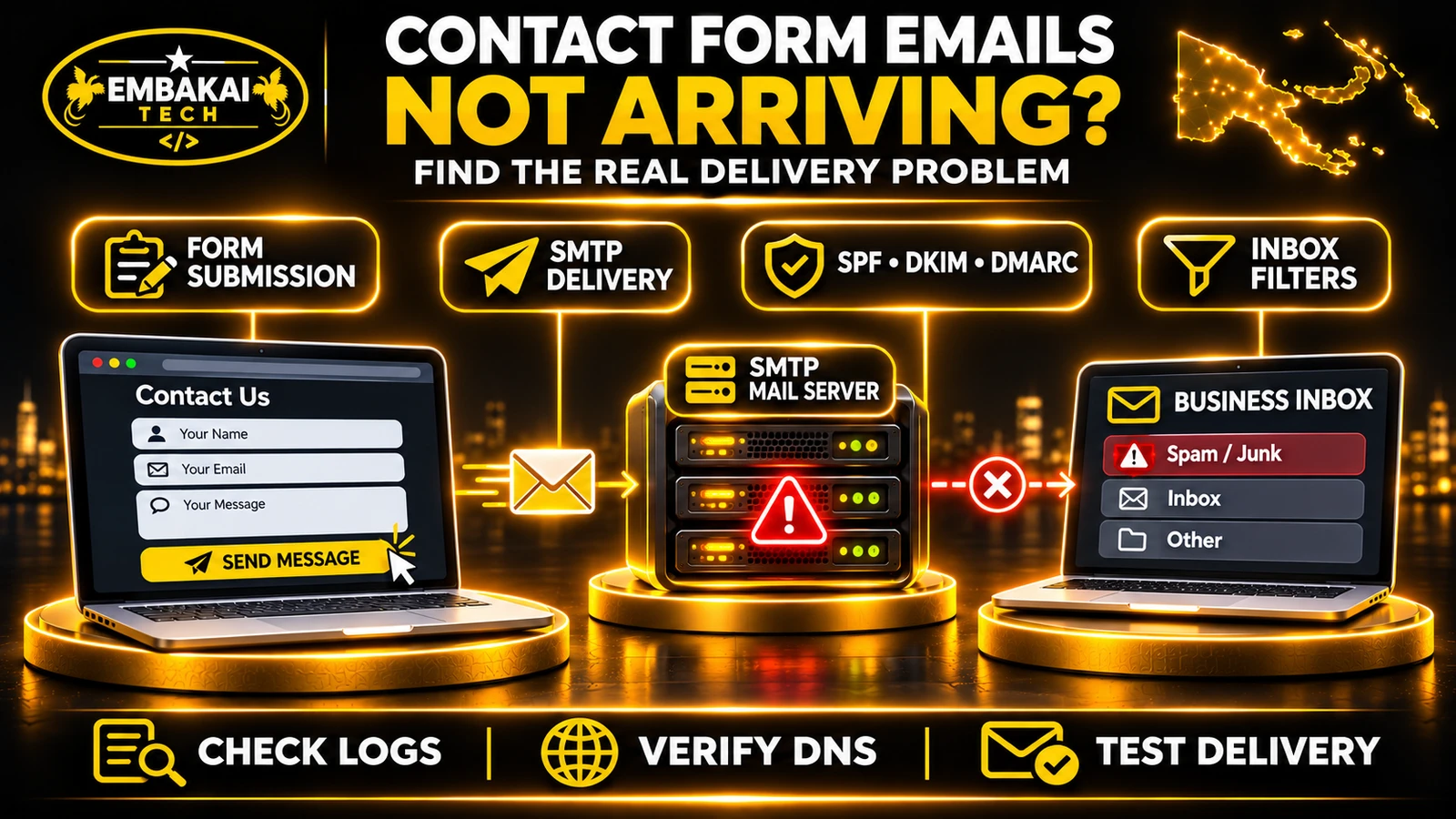
When website contact form emails are missing, start with a traceable test enquiry. Confirm the application accepted it, then follow the notification through its queue, mail provider and recipient filters. This guide shows PNG businesses where to look at each step.
A website contact form normally involves several separate operations.
A simplified delivery path looks like this:
CUSTOMER
   |
   | Completes contact form
   v
WEBSITE FRONTEND
   |
   | Sends HTTPS request
   v
APPLICATION BACKEND
   |
   | Validates and processes data
   v
EMAIL TRANSPORT
   |
   | SMTP or email API
   v
SENDING MAIL PROVIDER
   |
   | Attempts delivery
   v
RECIPIENT MAIL PROVIDER
   |
   | Filtering and mailbox rules
   v
BUSINESS INBOX
Each stage can succeed or fail independently.
For example, the application might save the customer's message in its database but fail to notify staff.
Alternatively, the application may submit the message to an email provider successfully, but the receiving provider may reject it.
Consider these different outcomes:
| What happened | What it means |
|---|---|
| Form displays a success message | The frontend believes the submission succeeded |
| Backend returns HTTP 200 | The server processed the request according to its implementation |
| Enquiry saved in database | The business has a stored record |
| Email job queued | Delivery has been scheduled, not necessarily completed |
| SMTP server accepts message | The next mail server has accepted responsibility for processing it |
| Recipient server accepts message | The receiving system accepted the message |
| Message appears in Inbox | It reached the expected mailbox folder |
These are not interchangeable.
Even an SMTP acceptance response does not prove that a human received or read the message.
A reliable website should distinguish between enquiry acceptance and email notification delivery.
Before investigating email, establish whether the website successfully receives the customer's information.
Open the contact page and submit an authorised test message.
Use a distinctive subject or reference, such as:
TEST-CONTACT-20261113-001
Record the approximate submission time and destination address.
Open the browser's developer tools and inspect the Network tab.
Submit the form and examine the request.
Look for:
A 403 response could indicate an access-control or anti-spam rejection, depending on the application.
A 500 response indicates that the server encountered an error.
Do not assume a particular status code has the same cause in every application. Read the actual response and relevant logs.
A poorly implemented form may display “Message Sent Successfully” whenever a button is clicked.
The success state should instead depend on the backend's documented result.
Even then, the response should accurately describe what occurred.
If the backend has saved the enquiry but only queued an email notification, a message such as “Your enquiry has been received” may be more accurate than claiming that an email was delivered.
Contact forms may include:
These controls should not be disabled simply to make the form appear functional.
Fix the specific integration or validation problem.
This is one of the most important operational checks.
If the website stores contact enquiries in a database, open the authorised administration dashboard and look for the test submission.
The form and the database-recording process may be functioning correctly.
The likely problem is further along the notification workflow.
Investigate the mail configuration, queue, provider logs and recipient mailbox.
The problem may involve:
A suitable database record means the business may still recover the enquiry even when its email notification fails.
For example, a construction company could retain a quotation request in its dashboard while the notification service is temporarily unavailable.
The application can then retry the notification without asking the customer to submit the enquiry again.
Data storage should still follow the organisation's privacy and retention requirements. Avoid collecting or retaining information that is not needed.
Recommendation: For an enquiry-driven business website, treat the database record as the primary accepted enquiry and email as a notification channel.
SMTP stands for Simple Mail Transfer Protocol.
It is a standard protocol used to transfer email between mail systems.
Many website applications use authenticated SMTP to submit outgoing notifications through a configured provider.
Incorrect SMTP settings can prevent emails from leaving the application.
These include:
A provider may supply details such as:
| Setting | Example |
|---|---|
| SMTP host | smtp.mailprovider.example |
| Port | 587 |
| Encryption | STARTTLS |
| Username | Provider-approved SMTP identity |
| Password | Provider-issued credential |
| From address | Authorised business email |
These are illustrative values, not credentials or instructions for a specific provider.
Port 587 commonly uses STARTTLS, while port 465 commonly uses implicit TLS.
Use the precise connection settings documented by the chosen email provider.
A website may run on shared cPanel hosting while using an external business email service.
In that arrangement, the application needs to communicate with the appropriate sending service.
The fact that employees can sign into their email accounts does not prove the website's SMTP configuration is correct.
The website is a separate client of the mail service. Should you use PHP's native mail function? Some PHP applications use the server's default mail transport.
This may work when the server is properly configured.
However, depending on hosting policies and delivery requirements, a dedicated authenticated SMTP or transactional email provider may offer clearer logs, authentication and delivery management.
Choose based on the application's needs and the hosting provider's supported services.
A common mistake is using the customer's email address as the message's sender.
For example, a customer enters:
The website then attempts to send:
From: [email protected]
To: [email protected]
Subject: New Website Enquiry
The website's email service may not be authorised to send messages claiming to originate from Gmail.
This can cause authentication failures, rejection or spam classification.
Use an authorised sender belonging to your business or configured sending domain.
For example:
From: Website Enquiries <[email protected]>
To: [email protected]
Reply-To: [email protected]
Subject: New Website Enquiry
Now the application sends from an authorised business identity while allowing staff to reply to the customer.
The customer-supplied Reply-To address should still be validated and safely handled.
Modern email authentication checks whether the sending service is authorised to use the relevant domain.
A website should not impersonate the customer's email provider.
Practical rule: Use a verified sending identity in the From field and the customer's address in Reply-To when appropriate.
Email authentication is one of the most common areas of confusion.
A website may submit email successfully while receiving providers distrust or reject the message.
Three important technologies help establish whether a sender is authorised.
SPF specifies which mail servers are permitted to send email using a domain's envelope-sender identity.
It is published through DNS.
A simplified example is:
example.com TXT "v=spf1 include:_spf.provider.example ~all"
This is a syntax illustration only. Use your actual provider's published SPF requirements.
If a business uses multiple authorised sending systems, its SPF configuration needs to account for them correctly.
Do not publish multiple independent SPF records beginning with v=spf1 at the same DNS name.
Coordinate authorised senders within one valid SPF policy.
DKIM uses a digital signature to help receiving servers verify that an email was signed by an authorised domain and that the signed content was not altered.
The sending service signs the message.
The receiving system uses a public key published in DNS to verify the signature.
A DKIM record usually uses a selector-specific hostname provided by the email service.
For example:
selector1._domainkey.example.com
The exact format and values depend on the provider.
DMARC checks whether SPF or DKIM authentication passes with the required domain alignment.
A message can satisfy DMARC using an aligned SPF pass or an aligned DKIM pass.
DMARC also lets a domain owner publish a policy for handling messages that fail authentication.
An illustrative monitoring policy is:
_dmarc.example.com TXT "v=DMARC1; p=none"
A p=none policy requests monitoring rather than quarantine or rejection based on DMARC policy.
This is not automatically the correct policy for every business.
The appropriate DMARC policy depends on the domain's sending services, authentication status and operational requirements. Does SPF, DKIM or DMARC guarantee inbox delivery? No.
Correct authentication helps receiving providers evaluate the message.
Other factors still matter, including:
Even authenticated messages may still be filtered.
Before changing any DNS configuration, identify which DNS provider is authoritative for your domain.
A website using Cloudflare DNS should normally have its active records managed there.
Editing an unrelated zone inside cPanel may not affect public DNS.
Open PowerShell and replace example.com with your actual domain.
Check MX records:
Resolve-DnsName example.com -Type MX
This identifies the configured incoming mail exchangers.
Check SPF and other TXT records:
Resolve-DnsName example.com -Type TXT
Find the domain's SPF record among the results.
Check DMARC:
Resolve-DnsName _dmarc.example.com -Type TXT
Check a DKIM selector:
Resolve-DnsName selector1._domainkey.example.com -Type TXT
Replace selector1 with the actual selector used by your email provider.
Some providers use CNAME records instead of publishing the DKIM key directly as TXT at that name, so follow the provider's documentation.
MX records primarily control incoming email delivery.
If your website sends notifications through an external SMTP or API provider, the cause of an outbound delivery failure may have nothing to do with changing the MX record.
Do not modify MX records simply because a contact form notification is missing.
Investigate the actual sending path first.
This issue is particularly relevant when the website and business email use different providers.
Suppose a PNG business runs its website on cPanel but receives email through Microsoft 365.
The web server may need to send a message to:
If its mail-routing configuration incorrectly treats the domain as locally hosted, the mail server may attempt local delivery rather than routing the message to the external provider.
cPanel supports configurations such as:
Local Mail Exchanger: The server accepts incoming mail for local delivery.
Remote Mail Exchanger: The server treats the domain's mail as externally hosted.
Backup Mail Exchanger: The server acts as a backup mail exchanger when configured appropriately.
The correct selection depends on the actual mail architecture.
Therefore, automatic detection should not be treated as definitive proof that routing is correct.
If the application sends exclusively through a separate external email API or SMTP provider, investigate that provider's delivery path as well.
Cloudflare can proxy website HTTP and HTTPS traffic.
However, the standard Cloudflare HTTP proxy does not support ordinary SMTP, IMAP or POP3 traffic.
This distinction matters when mail hostnames use the same DNS zone as the website.
For example:
mail.example.com
If this hostname is used for mail-server connections, it generally needs to resolve directly to the intended mail service rather than through Cloudflare's standard web proxy.
Cloudflare documents that mail-related hostnames should use appropriate DNS-only settings.
Verify:
Do not change the website's broader Cloudflare configuration merely because a form notification is missing.
Only correct mail-related settings when the evidence identifies a problem.
Some applications do not send notifications immediately inside the form request.
Instead, they place an email task into a queue.
A background worker processes it later.
This is useful because a customer does not have to wait for the mail provider to complete its work before receiving a website response.
However, queued email introduces additional requirements.
An application may use:
Mail::to($recipient)->queue(
    new EnquiryNotification($enquiry)
);
The application successfully queues the notification.
But if no worker processes the queue, the email may remain pending indefinitely.
Inspect:
php artisan queue:failed
And, where appropriate in a controlled environment:
php artisan queue:work --once
The second command processes a queued job and may have real side effects, including sending emails. Use it only when authorised and when the queue contents are understood.
Do not run workers blindly against production.
Some shared cPanel plans restrict continuously running processes.
A developer may use an appropriate scheduled approach for limited workloads, but the configuration must be supported by the hosting provider and tested.
If a business depends on high-volume or continuous background processing, the application may require a different hosting arrangement.
A further issue can arise when an application queues a notification before the relevant database transaction has committed.
The worker may attempt to read a record that is not yet committed.
Laravel provides mechanisms for dispatching queued mail after transactions commit when needed.
This is another reason to diagnose the actual workflow rather than simply installing an SMTP plugin.
Sometimes the email is successfully delivered to the recipient provider, but the employee cannot find it.
It may have been:
For a Microsoft 365, Google Workspace or other business mail environment, examine the provider's available message trace, email logs or quarantine controls.
Search using:
Employees sometimes create automatic rules that move messages based on subject, sender or keywords.
A contact form notification may be moved to another folder without appearing in the main inbox.
A mailbox that forwards mail to another address may also introduce additional delivery considerations.
If a message is being classified incorrectly, investigate authentication, sender identity and message content first.
Blindly allowing every message from a domain or IP address can introduce unwanted mail into the organisation's inbox.
Apply narrowly justified mail-filter changes.
For mail processed through a suitable cPanel mail server, cPanel provides a useful diagnostic feature called Track Delivery.
Its availability depends on the hosting provider's enabled features and mail configuration.
Typically:
cPanel → Email → Track Delivery
The interface may provide records showing:
Success: The mail server reports delivery according to the recorded mail transaction.
Deferred: Delivery has been delayed and may be retried.
Rejected: A server rejected the message.
Filtered: The message was filtered rather than delivered to the expected inbox.
Error: A failure occurred during processing.
The exact details depend on the hosting setup.
A third-party email provider may not be fully represented in cPanel's local tracking interface.
If the application sends through an external transactional service, inspect that provider's logs instead.
A log stating that SMTP authentication failed gives a very different diagnosis from a log showing recipient rejection or a successfully accepted message.
Follow the evidence. The error message is usually more useful than the symptom “email not received.”
WordPress is commonly used for business websites.
Contact forms may be implemented through plugins or custom development.
A typical WordPress mail workflow uses wp_mail(), which can rely on the site's configured mail transport.
Step 1: Submit a controlled test message.
Step 2: Check whether the form plugin records the submission.
Some plugins store entries; others do not unless additional functionality is configured.
Step 3: Review the form's notification settings.
Check the recipient address, From address, Reply-To field and message template.
Step 4: Verify the configured mail transport.
If an SMTP plugin is used, confirm that it is actually configured and authenticated with the intended provider.
Step 5: Run the mail plugin's supported test function.
This can help distinguish the email transport from the form submission code.
Step 6: Check the email provider's delivery logs.
Determine whether the provider accepted, rejected or deferred the message.
Step 7: Review spam filtering and email authentication.
Do not keep installing additional SMTP plugins without determining why the current configuration fails.
Multiple overlapping mail plugins can create confusion about which component is controlling outgoing messages.
If the SMTP plugin's test email works but the contact form notification fails, focus on the form configuration, notification trigger, recipient selection or application integration.
If both the SMTP test and the contact form fail, investigate the mail transport and provider configuration first.
This approach narrows the problem without making unnecessary changes.
Laravel provides several mail transports, including SMTP and supported API-based providers.
Its mail configuration can be found in the application's configured mail settings.
Check the application's actual mail configuration and environment.
Common settings may include:
MAIL_MAILER=smtp
MAIL_HOST=smtp.mailprovider.example
MAIL_PORT=587
MAIL_USERNAME=your-authorised-smtp-user
MAIL_PASSWORD=your-private-credential
[email protected]
MAIL_FROM_NAME="Business Website"
These values are illustrative.
Use the configuration names and supported encryption settings appropriate to the installed Laravel version and provider.
Do not publish real SMTP credentials or commit them to source control.
Laravel may cache its configuration in production.
Changing an environment file does not necessarily update the values used by a running application until the relevant cache and processes are refreshed.
Use the project's approved deployment procedure.
Look for:
A Laravel controller should not claim that a notification has been delivered merely because a mail job was queued.
If the enquiry was saved successfully, return a response that accurately reflects that state.
For example:
{
  "success": true,
  "message": "Your enquiry has been received.",
  "reference": "ENQ-2026-001"
}
This is an illustrative API response, not a complete Laravel implementation.
The enquiry reference helps the customer and business identify the submission.
A separate notification status can be recorded internally.
For business-critical contact forms, consider this workflow:
Validate enquiry
       |
       v
Save enquiry record
       |
       v
Confirm accepted submission
       |
       v
Queue email notification
       |
       v
Worker attempts delivery
       |
       +--> Success: update notification status
       |
       +--> Failure: log safely and retry
The application should prevent uncontrolled duplicate notifications and define a sensible retry policy.
This is more reliable than treating email delivery as the only record of the customer's enquiry.
Even with correct SMTP credentials and DNS authentication, mail can still fail.
Email providers evaluate more than technical configuration.
Mail services may consider sender history, spam complaints, sending patterns and previous delivery behaviour.
A website that suddenly sends unusually high volumes of notifications may encounter restrictions.
If the website sends directly from a shared hosting server, the outbound IP's reputation may affect delivery.
A dedicated mail service can provide more suitable delivery infrastructure, but it still requires correct configuration and responsible sending practices.
Some services limit:
Check the provider's actual response rather than assuming the website code is broken.
Google requires qualifying senders to meet defined authentication and transport standards, with additional requirements for high-volume senders.
These requirements are one reason businesses should avoid sending contact notifications using arbitrary From addresses.
Correct authentication improves the foundation for delivery, but it does not guarantee Inbox placement.
A contact form may work perfectly when sending plain text but fail when customers upload attachments.
Possible causes include:
For sensitive or large business documents, consider storing the uploaded file through an authorised application workflow and notifying staff that a submission is available.
The email can contain a reference to the protected record rather than attaching the document directly.
Access should require appropriate authorisation where the material is private.
For example, a contractor uploading a capability statement or a student submitting registration documents should not unintentionally create a publicly accessible file.
Unusual email headers, malformed messages or broken templates can also affect delivery.
Keep business notifications clear and correctly structured.
Use the provider's supported mail library rather than manually constructing complex SMTP messages without proper handling.
When a business reports that its contact form emails are missing, work through the problem in this order.
Use a unique reference and record the time.
Do not submit unnecessary real customer information.
Verify that the frontend contacted the correct backend endpoint and received the expected response.
Check validation results, application logs and the database record where applicable.
Determine whether the application sends immediately or queues the notification.
Verify SMTP or email API settings.
Check the provider's response.
Check the From address and Reply-To configuration.
Confirm that the sending identity is authorised.
Inspect SPF, DKIM and DMARC for the actual sending domain.
Do not modify unrelated MX records.
If cPanel is involved, confirm the appropriate local or remote routing settings.
Review message traces, spam folders, quarantine and mailbox rules.
After correcting the confirmed problem, test the complete workflow again.
Do not conclude that the issue is resolved after receiving only one successful SMTP response.
Verify the business's expected result.
| Symptom | Likely investigation |
|---|---|
| Clicking Send does nothing | Frontend JavaScript and form event handling |
| Form returns validation error | Required fields and backend validation |
| Form returns 403 or challenge error | Access controls or anti-spam validation |
| Form returns 500 | Application logs and server error |
| Enquiry saved but no notification sent | Mail trigger, queue and worker |
| SMTP authentication failed | Credentials, provider settings and account status |
| SMTP connection timed out | Host, port, network and provider restrictions |
| Provider rejects sender | From identity and email authentication |
| Email accepted but not in Inbox | Spam, quarantine, filters and provider trace |
| Internal company addresses fail | cPanel email routing and local delivery configuration |
| Notifications arrive much later | Queue processing, provider deferral and retries |
| Only messages with attachments fail | File limits, message size and filtering |
Use this table to narrow the investigation, not to replace actual testing.
Consider a hypothetical building maintenance company in Port Moresby.
A potential customer submits a quotation request through the company's website.
The page displays a successful submission message.
But the company does not receive the notification.
The developer checks the application's admin dashboard.
The enquiry is present.
This confirms the application accepted and saved the request.
The developer then checks the outgoing mail configuration.
The website sends through an external SMTP provider using an authorised business address.
However, the production application uses a queued notification process, and the queue worker has stopped.
The developer verifies the worker configuration and the hosting environment's supported background-processing approach.
After the queue system is corrected, a controlled test notification is processed.
The provider accepts the message, and the company confirms its arrival.
The developer also verifies that failed notifications are recorded so staff can identify future problems.
The problem was not DNS.
It was not the contact form's visible design.
It was not necessarily the receiving mailbox.
It was a failure in the background notification workflow.
Without checking the application records and queue status, the developer could have spent time making unrelated SMTP or DNS changes.
This is why root-cause troubleshooting matters.
A business website should not depend on one invisible notification mechanism.
For sites receiving important enquiries, consider the following capabilities.
Store necessary customer submissions in an appropriate database or application record.
Give customers a reference that can be used for follow-up.
Record whether the notification is pending, accepted by the provider or failed.
Do not label provider acceptance as confirmed human receipt.
Use controlled retries where supported.
Avoid repeated sends that generate unnecessary duplicate notifications.
Provide authorised administrators with visibility into unresolved notification errors.
Whenever the contact form, mail provider or related configuration changes, verify the full submission workflow.
Keep authorised sending identities and relevant DNS records accurate.
For important business processes, staff should be able to review accepted enquiries through the administration system, even if an email notification is delayed.
These measures reduce dependence on a single email reaching one person's inbox.
The website may be confirming that the backend accepted the submission rather than proving that the email reached the recipient. Check the application logs, database, notification queue and email provider.
Not every configuration requires an external authenticated SMTP service, but using a correctly configured SMTP or transactional mail provider can provide more predictable submission and delivery diagnostics.
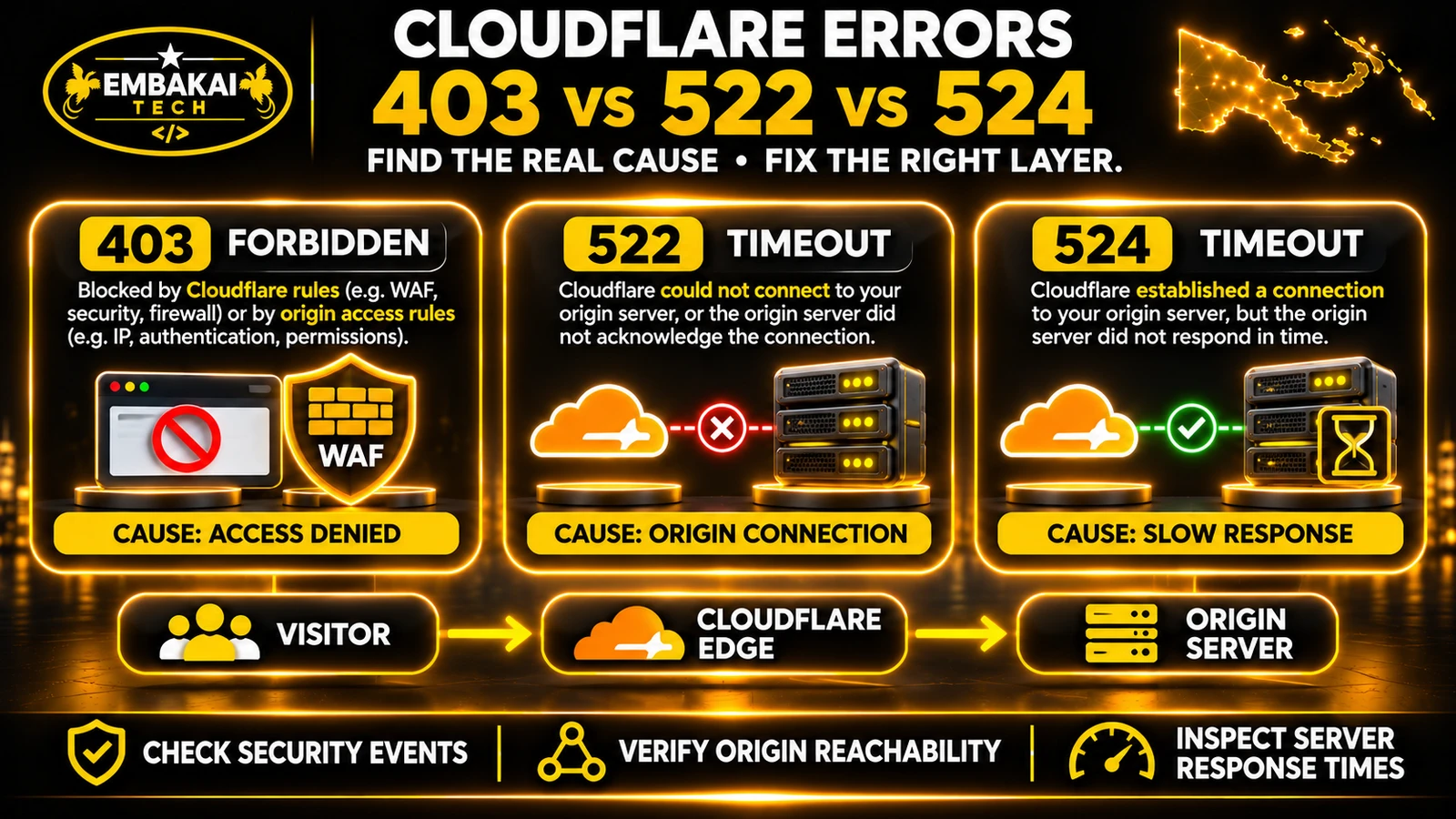
Cloudflare's standard HTTP proxy does not directly relay ordinary SMTP traffic. However, incorrect mail-related DNS records or mail-hostname proxy settings can affect mail connections. A web security rule can also interfere with the form's HTTPS submission. Diagnose which stage is failing.
Not necessarily. MX records concern incoming mail routing. Contact form notifications may fail because of the application's SMTP configuration, sender authentication, queues or recipient filtering. Check the actual delivery path first.
Possible reasons include authentication problems, sender reputation, message content or mailbox filtering. Inspect the provider's delivery details and confirm SPF, DKIM and DMARC configuration.
Employee email clients and website applications may use different SMTP credentials, providers, sending identities or processing systems. Test the website's configured transport separately.
Yes. Laravel supports direct sending as well as queued notifications. The appropriate approach depends on response-time requirements, reliability needs and the hosting environment.
For organisations that depend on website enquiries, storing accepted submissions can provide a useful recovery and tracking mechanism when notification delivery fails. The implementation should include appropriate access controls, retention and privacy considerations.
When website contact form emails are not arriving, the problem can exist at several different stages.
The frontend may fail to submit.
The backend may reject the request.
The application may save the enquiry but fail to trigger its email notification.
The mail provider may reject the sender, or the recipient service may filter the message.
Changing random settings rarely produces a dependable long-term solution.
A better approach is to follow the submission through the system, identify the exact failure point and correct the underlying cause.
For PNG businesses that rely on quotation requests, customer enquiries and online applications, the most reliable approach is to combine correctly configured email delivery with appropriate enquiry records, error monitoring and real workflow testing.
Your business should not lose an opportunity simply because an email notification failed silently.
Embakai Tech Solutions provides website development services, custom software development and business email solutions for organisations across Papua New Guinea.
Whether your website uses WordPress, Laravel or another supported platform, the correct starting point is to inspect the actual submission and email delivery workflow.
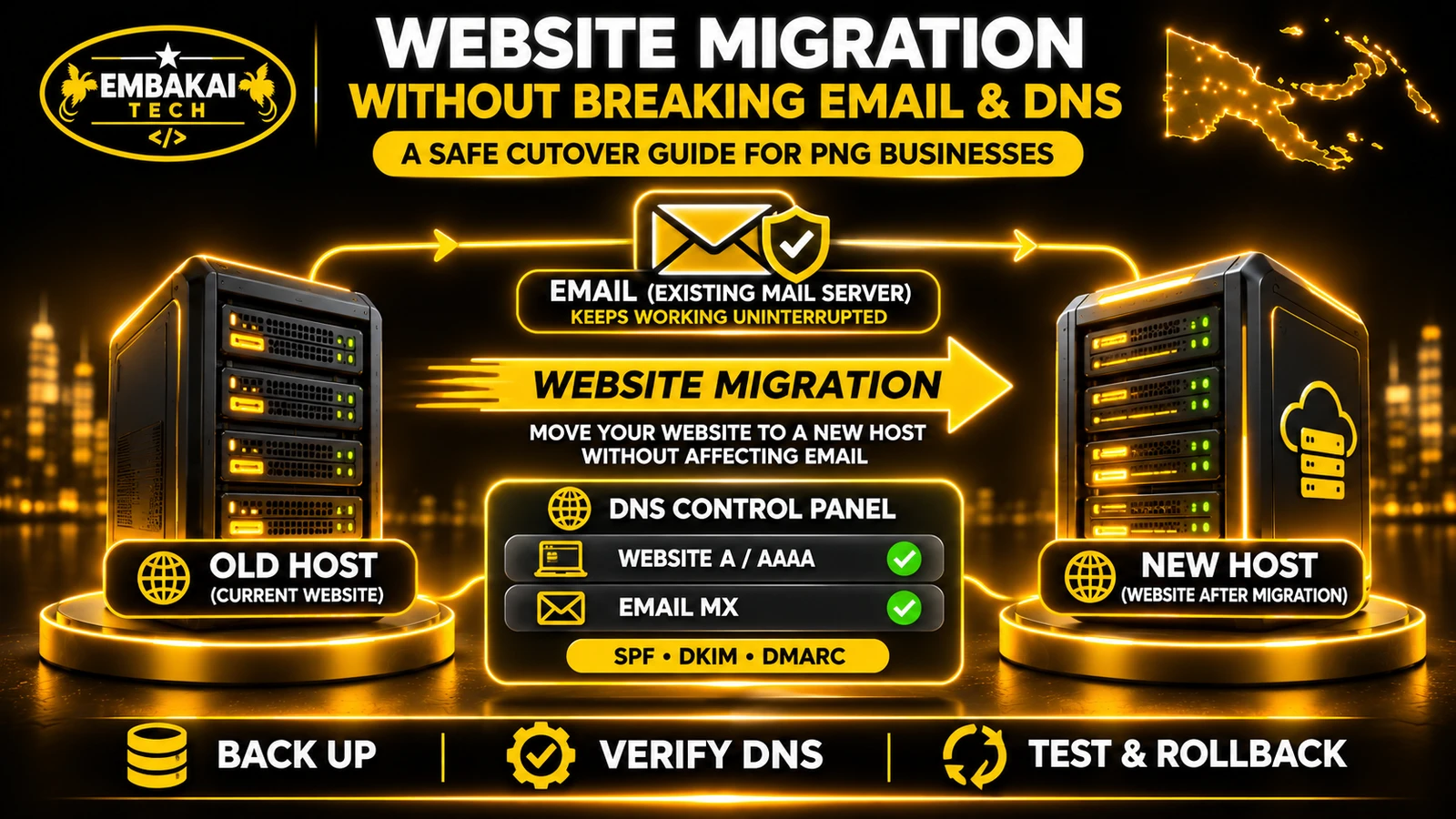
If the problem started after changing hosts, see how to migrate a business website without breaking email or DNS.
Contact Embakai Tech Solutions to discuss your website enquiry or business email requirements.
Contact Embakai Tech Solutions for a focused review, implementation plan or quote for your organisation in Papua New Guinea.