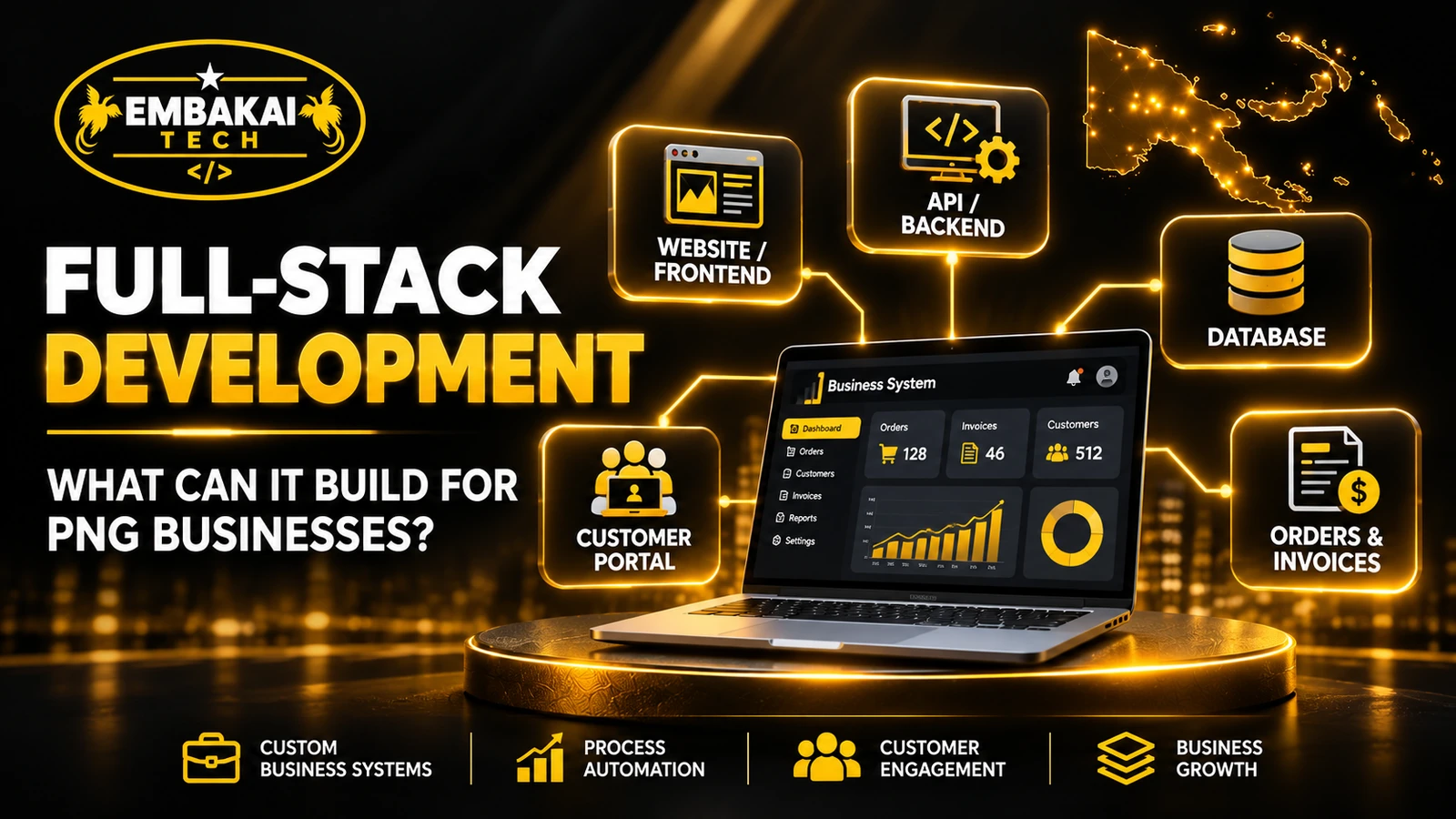
A full-stack developer in Papua New Guinea can build corporate websites, customer portals, online stores, inventory tools and custom software that connects quotations, jobs and invoices. Full-stack development covers the interface people use, the business rules behind it, the database and integrations with other systems.
Consider a construction supplier in Lae. Customers send quotation requests by email, staff check prices in Excel, and managers call employees to find out which orders are outstanding. A connected application can give everyone an authorised view of the same request, from the first enquiry to invoicing.
The examples below show what businesses in PNG can build, where existing software may already fit and what to include in a project brief.
Full-stack development is the process of building and connecting the major technical layers of a website or software application.
A typical full-stack web application has four important parts.
The frontend is everything customers and employees interact with.
It includes navigation, forms, dashboards, product listings, search functions, tables and other interactive elements.
For example, a customer using an online quotation portal might select a service, enter project details, upload supporting documents and submit a request.
Frontend technologies can include HTML, CSS, JavaScript, TypeScript and React.
React is useful for reusable, interactive interfaces, but a full application does not always require React. The right technology depends on the project's requirements.
The backend processes requests and applies the rules that make an application work.
It can:
Technologies such as Laravel, Django and Node.js can support backend applications.
The choice should depend on the system's requirements, hosting environment, development team and long-term maintenance needs.
The database stores the information an application needs.
Depending on the business, that could include customer records, products, inventory, quotations, invoices, job assignments, application submissions or training records.
Relational databases such as MySQL and PostgreSQL can organise related information while supporting queries, validation rules and transaction controls.
A well-designed database does more than store data. It helps prevent conflicting records and makes information easier to retrieve, update and report on.
The application also needs an appropriate production environment.
This includes hosting, domain configuration, database connections, application deployment, backups and monitoring.
Integrations may connect the platform to payment providers, email delivery, accounting software or other supported services.
A capable full-stack development team understands how these components interact rather than treating the frontend and backend as unrelated projects.
Not every organisation needs the same platform. The best software starts with a specific business problem.
A corporate website introduces a company, explains its services and gives customers a way to make enquiries.
However, some organisations need more than static pages.
A full-stack corporate website can include a content management dashboard, employee permissions, project portfolios, multilingual content where required, structured enquiry forms and integrations with internal operations.
For example, an engineering company may want potential customers to browse completed projects, download an approved capability statement and request a quotation for a particular service.
Staff could manage these enquiries from an internal dashboard instead of relying entirely on email notifications.
The public website remains easy to navigate while the backend handles submissions and staff administration.
A customer portal gives authorised customers access to information and services related to their accounts.
Possible features include:
Imagine a business that handles maintenance contracts for several organisations.
Instead of customers repeatedly asking whether a job has been completed, a portal could show the request status and supporting updates.
The system must still enforce permissions so one customer cannot access another customer's information.
A portal is particularly useful when customers need ongoing access rather than a one-time enquiry form.
Many businesses have a gap between receiving a customer enquiry and collecting payment.
A custom system can connect those stages.
For a construction or maintenance company, the workflow might look like this:
Customer enquiry → Estimate → Manager approval → Customer acceptance → Job assignment → Invoice → Payment reconciliation
Each stage can have its own responsibilities and status.
An estimator prepares the quotation. A manager approves it. The customer receives the agreed document. Operations assigns the work, and accounts manages the invoice.
The application can maintain a record of relevant changes and approvals.
This does not mean every quotation automatically becomes an invoice. The process should reflect the business's actual commercial and accounting rules.
A retail business may operate a physical store and an online shop.
Without integration, the two sales channels can become difficult to coordinate.
A full-stack e-commerce platform can connect:
Consider a retailer in Port Moresby selling the same products online and over the counter.
When the last item sells in the physical shop, the online store needs an appropriate way to prevent or manage another purchase.
A properly designed system defines which application owns the stock record, when stock is reserved and how transactions are reconciled.
Real project example: Embakai Tech Solutions developed the Fresh From Us PNG Custom E-commerce & POS Platform, connecting an online storefront with retail operations, product and order management, and payment integrations.
That project illustrates how a customer-facing website can form part of a larger operational system.
Businesses dealing with products, equipment or materials often need more visibility than a basic spreadsheet provides.
An inventory application can manage product records, stock movement, purchasing, suppliers, receiving and reporting.
A warehouse supervisor might record goods received, while sales staff check available stock and management reviews reorder requirements.
For businesses operating across multiple locations, permissions and stock ownership become especially important.
The system should distinguish between physical stock, reserved stock and available stock.
If branches have unreliable connectivity, the organisation must also decide whether offline entry is necessary and how conflicting updates will be resolved.
Accommodation providers, clinics, training organisations and professional service businesses can use booking applications to organise requests.
Depending on the service, a system may provide booking forms, schedules, availability checks, staff assignments, reminders and cancellation handling.
However, an enquiry form is not the same as a confirmed booking system.
A lodge in New Ireland might need staff to check room availability and airport transfers before accepting a reservation.
A training provider may instead need a registration system that manages course capacity and participant information.
The business process determines whether bookings can be confirmed automatically or require staff approval.
Educational organisations can use custom web applications to manage activities that otherwise require paper forms or disconnected records.
Potential modules include student applications, admission reviews, course information, enrolment, learning materials, attendance and certification records.
For example, an institution could receive applications through a secure form, let authorised staff review supporting documents, and notify applicants when a decision is ready.
Permissions must be designed carefully because application records may contain sensitive personal information.
Real project example: The Instruction CPR Plus training management system demonstrates work covering training registration, course management, certification support and professional communication.
An education platform should be developed around the institution's actual enrolment and administration processes, rather than assuming every school needs a large learning management system.
Organisations with multiple employees may need structured staff administration.
A custom application could manage staff profiles, leave applications, approval workflows, attendance records, departmental assignments and internal notices.
A payroll system is a more specialised requirement.
Payroll calculations, statutory deductions, employment records and accounting integrations require clear rules and thorough validation.
A business should not assume that a basic staff dashboard automatically includes a compliant payroll solution.
Start by identifying which staff processes need improvement and which financial or employment functions require specialist review.
A full-stack developer can build platforms where many organisations or individuals maintain separate listings.
Examples include business directories, job portals, property listings, vehicle marketplaces and supplier registration systems.
A typical business directory might support:
The backend controls how profiles are submitted, reviewed, updated and displayed.
Real project example: Embakai Tech Solutions developed the Rabaul District SME Portal, featuring local SME profiles, category discovery and district-focused content.
This illustrates the difference between a conventional information website and a database-backed platform designed to organise many business profiles.
A dashboard should help employees make decisions or complete tasks, not simply display attractive charts.
For example, a manager might need to know:
A custom application can combine relevant information in one place, subject to the organisation's permissions and data-quality controls.
Automation can route tasks, trigger notifications and reduce repetitive copying of information.
However, automation still needs clear business rules. Sending an automated reminder is straightforward; deciding whether a purchase should be approved may require human judgement.
| Business problem | Suitable digital solution |
|---|---|
| Customers struggle to find company information | Corporate website |
| Customers repeatedly request account documents | Customer portal |
| Quotations and invoices are managed separately | Quotation and invoicing system |
| Online and physical stock records disagree | E-commerce and POS integration |
| Staff cannot track jobs across departments | Job management dashboard |
| Applicants submit paper registration forms | Online application portal |
| Suppliers are difficult to discover | Supplier or business directory |
| Management needs consistent operational reports | Database-backed reporting system |
The right solution is not necessarily the most complicated one. A modest, reliable application that solves a genuine problem can be more valuable than a large platform full of unused features.
Consider a hypothetical maintenance company operating in Port Moresby and Lae.
Its customers submit requests through email and WhatsApp. Staff prepare quotations in spreadsheets. Job information is shared in group chats, and invoices are prepared after work is completed.
A full-stack application could connect these processes.
The customer opens a service page, chooses the type of work, describes the location and attaches approved supporting information.
The backend validates the submission and records it.
A unique request reference lets employees find the record without searching through email threads.
An authorised estimator opens the request through the staff dashboard.
The estimator enters relevant quantities, prices, exclusions and supporting notes.
The system calculates the proposed amount using the business's agreed rules.
A manager reviews the quotation before it is issued.
The customer receives the approved document through the agreed communication channel.
Acceptance is recorded using an appropriate process that the business has authorised.
The system then changes the request to the relevant operational status.
A supervisor assigns work to employees.
The dashboard shows job responsibilities, progress and outstanding actions.
Staff permissions determine who can modify assignments and close work orders.
When the agreed billing conditions are met, accounts can prepare the appropriate invoice.
Payments are matched to the correct invoice through the organisation's reconciliation procedure.
The system should not treat an unverified payment notification as proof that funds were received.
The benefit is not simply that employees now have a website.
It is that the business can maintain a consistent record from the first customer enquiry through to the final administrative action.
Managers can follow the status of work without relying entirely on separate spreadsheets and messages.
Actual time savings depend on how well the software matches the business process and whether staff use it consistently.
A custom application intended for Papua New Guinea should be designed for its actual users and operating locations.
A business application used by office staff in Port Moresby may have different connectivity requirements from a field reporting tool used in a remote district.
Before development, ask:
Will users access the system mainly through phones?
Mobile layouts should work with the forms, tables and controls employees actually need.
A desktop-sized dashboard that simply shrinks to fit a phone is not necessarily usable.
What happens when the connection becomes unreliable?
The application should provide clear loading indicators, sensible timeouts and understandable error messages.
For supported workflows, offline capability can be considered.
A Progressive Web App may use local caching and service workers, but offline data entry and reliable synchronisation require additional design. Not every web application automatically works offline.
Which information must always be current?
Public information may be suitable for caching, while inventory availability, payment status and customer account permissions may require fresh server validation.
Will different branches need separate access?
Managers may need a wider view than ordinary staff, while customers should only access their own records.
These requirements belong in the project brief, not as afterthoughts once development has started.
There is no single technology stack that is best for every PNG business.
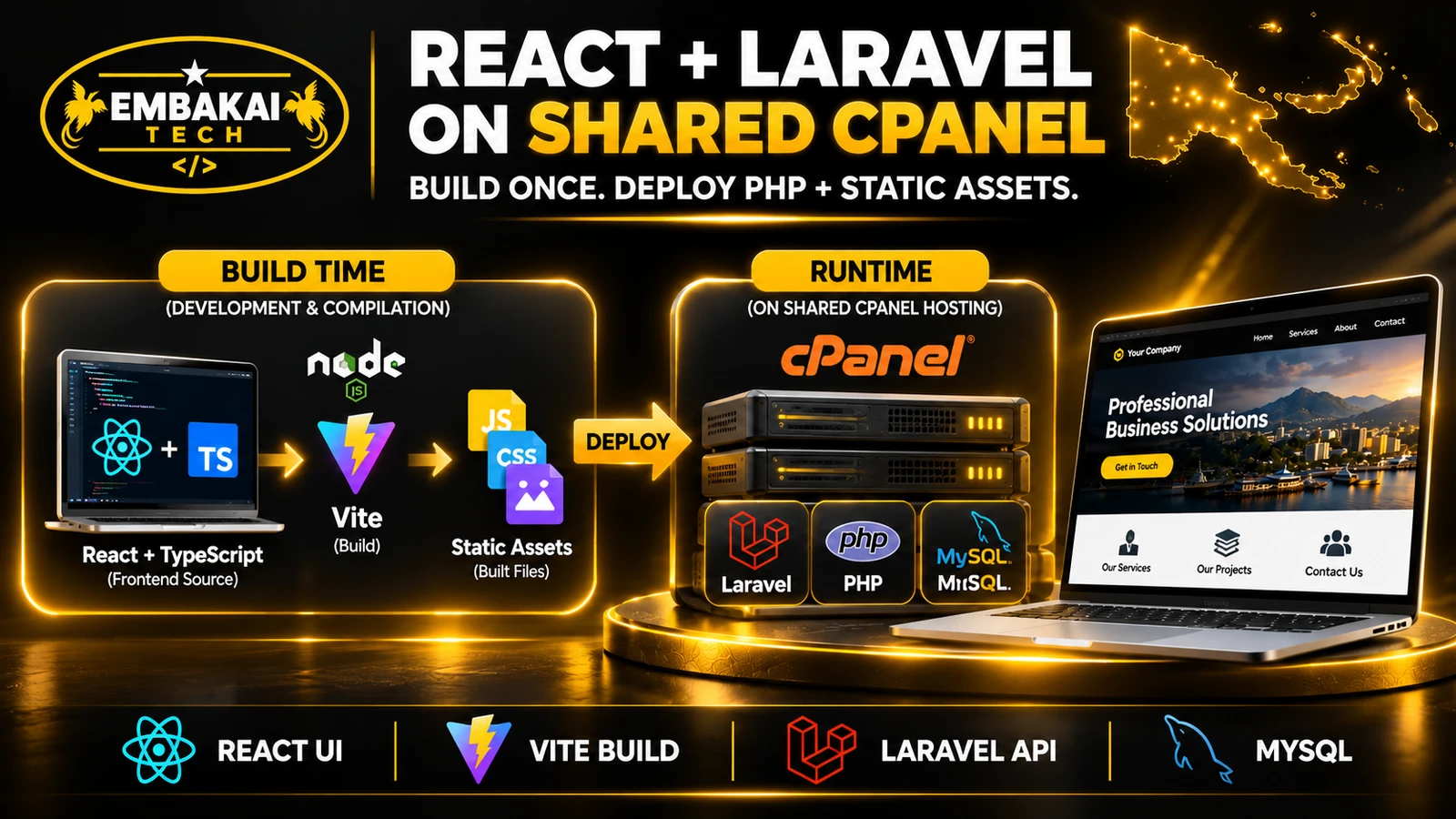
For a typical web-based business system, a project may use:
| Application layer | Possible technology | Purpose |
|---|---|---|
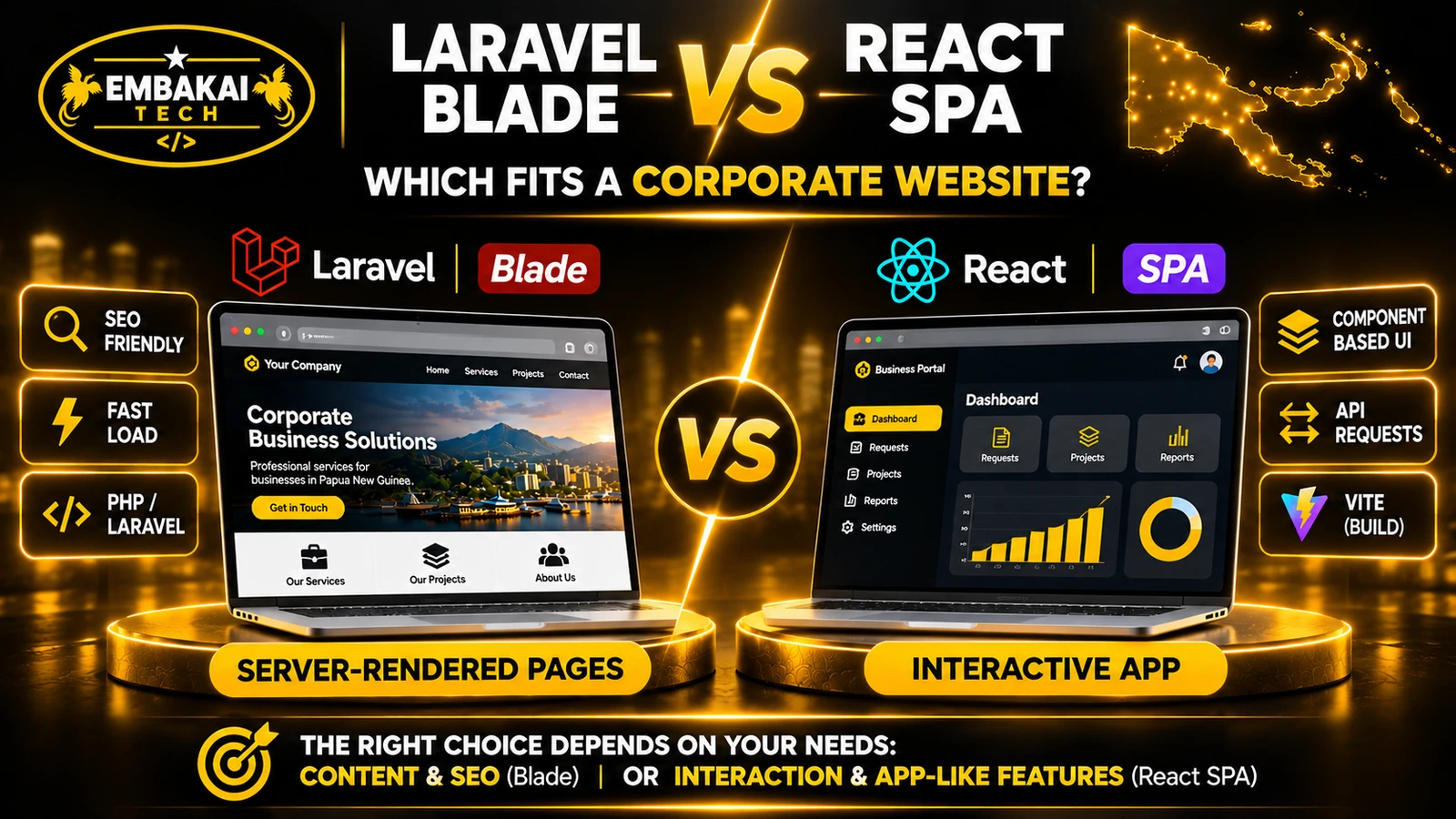
| Public website | Laravel Blade or another suitable rendering approach | SEO-friendly service information |
| Interactive interface | React and TypeScript | Dynamic forms and dashboards |
| Backend | Laravel or another appropriate framework | Business rules and APIs |
| Database | MySQL or PostgreSQL | Structured business records |
| Integrations | Supported APIs and scheduled processes | Email, payments and connected services |
| Hosting | Compatible shared hosting, VPS or cloud | Running and maintaining the application |
This is an example architecture, not a compulsory stack.
For public pages that need strong search visibility, server-rendered HTML can be a sensible starting point.
For highly interactive dashboards, React can help build reusable interface components.
The backend must independently validate inputs and enforce permissions, regardless of what the frontend displays.
Sometimes, yes.
A compatible PHP-based Laravel application with precompiled frontend assets may run on shared hosting without requiring a permanently running Node.js server.
However, the hosting plan must support the application's PHP requirements, document-root configuration, database access and runtime needs.
Applications requiring continuous background workers, WebSockets, resource-intensive processing or more control over the server may need a VPS or a managed platform.
Hosting should be selected based on the application's operating requirements, not simply the lowest advertised price.
Before investing in a custom platform, compare your requirements with existing solutions.
An off-the-shelf system may be a better choice when standard features already match your workflow.
For example, a small business with simple invoicing needs may be better served by an established accounting product rather than commissioning an entire accounting application.
Custom development becomes more attractive when your organisation has specific operational requirements, needs several systems to work together, or cannot find a suitable existing product.
A useful decision process is:
A full-stack developer should be able to explain when a custom build is unnecessary.
A practical project brief does not need to be a highly technical document.
Start with the following information.
Who will access the platform?
For example:
Describe what each group needs to view, create, approve or modify.
Provide sample forms, spreadsheets, documents or workflow descriptions.
Explain how work currently moves between employees.
Identify the steps where information is duplicated, delayed or lost.
Separate essential functions from future improvements.
A first release might include user authentication, enquiry management, staff assignment and basic reports.
Payment integrations, advanced analytics and customer self-service could follow when the foundation has been tested.
This helps prevent the project from becoming too large before its core workflow is proven.
The development scope should describe how completion will be measured.
For example:
These are more meaningful acceptance criteria than simply saying the system must look modern.
A production application needs an operating plan.
Discuss hosting, backups, software updates, account administration, monitoring, data exports and support responsibilities.
Also clarify who owns the project accounts, how access will be handed over and what happens if the business needs another developer later.
There is no reliable universal price for a custom full-stack application.
A corporate website with a contact form is very different from a multi-branch inventory platform connected to payments, staff permissions and accounting systems.
Major cost factors include:
A detailed written quotation should explain the included modules, delivery stages, assumptions, exclusions and recurring costs.
The lowest development price is not always the lowest long-term cost, particularly when the application becomes central to business operations.
Yes. A full-stack solution can combine public website pages with a private administration dashboard, connected through the backend and database. Access controls must be enforced on the server.
Often, yes. The records need to be inspected, cleaned and mapped to the new database. Duplicate entries, inconsistent formats and missing information should be addressed before migration.
Potentially. Integration depends on the provider's supported APIs, merchant approval, credentials, transaction requirements and the system's intended payment workflow.
A developer should verify the actual provider requirements before promising an integration.
Not automatically. Selected features can be designed for offline use, but synchronisation, data conflicts and sensitive information require careful handling. Real-time actions such as payment confirmation may still require network access.
Yes, if it is designed with maintainable components, sensible data structures and a tested deployment process. Scalability should be based on realistic workload expectations rather than unsupported promises.
A full-stack developer can build corporate websites, customer portals, e-commerce platforms, inventory systems, quotation workflows, training platforms and many other applications.
But the real value is not the number of technologies used.
It is whether the final application makes an important business process more reliable, manageable and useful.
Before requesting a custom software quotation, identify the people who will use the system, the information it must handle and the workflow you want to improve.
Those details allow the development team to recommend an appropriate technical approach rather than selling unnecessary features.
Embakai Tech Solutions provides custom software and full-stack development services for businesses and organisations in Papua New Guinea.
Whether you need a customer portal, administration dashboard, booking system, business directory or a platform that connects several operating processes, start with a clear explanation of what your organisation needs to accomplish.
Contact Embakai Tech Solutions to discuss your requirements or request a development quotation.
For readers wanting to explore the technologies and design considerations discussed:
Contact Embakai Tech Solutions for a focused review, implementation plan or quote for your organisation in Papua New Guinea.
Explore our PNG service areas and industry website options, or discuss full-stack and custom software development. Embakai is based in Port Moresby and supports remotely managed projects across PNG.
Request a Quotation