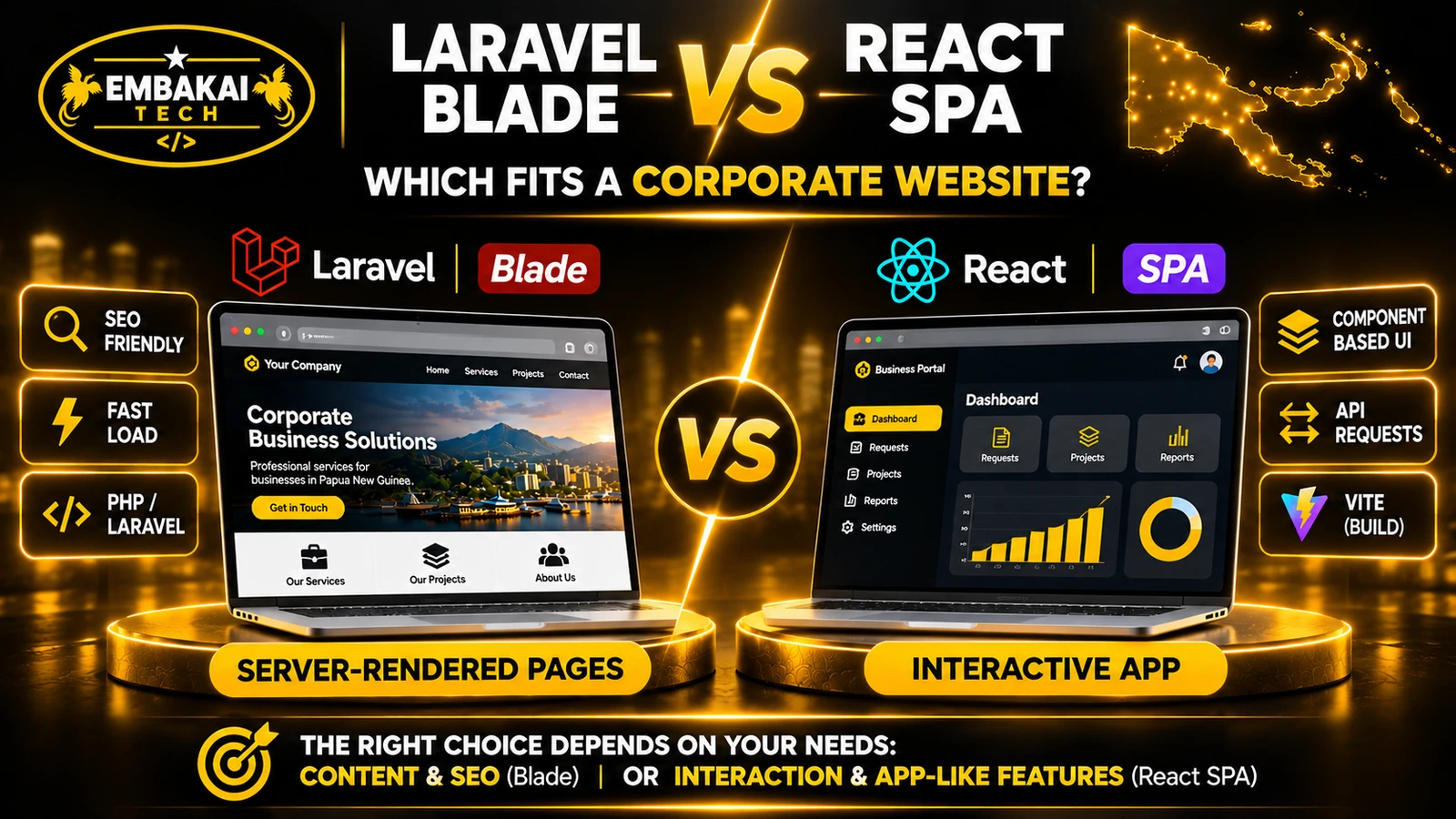
Laravel Blade is a practical starting point for a corporate website that needs public service pages, a portfolio and search visibility. A client-rendered React SPA fits interactive workflows such as dashboards with filters, forms and frequent updates. PNG businesses that need both can use Blade for public pages and React for selected features.
Before comparing the two, an important technical distinction needs to be made.
Laravel Blade is a server-side templating system. React is a user-interface library. A React SPA is one way to build an application using React.
They are not direct equivalents at every architectural level.
Both Blade and React can work with a Laravel backend.
Blade is Laravel's built-in templating engine.
It allows developers to generate HTML using PHP data and reusable templates.
A developer might create a corporate website with pages for:
The browser receives the page's actual content in the server response.
For example, a visitor opening the company's services page can receive its heading, service descriptions and navigation links immediately in HTML.
JavaScript may still enhance the page, but the primary content does not depend on a client-side application loading first.
A React SPA typically loads an initial HTML document and JavaScript application.
React then manages the interface in the browser, updating views as users interact with the application.
Instead of requesting a completely new HTML document for every internal navigation, the application can change the displayed content and fetch additional information as needed.
This approach is useful for interfaces such as:
A React SPA is not necessarily better because it avoids page reloads. The real question is whether that interaction model improves the tasks users need to perform.
Understanding the request flow helps explain the practical differences.
A typical Blade-rendered page works like this:
Visitor opens /services/
          |
          v
Web server receives request
          |
          v
Laravel processes route
          |
          v
Database queried if required
          |
          v
Blade renders HTML
          |
          v
Browser receives page content
The resulting HTML can contain the main heading, paragraphs, images, navigation and other important page elements.
Interactive features can still use JavaScript where necessary.
A typical client-rendered React application works like this:
Visitor opens /dashboard/
          |
          v
Server returns application shell
          |
          v
Browser loads JavaScript
          |
          v
React initialises interface
          |
          v
Application requests data
          |
          v
Dashboard displays records
This is a simplified example. Applications can preload data, cache results and use different rendering strategies.
The initial HTML of a basic client-rendered SPA may contain little of the final visible page content.
That distinction matters especially for public pages intended to appear in search results.
For corporate websites in Papua New Guinea, organic search visibility can be an important source of enquiries.
A construction company in Lae may want its services to appear when someone searches for local contractors.
A law firm in Port Moresby may need its practice areas and contact information discoverable.
A tourism operator in New Ireland may want visitors to find its accommodation and travel information.
The architecture should make those pages accessible to search engines.
Blade provides a straightforward path to server-rendered HTML.
The server can include:
This reduces dependence on client-side JavaScript for discovering important information.
Blade does not automatically deliver good SEO. The content, metadata, performance, internal linking and technical configuration still need to be correct.
Google can render JavaScript-powered websites.
Therefore, it is incorrect to say that React SPAs cannot rank on Google.
However, a client-rendered SPA introduces additional considerations.
If important content only appears after JavaScript executes, the crawler may need to complete an additional rendering stage to examine it.
Developers must also ensure that:
Other crawlers may have different JavaScript capabilities.
React is not limited to client-side rendering.
Modern React frameworks can support server-side rendering and static generation.
These approaches can provide HTML before the application becomes interactive.
Therefore, the SEO comparison is more accurately described as:
Blade server-rendered pages versus a client-rendered React SPA, rather than Laravel versus React in every possible configuration.
If SEO and content discovery are major priorities, start by considering server-rendered public pages.
Laravel Blade is a practical option when Laravel is already the backend.
React can then provide interactive functionality without requiring the entire public website to become a client-rendered SPA.
There is no universal winner.
A well-optimised React application can outperform a poorly designed Blade website.
A simple Blade page can also load more efficiently than a large client-rendered JavaScript application.
Performance depends on implementation.
A Blade-rendered page can send meaningful HTML immediately, but the server still needs to complete its work.
Slow database queries, complex templates, oversized images and excessive server processing can delay the response.
Appropriate caching and efficient queries can help.
Blade also allows developers to load only the JavaScript required by a particular page.
That can reduce unnecessary client-side work.
A React SPA may provide smooth interaction after the application loads.
However, the initial experience may involve downloading JavaScript, parsing it, executing it and fetching application data.
Large bundles, unnecessary components and repeated API requests can create delays.
Useful improvements include:
Rather than choosing a technology based on reputation, test actual pages.
Useful measurements include:
Largest Contentful Paint (LCP): How quickly the main visible content appears.
Interaction to Next Paint (INP): How responsive the page is to user interactions.
Cumulative Layout Shift (CLS): How much visible content unexpectedly moves.
Also test the site's real tasks.
Can a customer open a service page quickly on a mobile connection?
Can they submit a quotation without losing information?
Can staff filter 500 records without the dashboard becoming unresponsive?
These practical outcomes matter more than framework labels.
A corporate website may contain several different kinds of functionality.
Some are content-focused. Others are application-focused.
These pages mainly display information.
Examples include:
It can use reusable layouts and database-driven content without requiring a large JavaScript application.
Both architectures can support sophisticated forms.
Blade can provide traditional server-submitted forms, while JavaScript can add validation feedback and interactive steps.
React can be particularly useful for quotation forms with dynamic pricing options, conditional questions or multiple stages.
However, the backend must validate all important data regardless of the frontend technology.
React can be effective for dashboards with substantial client-side interaction.
For example, a manager may need to:
But a simple dashboard does not automatically justify a SPA.
Blade combined with suitable interactive tools can also handle many administrative tasks.
A customer portal may involve authenticated views, account data, invoices, service history and support requests.
React can provide a useful application-like experience.
Blade can also serve these pages effectively.
The deciding factors are the interaction complexity, user journeys and maintenance requirements.
| Requirement | Laravel Blade | React SPA | Hybrid Blade + React |
|---|---|---|---|
| Public corporate pages | Strong fit | Possible, with rendering considerations | Strong fit |
| SEO-friendly initial HTML | Straightforward | Requires suitable rendering strategy | Straightforward for Blade pages |
| Interactive dashboard | Suitable for simpler workflows | Strong fit | Strong fit |
| Multi-step forms | Supported | Strong fit | Strong fit |
| Reusable UI components | Blade components | React components | Both |
| Initial JavaScript requirements | Can be relatively low | Often higher | Depends on mounted features |
| PHP shared hosting | Usually compatible if Laravel requirements are met | Possible with built static assets and suitable backend | Often practical |
| Client-side navigation | Usually full page navigation | Built-in SPA pattern with routing | Depends on implementation |
| Deployment complexity | Generally lower | Additional frontend routing and build concerns | Moderate |
| Maintenance | Primarily Laravel-oriented | React plus backend responsibilities | Both technologies |
| Best use | Content-focused websites | Application-like interfaces | Corporate sites needing both |
The table compares common implementation patterns. Performance depends on the implementation.
An application's quality depends on the developers' implementation and the infrastructure available.
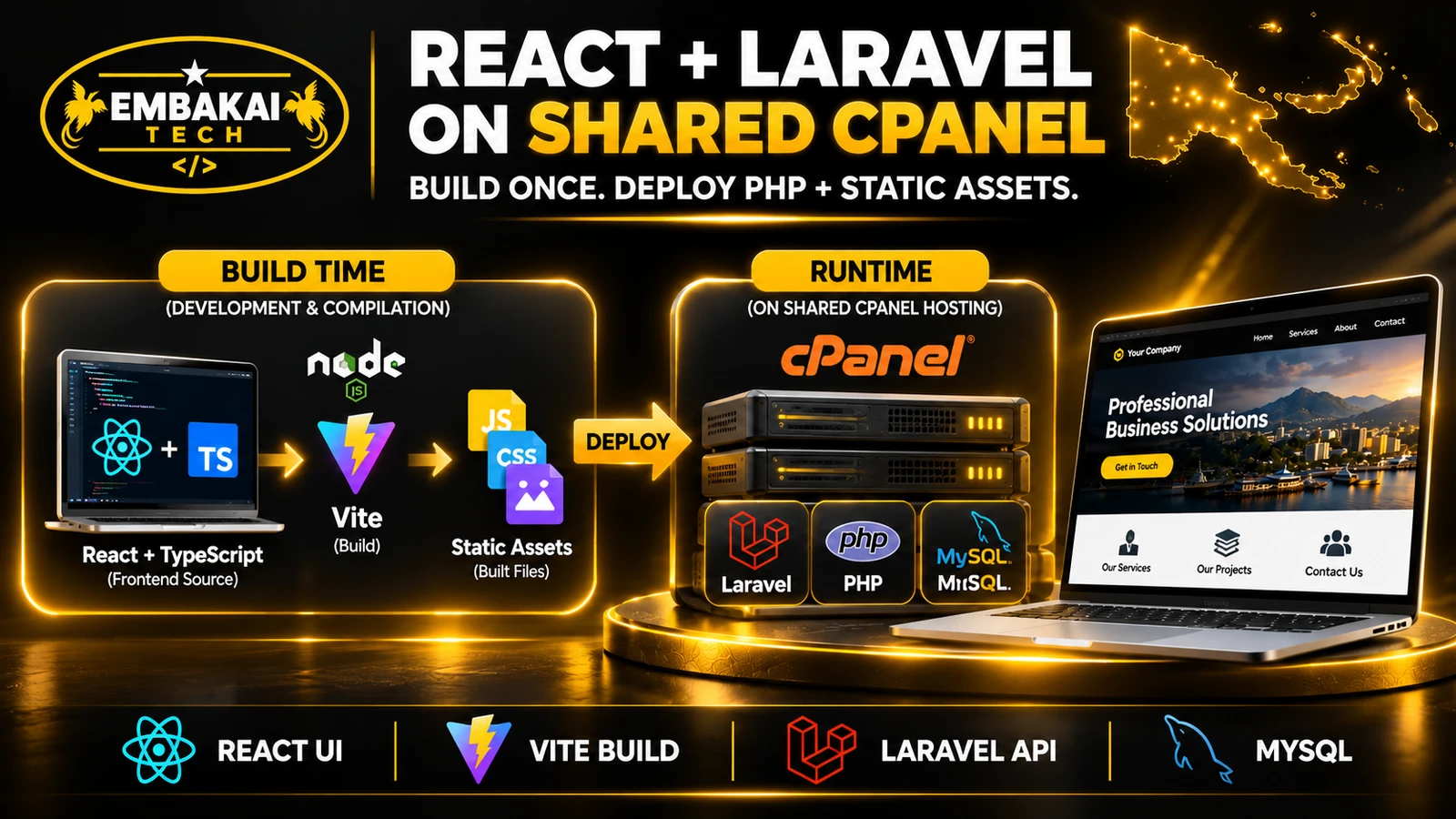
Hosting can influence the decision, especially when a company plans to use shared cPanel hosting.
Blade runs as part of Laravel's PHP application.
A compatible shared hosting environment may be sufficient when it supports:
React source code can be compiled using a build tool such as Vite.
The generated JavaScript, CSS and other static assets can then be served by a web server.
If Laravel handles the backend and React runs in the browser, a persistent Node.js server is not necessarily required.
However, the developer must correctly configure application routing, authentication, API communication and asset paths.
A React application using server-side rendering may have additional runtime requirements.
For example, an Inertia SSR setup may use a server-side rendering process.
A basic shared hosting account may not support that requirement.
This is why a developer should establish the rendering strategy before selecting hosting.
For detailed deployment guidance, see our article:
React + Laravel on Shared cPanel Hosting.
A company should compare the total cost of building and operating the website, not only the initial development quotation.
For a conventional corporate website, Blade may require fewer frontend dependencies and less application infrastructure.
A Laravel developer can manage templates, routes, controllers and backend functionality in one environment.
This can simplify maintenance where the project does not need a complex interactive interface.
A React SPA may require additional work involving:
It may be unnecessary for a website consisting mainly of company information and contact forms.
A hybrid project introduces both Blade templates and React components.
That requires clear architectural boundaries.
For example, the team should agree whether public navigation is handled by Laravel, which components React owns, and which backend endpoints provide the data.
If these responsibilities are unclear, a hybrid can become harder to maintain.
Ask the developer:
A construction company needs a professional website presenting its services, completed projects, approved capability documents and contact information.
It also wants an enquiry form and a basic staff dashboard.
Most public visitors are reading content rather than performing complex interactions.
Suitable approach: Laravel Blade for public pages, with React components added where the quotation form or dashboard benefits from richer interaction.
This supports a straightforward public website without forcing all content through a client-rendered application.
A logistics business manages deliveries, customer requests, branch updates and reporting.
Employees spend much of their day interacting with the application.
They need filtering, status changes and frequent updates without losing their working context.
Suitable approach: A React SPA or another application-focused frontend backed by Laravel.
The public marketing website can remain server-rendered.
The operational interface should be designed around employee tasks and permissions.
A retailer needs searchable product pages, online ordering, an inventory system and a staff dashboard.
Its product and category pages should be discoverable by search engines.
Staff also need a more interactive interface for managing stock and orders.
Suitable approach: Server-rendered public commerce pages where appropriate, plus an interactive application for administration.
The final implementation depends on the chosen e-commerce system, data model and existing integrations.
These are illustrative scenarios, not claims about projects delivered to specific companies.
For many corporate websites, the decision does not need to be either Blade or React.
Consider the following structure:
CORPORATE WEBSITE
        |
        v
Laravel Application
        |
        +---------------------------+
        |                           |
        v                           v
Public Website               Interactive Features
Laravel Blade                React + TypeScript
        |                           |
        |                           v
        |                    Laravel Controllers / APIs
        |                           |
        +-------------+-------------+
                      |
                      v
                Business Logic
                      |
                      v
                 Database
The public website can provide SEO-friendly company information.
React can power an advanced quotation form, portal or dashboard.
Laravel manages business rules, authentication and database operations.
A Laravel project might separate responsibilities like this:
resources/
├── views/
│   ├── layouts/
│   ├── pages/
│   └── components/
└── js/
    ├── app.tsx
    └── components/
        ├── QuotationForm.tsx
        └── Dashboard.tsx

routes/
├── web.php
└── api.php
This is illustrative. Real routing and file structure should follow the project's Laravel version and authentication design.
For example:
use Illuminate\Support\Facades\Route;

Route::view('/services', 'pages.services');
Laravel renders the services page using the associated Blade view.
That view can include headings, metadata, text, images and links in the initial HTML.
A Blade page can include a mounting element:
<div id="quotation-app"></div>
A React entry point can attach the relevant component:
import { createRoot } from 'react-dom/client';
import QuotationForm from './components/QuotationForm';

const element = document.getElementById('quotation-app');

if (element) {
  createRoot(element).render(<QuotationForm />);
}
This example assumes the React entry point is loaded through the project's frontend build integration.
The backend must still validate submitted information and enforce permissions.
These examples demonstrate the principle; they are not a complete production application.
Laravel also supports React through Inertia.
Inertia uses Laravel routing and controllers while rendering frontend pages using React.
It provides another approach for teams wanting application-style navigation without separately designing every aspect of a conventional REST-backed SPA.
Inertia also offers optional server-side rendering, which changes the hosting requirements.
For some projects, Inertia may be a better choice than either a mostly Blade website or a separately managed React SPA.
A development team should demonstrate the selected architecture using real page and workflow tests.
Open a public service page and inspect its page source.
Confirm that important headings and body content appear where the chosen rendering strategy expects them.
For Blade-rendered pages, the main content should normally already be present.
For client-rendered React pages, inspect both the initial response and the rendered DOM.
Check:
Open the website with browser network throttling.
Check whether customers can find contact details, read service information and use the enquiry form without excessive delay.
Open a deep link in a new browser tab.
Refresh it.
Verify that the correct page loads and the application does not incorrectly return a blank screen or generic homepage.
A nonexistent public page should return an appropriate error.
A user without permission must not be able to access private customer or staff records by directly entering a URL.
These are backend requirements regardless of whether Blade or React renders the interface.
Use realistic staff accounts to update content, process an enquiry and generate a report.
The team should measure whether the interface supports the actual workflow.
A technically impressive dashboard is not useful if ordinary staff struggle to operate it.
Use this decision guide.
Choose Laravel Blade as the starting point when:
Blade makes it straightforward to serve complete public-page HTML. A client-rendered React SPA can still be indexed by Google, but it needs careful implementation. React applications using server rendering or static generation have different SEO characteristics.
Yes. Blade can render the public pages while React handles selected interactive components or private dashboards. Laravel can manage the shared backend and database.
React and Blade solve different problems. React provides a component-based approach for interactive interfaces. Blade provides server-side HTML templating. The better choice depends on requirements, not which technology sounds newer.
No. A client-rendered React SPA can be compiled into static assets and served on compatible shared hosting. However, the backend, background processes and any server-side rendering requirements may need more capable infrastructure.
Yes. A dashboard does not have to use React. Blade and supporting technologies can manage many administrative workflows. React becomes more attractive when interaction complexity increases.
Yes. Developers can progressively introduce React components or add an application area without replacing the entire website. The existing codebase should be audited first to determine the safest approach.
For most content-focused corporate websites, Laravel Blade is a practical starting point.
For complex, application-like interfaces, React can provide substantial advantages in component organisation and client-side interaction.
For businesses needing both public search visibility and advanced customer or staff functionality, a carefully designed hybrid approach is often worth considering.
The final decision should be based on:
It also does not need to avoid React because it wants strong SEO.
The right architecture uses each technology where it provides real value.
Embakai Tech Solutions develops corporate websites, custom web applications and business management systems for organisations throughout Papua New Guinea.
Whether your project needs a straightforward company website, interactive quotation forms, a customer portal or a complete administration dashboard, the first step is understanding what your users need to accomplish.
Explore our website design and development services and custom software development.
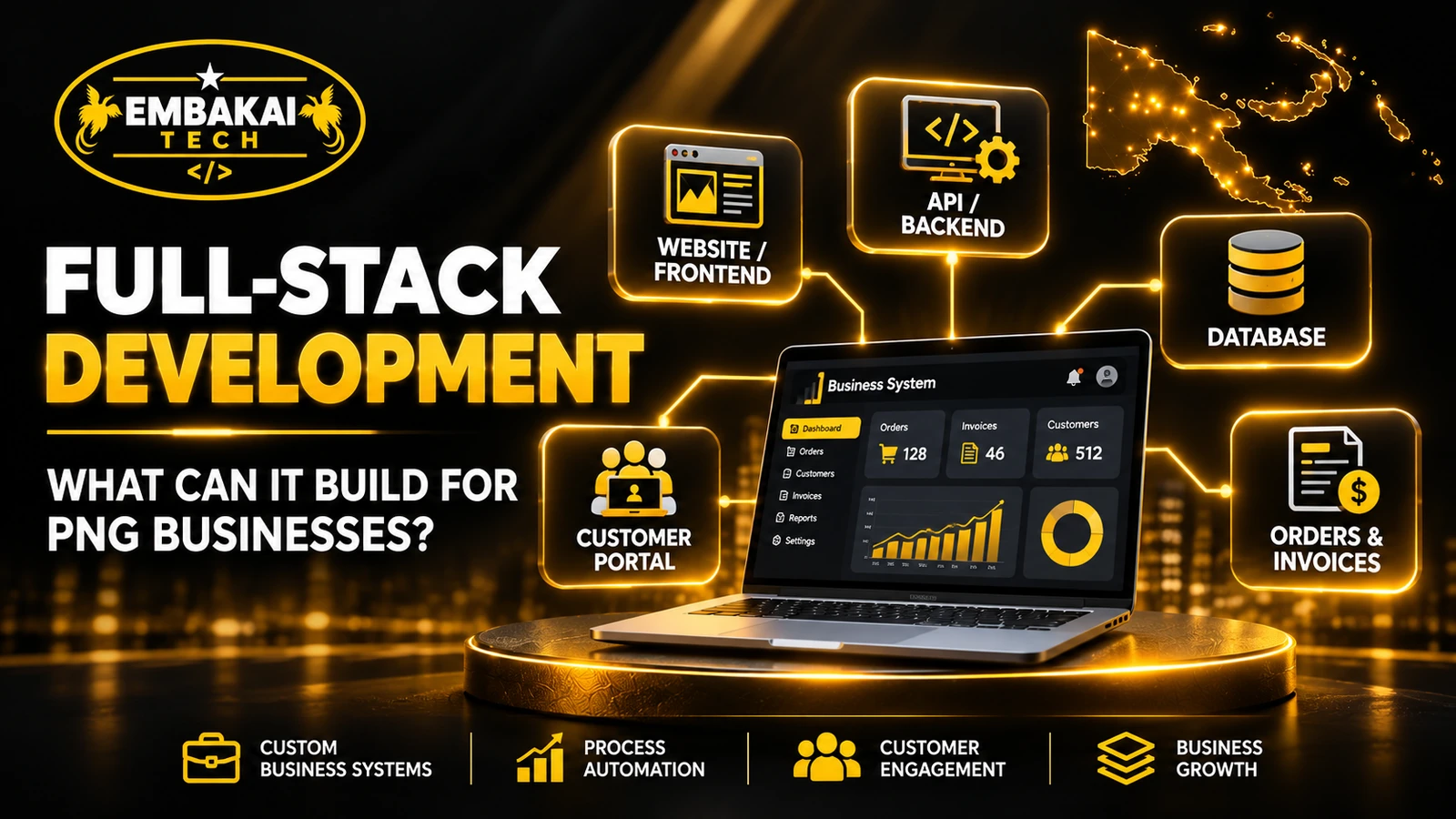
Read What Can a Full-Stack Developer Build for a Business in Papua New Guinea? for examples of connected business systems.
Contact Embakai Tech Solutions to discuss a suitable architecture and request a quote.
Contact Embakai Tech Solutions for a focused review, implementation plan or quote for your organisation in Papua New Guinea.

Explore our PNG service areas and industry website options, or discuss full-stack and custom software development. Embakai is based in Port Moresby and supports remotely managed projects across PNG.
Request a Quotation