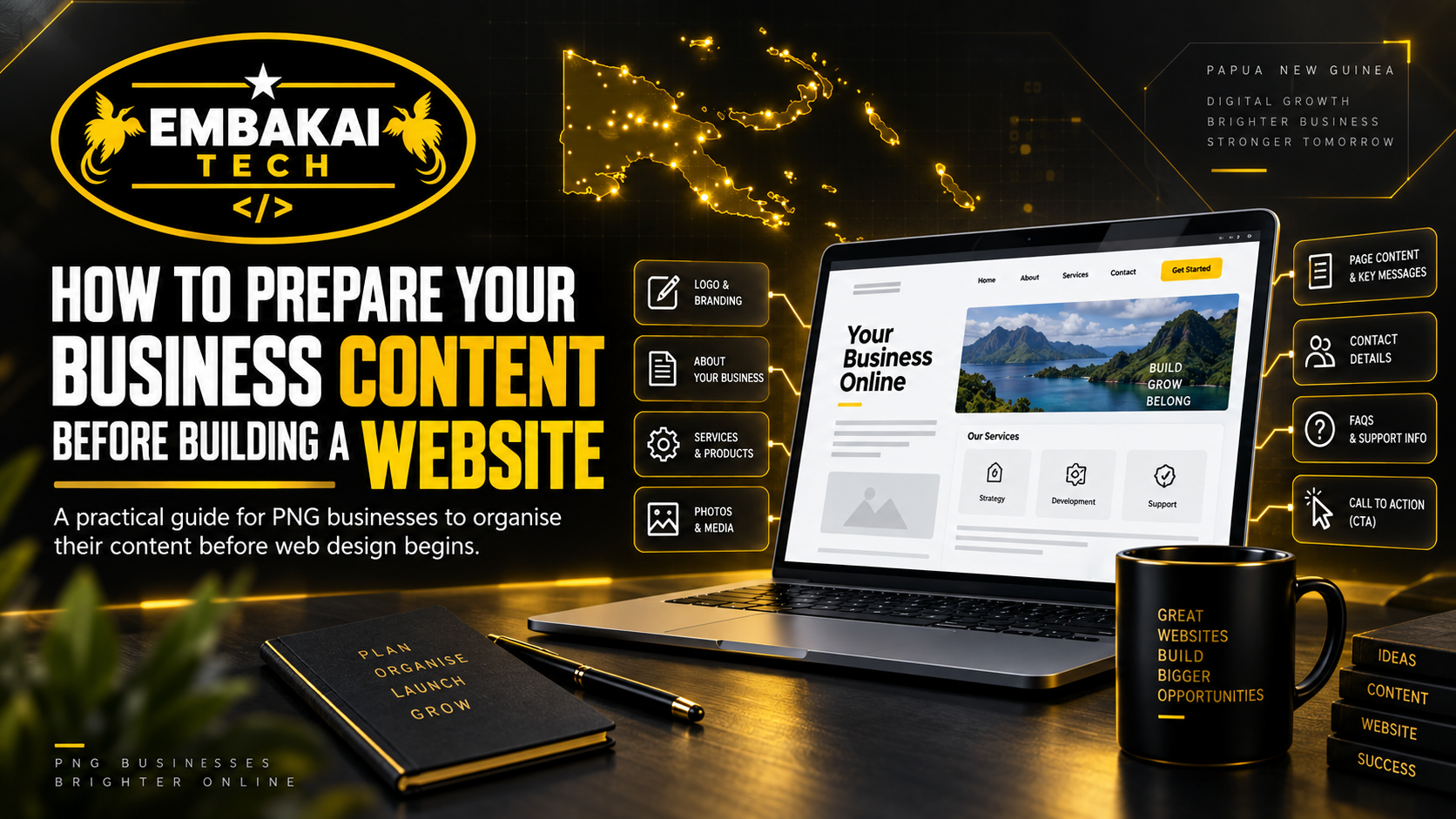
Building a professional website does not begin with coding.
It begins with information.
Before a developer can properly design your homepage, service pages, contact forms, navigation, calls to action, or search engine structure, they need to understand your business.
This is where many website projects slow down.
The domain may already be registered.
Hosting may already be available.
The developer may be ready.
But the project cannot move forward properly because important content is still missing.
The business has not prepared its service descriptions.
The logo cannot be found in good quality.
Project photos are scattered across different phones.
Contact information is incomplete.
Nobody has written the company profile.
The business has not decided which services should appear on the website.
Instead of development moving smoothly, the project becomes a repeated process of asking:
“What should we put here?”
“Can you send the company profile?”
“Do you have better photos?”
“What phone number should customers use?”
“Do you have your business location?”
“What exactly does this service include?”
Preparing your content before development begins can prevent many of these delays.
It also helps your developer build a website around your actual business rather than filling pages with generic placeholder information.
For businesses in Papua New Guinea, good preparation can make the difference between a website that simply looks attractive and one that clearly communicates what the business does, builds trust, and generates enquiries.
A common mistake is assuming that once you provide a logo and business name, the developer can create everything else.
Modern development and AI tools can certainly help with:
But the developer still needs accurate information from the business.
AI does not automatically know:
Those details need to come from you.
The better the information you provide, the more accurately the website can represent your business.
Before preparing individual paragraphs or photographs, determine what the website is supposed to achieve.
Different businesses need different outcomes.
A construction company may want more quotation requests.
A retailer may want customers to browse products and purchase online.
A consultancy may want corporate clients to review its services and experience.
A training provider may want students to register.
A church or organisation may want to publish programs, announcements, and resources.
A recruitment platform may need candidates to search vacancies and submit applications.
Ask yourself:
What should a visitor do after visiting our website?
The answer could be:
This decision influences the entire website structure.
Start with the basic information that identifies your organisation.
Make sure it is accurate and consistent.
This may include your business name, trading name, registration details where appropriate, phone numbers, email addresses, physical location, postal address, operating hours, website domain, social media profiles, and primary customer contact channels.
Check the spelling carefully.
The information on your website should match what appears on your quotations, invoices, business profile, Google Business Profile, and other official materials.
If one page says one phone number and another source shows a different number, customers can become confused.
Consistency builds confidence.
Your developer will normally need information for an About Us section or page.
You do not necessarily need to write perfect marketing copy.
You can provide the facts and allow the content to be refined later.
Useful information may include:
Avoid filling the About page with vague statements that could describe any company.
For example:
“We are committed to providing world-class solutions and excellent customer satisfaction.”
That sounds professional but tells the customer very little.
More specific information is stronger.
Explain what you actually do, where you operate, and who you help.
This is one of the most important parts of website preparation.
Do not simply provide:
“Construction”
“Consulting”
“IT”
“Transport”
“Training”
Those categories are too broad.
Break them down into actual services.
For example, an ICT company may provide:
A construction business might provide:
For each major service, try to provide a short explanation covering what the service is, who it is for, what is included, and how customers can enquire.
Your developer can then decide whether each service needs its own page or should be grouped with related services.
Looking at competitors can help you understand how businesses in your industry present themselves.
But do not copy their website text.
Your website should describe your own business.
Copied content can create several problems.
It may contain claims that do not apply to your company.
It may describe services you do not provide.
It weakens your brand identity.
It may also create duplicate-content issues.
Use competitors for inspiration and research, not as a source to copy word for word.
Your own experience, services, projects, and processes are much more valuable.
If the website will include an online shop or product catalogue, prepare the product information before development.
For every product, you may need:
If you have hundreds of products, consider preparing them in a spreadsheet.
This makes importing and organising product data much easier than sending information through individual WhatsApp messages.
For specialised stores, also prepare product attributes customers will need for filtering.
An auto-parts business, for example, may need:
Content structure becomes part of the website architecture.
Photos can significantly improve a business website.
But they should represent your actual business whenever possible.
Useful photographs can include:
Avoid sending screenshots of photographs when the original files are available.
Original images normally provide better quality.
Also avoid repeatedly sending compressed images through multiple messaging platforms before giving them to your developer.
Image quality matters, particularly for:
Your developer can optimise large images for web delivery later.
The important thing is to start with a good-quality source.
Do not send fifty unnamed images and expect the developer to know what each one represents.
Instead of:
IMG_8291.jpg
use names such as:
lae-office-project.jpg
warehouse-construction-port-moresby.jpg
product-industrial-pump.jpg
This can save significant time.
If an image belongs to a specific project, product, service, or staff member, make that clear.
A simple folder structure can also help:
Services
Projects
Team
Products
Office
Logo
The easier your content is to understand, the faster it can be placed correctly.
Your website developer should receive the best available version of your logo.
Ideally, provide:
Avoid using a tiny screenshot of your Facebook profile picture as the main source for your website logo.
Poor-quality branding assets can make an otherwise professional website look unfinished.
If you do not yet have established brand colours, the website design process may help define them.
Think about how the website should feel.
Should it look:
Your industry and customers should influence this.
A law firm and a children's learning centre should not look the same.
A technology company and a coffee producer will also require different visual approaches.
If there are websites whose visual style you like, send them to your developer as references.
Explain what you like about them.
It might be:
“The spacing.”
“The dark theme.”
“The navigation.”
“The project layout.”
“The large photographs.”
References are useful when they communicate direction rather than asking the developer to copy another company's website.
Do not wait until the last day of development to decide how customers should contact you.
Prepare:
Also decide which contact method should be most prominent.
For many PNG SMEs, that may be WhatsApp or phone.
For corporate businesses, it may be email or a quotation form.
The website should support how customers actually communicate with your company.
Think about what information you want customers to provide.
A basic contact form may ask for:
Name, email, phone, subject, message.
A quotation form may need more information.
For example:
Do not request unnecessary information.
Every extra field creates more work for the customer.
Ask only for what your business genuinely needs to respond effectively.
A call to action tells the customer what to do next.
Common examples include:
Request a Quote
Contact Us
Call Now
WhatsApp Us
Book Now
Apply Now
Buy Now
Download Profile
The appropriate call to action depends on the business.
Your developer can design the buttons, but the business should understand the customer journey.
If every page ends without telling the visitor what to do next, you may be missing opportunities.
If customers have provided genuine feedback, prepare it before the website is built.
Testimonials can help support credibility.
Where appropriate, include:
Do not invent testimonials.
Real feedback is more valuable.
Screenshots of public reviews may also be useful as reference material, although the final website presentation should be clean and consistent.
If your business has completed work, your website should show it.
Do not simply provide a client logo.
For stronger project content, prepare information such as:
Client:
Who was the project for?
Problem:
What did they need?
Solution:
What did your business provide?
Scope:
What was included?
Result:
What changed or was delivered?
Images:
Can the project be shown publicly?
This can turn a basic portfolio listing into a useful case study.
A customer wants proof that your business can actually deliver.
Project content provides that evidence.
Businesses answer the same questions repeatedly.
Those questions can become excellent website content.
Examples include:
“How much does it cost?”
“How long does it take?”
“Do you operate outside Port Moresby?”
“Do you provide delivery?”
“Do you accept online payments?”
“Can I request a quotation?”
“What information do I need to provide?”
Write down the questions customers regularly ask through phone calls, Facebook, WhatsApp, or email.
Your website can answer them before the customer contacts you.
This saves time for both sides.
Not every business needs to publish prices.
Some services require custom quotations.
However, decide this before the website is developed.
Your options may include:
Your website should not accidentally publish outdated pricing.
Make sure all figures supplied to the developer are approved.
Some websites may need documents such as:
Prepare final versions before launch.
Do not upload old drafts unless they are clearly marked.
File names should also be professional.
Instead of:
FINAL-new-v5-lastone.pdf
use:
company-profile-2026.pdf
Good organisation extends beyond the visible pages.
Depending on the type of website, you may need:
An e-commerce business usually needs more policy information than a simple informational website.
Your developer can help identify where these pages should appear, but legal wording may need professional review depending on your business.
Do not copy another company's legal pages and assume they automatically apply to you.
Website content should be written for customers first.
But it should also help search engines understand the business.
For example, instead of writing:
“We provide quality solutions.”
you could write something more specific:
“We provide commercial building maintenance services for businesses in Port Moresby.”
The second sentence gives both customers and search engines more useful information.
Important content may include:
Avoid forcing keywords unnaturally into every sentence.
SEO works better when useful content naturally answers what customers are searching for.
Local information is particularly important for PNG businesses.
Clearly identify where you operate.
This may include:
Do not claim locations where you do not actually operate.
If your business serves customers throughout PNG, explain how.
For example:
Based in Port Moresby and providing remote support to clients throughout Papua New Guinea.
Specific information builds more confidence than vague claims.
During development, websites often contain temporary content such as:
Lorem ipsum
Your phone here
Company Name
Example service
These placeholders are useful during early design.
They should not reach the live website.
Before launch, review every page carefully.
Check:
A professional website can look careless if one placeholder is accidentally left behind.
If several people are involved in the project, designate one person who can approve the final website content.
Otherwise development can become confusing.
One person requests a change.
Another person reverses it.
A third sends a completely different version of the company profile.
Clear approval responsibility helps keep the project moving.
For small businesses, this may simply be the owner.
For larger organisations, it may be the marketing, communications, or administration team.
Avoid spreading website information across hundreds of WhatsApp messages.
Important content can easily be missed.
Where possible, use:
For example, you could prepare one document containing:
Homepage
About Us
Services
Contact
FAQs
Then add the relevant text under each heading.
Your developer can work through the information systematically.
Some business owners delay sending content because they believe every paragraph must be professionally written first.
That is not necessary.
Provide accurate information.
Your developer or content writer can help organise and improve it.
Even simple notes are useful.
For example:
Service: Website Hosting
“We provide cPanel hosting for PNG businesses. Includes domain connection, SSL, backups and support.”
That gives the developer something factual to work with.
It is much better than:
“Please write something about hosting.”
The more real information you provide, the less generic the final content will sound.
AI can help turn rough notes into polished website content.
For example, you could provide:
AI can help structure and improve the wording.
But someone from the business should review it.
Check for:
AI should help organise your knowledge.
It should not invent the business.
Content and design are connected.
Imagine a designer creates room for three services.
Then the business finally supplies nine services.
The design may need to change.
Or the developer builds a small portfolio area and later receives fifty projects.
Again, the structure changes.
Providing content early allows the developer to build around the real amount of information.
This reduces unnecessary redesign work.
Many website delays are described as “development delays” even when the developer is waiting for information.
If the content is ready before development begins, the workflow becomes much smoother:
Planning → Design → Development → Content Integration → Testing → Launch
If the content is missing, the workflow becomes:
Design → Wait → Change Layout → Wait → Add Partial Content → Wait → Rewrite → Change Layout Again → Launch
Preparation saves time.
Significant changes after development has already been completed may increase project work.
For example, a website originally scoped as a small company site may later become:
Those are not simply content changes.
They can require new functionality, databases, forms, user accounts, and application logic.
The earlier requirements are known, the easier it is to scope the project accurately.
Before your website project begins, prepare:
You do not need every item for every website.
A simple business site may require only part of this list.
An e-commerce or custom platform will require more.
Preparing content does not mean the client must do everything alone.
A professional developer should help you determine:
The client knows the business.
The developer knows how to turn that information into a digital experience.
The best results come when both work together.
Embakai Tech Solutions helps businesses, organisations, startups, and entrepreneurs in Papua New Guinea plan, organise, design, and develop professional websites around their actual business requirements.
Depending on the project, we can assist with:
The objective is not to fill a template with random text.
The objective is to understand your business and build the website around it.
The more prepared your business is, the easier it becomes to build a website that accurately represents who you are and what you offer.
Before development begins, organise your:
Brand → Business information → Services → Photos → Projects → Contact details → Customer journey
You do not need professionally written paragraphs for everything.
But you do need accurate information.
Your developer can improve wording, organise sections, optimise images, and build the technical platform.
What they cannot do automatically is know your business better than you do.
For PNG businesses planning a new website, preparing your content early can reduce delays, improve the design, strengthen SEO, and create a much more professional final result.
Good website development does not start with code.
Planning a new website but not sure what information you need to prepare?
Embakai Tech Solutions can help you structure your content, plan the pages, and turn your business information into a professional digital presence.
From website planning and responsive design to hosting, business email, SEO structure, Cloudflare, security, e-commerce, and custom development, we can build the complete platform around your business.
Prepare the content. Define the message. Build the right website.
Contact Embakai Tech Solutions for a focused review, implementation plan or quote for your organisation in Papua New Guinea.