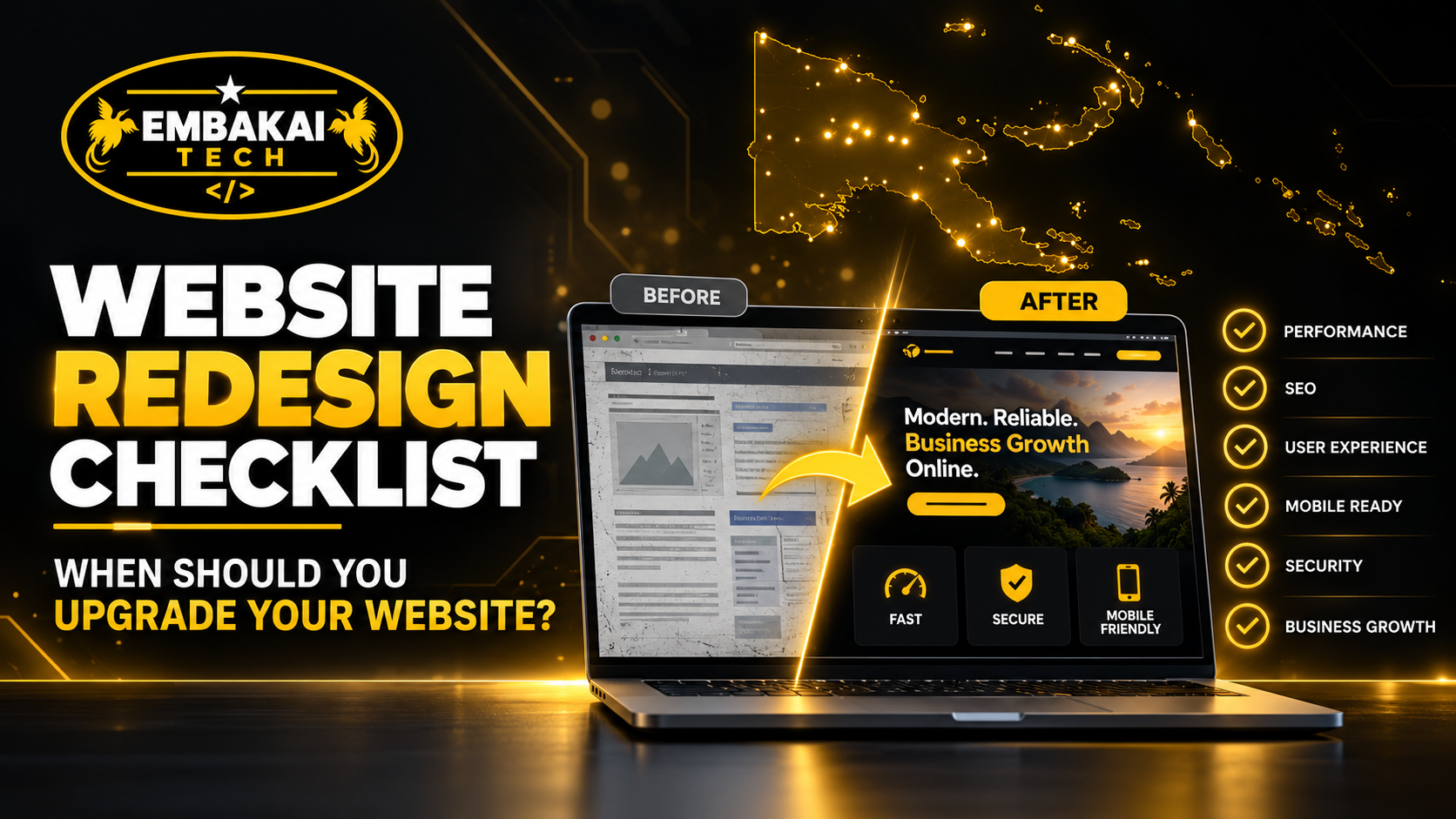
Having a website does not automatically mean your business has a good online presence.
A website that was professionally built five or ten years ago may still be online today, but technology, customer expectations, search engines, security requirements, mobile devices, and your own business may have changed significantly.
Your company may now offer more services.
Your branding may have changed.
Most of your customers may now visit from mobile phones.
Your competitors may have modernised their websites.
Google may be struggling to understand your old website structure.
Your contact forms may still work, but they may no longer generate useful enquiries.
At that point, the question becomes:
Should you keep updating the existing website, or is it time for a proper redesign?
A website redesign does not simply mean changing colours and adding new images.
A good redesign should examine the entire digital experience:
Design → Content → Mobile usability → Speed → SEO → Security → Conversion → Infrastructure → Future growth
For businesses in Papua New Guinea, a website should represent the company professionally while making it easy for customers to find information, build trust, and contact you.
If your current website is no longer doing that effectively, it may be time to upgrade.
One common mistake is waiting until the website completely fails before considering a redesign.
The site may technically still work.
Pages open.
The domain is active.
The contact page exists.
But that does not mean the website is still effective.
A website can gradually become outdated without anyone noticing.
Small problems accumulate.
The mobile menu becomes frustrating.
Old service descriptions remain online.
Pages become heavier after years of uploading images.
Plugins accumulate.
The design no longer matches the company.
Customers stop using certain forms.
Search visibility declines.
Eventually the website exists mainly because nobody has reviewed whether it still supports the business.
A redesign should therefore be based on business and technical performance, not simply whether the website loads.
Design trends change, but redesigning a website should not be about following every visual trend.
The more important issue is whether the website now creates the wrong impression of your business.
Signs of an outdated design can include very small text, crowded layouts, old-style navigation, excessive gradients, low-quality graphics, narrow desktop layouts, poor spacing, outdated photographs, and inconsistent fonts.
Imagine your company has grown into a professional organisation dealing with corporate clients, but your website still looks like the small startup you were eight years ago.
The website may now be damaging the brand rather than supporting it.
Your digital presence should reflect the company you are today.
A redesign becomes especially important when your business has undergone a major branding change.
Perhaps you have updated your:
Logo, company colours, tagline, business name, service positioning, visual identity, or target market.
If your Facebook page, quotations, business cards, company profile, uniforms, and advertisements all use the new brand while the website still uses the old one, the customer experience becomes inconsistent.
A redesign allows the website to become part of the new identity rather than remaining disconnected from it.
Brand consistency builds recognition.
A customer should be able to move from your social media page to your website and immediately recognise the same business.
This is one of the strongest reasons to redesign an old website.
Many customers will visit your business website from smartphones.
They may arrive through Facebook, WhatsApp, Google Search, an advertisement, or a shared link.
If your website was designed primarily for desktop computers, mobile visitors may experience tiny text, horizontal scrolling, broken layouts, difficult navigation, buttons that are too small, oversized images, or forms that do not fit the screen.
A modern website should be responsive.
The layout should automatically adapt to phones, tablets, laptops, and larger displays.
More importantly, the customer journey should work on mobile.
A visitor should be able to find a service, read about it, tap WhatsApp, call the business, request a quotation, or complete a purchase without struggling with the interface.
If that is not happening, your website needs attention.
Websites often become slower over time.
This can happen because more images are uploaded, new plugins are installed, databases become larger, third-party scripts accumulate, hosting becomes insufficient, or the original website was never properly optimised.
Customers experience the result as:
Slow pages, delayed images, unresponsive menus, long checkout times, or pages that appear blank while loading.
Speed affects more than convenience.
It influences customer experience, advertising performance, mobile usability, and overall SEO quality.
A redesign gives the developer an opportunity to remove unnecessary complexity and rebuild performance into the website.
This may include optimising images, restructuring code, reviewing plugins, improving caching, upgrading hosting, using a CDN, or improving database performance.
Sometimes a website can be optimised without redesigning it.
But if poor performance is combined with an outdated platform and old design, rebuilding may make more sense.
A website should reflect the current business.
Check whether yours still contains services you no longer provide, old prices, former staff members, outdated contact numbers, expired promotions, old addresses, discontinued products, or information written years ago.
Outdated content creates uncertainty.
A customer may wonder whether the company is still active.
It can also create operational problems.
Someone may request a service you stopped offering two years ago because your website still advertises it.
A redesign is an opportunity to review the entire content structure instead of simply moving old information into a new layout.
Ask:
What does the customer actually need to know about our business today?
Many businesses begin with a simple website.
Perhaps the original structure was:
Home → About → Services → Contact
That may have been enough at the beginning.
Over time, the business may add new services, products, branches, team members, projects, online payments, business email, customer accounts, booking systems, or e-commerce.
Trying to keep adding everything to the original five-page structure can eventually create a confusing website.
The problem is no longer visual.
The information architecture itself has become outdated.
A redesign can reorganize the website around the current business.
For example, one generic Services page may become separate pages for each major service.
A basic gallery may become structured project case studies.
A contact page may become a proper quotation workflow.
The website should grow with the company.
Open your homepage and pretend you know nothing about the company.
Can you answer these questions within a few seconds?
Who is this business?
What does it provide?
Who is it for?
Why should I trust it?
What should I do next?
If the answers are unclear, the website may have a communication problem.
Older websites often focus heavily on generic welcome messages.
For example:
Welcome to our website. We are committed to excellence and providing quality solutions to our valued customers.
That sounds positive, but it tells the visitor very little.
A modern business website should communicate value quickly.
Your homepage should make the business understandable before asking the visitor to explore several pages.
A website redesign should also be considered when people are visiting but not taking action.
The problem may be conversion-related.
Perhaps the website has no clear call to action.
Maybe phone numbers are difficult to find.
Perhaps WhatsApp is not integrated.
The quotation form asks too many questions.
Service pages provide information but do not tell visitors what to do next.
A redesign can improve the customer journey.
Instead of:
Visitor → Homepage → Confusion → Leave
you want something closer to:
Visitor → Relevant Service → Trust → Clear CTA → Enquiry
Good web design supports business outcomes.
It should not exist purely as decoration.
If changing a phone number requires calling a developer every time, the website may need a better content-management approach.
Some businesses have websites that were built using old technology or hard-coded structures that make normal content updates unnecessarily difficult.
A redesign may introduce a better administration system.
Depending on the project, this could be:
WordPress, a custom content-management system, Django admin, a dedicated application dashboard, or another appropriate solution.
The goal is not necessarily to give everyone full control of the website.
It is to ensure authorised users can manage the content they actually need to maintain.
This is particularly relevant to older WordPress websites.
Plugins are useful, but a website that has been maintained for years may accumulate large numbers of them.
Some may be inactive.
Some may duplicate functionality.
Some may no longer receive updates.
Others may conflict with newer versions of PHP, WordPress, or other plugins.
At some point, repeatedly patching the old installation can become less efficient than rebuilding it cleanly.
A redesign provides an opportunity to review the technology stack.
Keep what is necessary.
Remove what is not.
The goal should be a maintainable website rather than a collection of historical fixes.
Security is another major reason to consider an upgrade.
Warning signs include outdated CMS versions, abandoned plugins, unsupported PHP versions, no SSL/HTTPS, weak administrator security, repeated malware infections, suspicious redirects, spam form submissions, or unknown administrator accounts.
A redesign should not simply move insecure architecture into a prettier interface.
Security needs to be reviewed from the infrastructure upwards.
That may involve:
DNS → Cloudflare → HTTPS → Hosting → Application → Authentication → Database → Backups → Monitoring
For some old websites, modernising the platform can significantly improve the ability to maintain security.
A professional website should use HTTPS.
If your website still loads over ordinary HTTP or browsers display security warnings, this should be corrected regardless of whether you plan a full redesign.
HTTPS protects information travelling between the visitor and the web server.
A redesign provides an opportunity to properly configure:
SSL/TLS, HTTPS redirects, secure forms, Cloudflare settings, and certificate renewal.
However, HTTPS alone does not make an entire website secure.
It is one layer of the security model.
If your contact forms are being flooded with bots, redesigning the forms and security controls may be necessary.
Modern form protection can include techniques such as Cloudflare Turnstile, rate limiting, honeypot fields, server-side validation, and request filtering.
Spam is not only annoying.
Large volumes can interfere with legitimate enquiries and waste staff time.
If your current site uses old forms without modern protection, a redesign can address the problem properly.
An old website can also develop SEO problems.
Examples include unclear URLs, duplicated pages, missing page titles, broken links, weak heading structure, missing sitemap configuration, poor internal linking, thin service pages, or mobile usability problems.
Redesigning the site can improve technical SEO foundations.
For example:
yourbusiness.com/page?id=17
may become:
yourbusiness.com/services/website-development/
Search-friendly structure makes the website easier for both visitors and search engines to understand.
However, redesigning does not automatically guarantee higher Google rankings.
SEO still depends on content quality, authority, competition, relevance, technical performance, and many other factors.
A website redesign can improve SEO.
It can also damage SEO if handled badly.
Suppose an old website has pages already ranking on Google.
During the redesign, those URLs are deleted.
No redirects are created.
Google and visitors now reach 404 pages.
Any authority or backlinks associated with those URLs may be weakened.
A proper redesign should identify important existing URLs and map them to the new structure.
For example:
Old URL → 301 redirect → Relevant New URL
SEO migration should be part of the redesign plan, not something considered after launch.
You should not redesign simply because a competitor changed their website.
But competitors can reveal how customer expectations in your industry are changing.
Perhaps competing businesses now provide:
Online quotations, booking systems, product catalogues, better case studies, mobile-friendly websites, online payments, customer portals, or detailed service information.
If customers can get answers and complete actions much more easily on competing websites, your current website may be creating unnecessary friction.
The objective is not to copy competitors.
It is to understand what customers now expect.
Many old business websites contain generic service descriptions but little proof.
Modern buyers often want to see:
A redesign can shift the website from simply saying:
“We provide quality services.”
to actually showing evidence.
For a PNG business competing for corporate, government, NGO, or commercial work, this can significantly strengthen credibility.
Every important page should help visitors understand what they can do next.
Common calls to action include:
Request a Quote
Call Us
WhatsApp Us
Book Now
Apply Now
View Products
Contact Our Team
Older websites sometimes hide contact information inside the footer or place one generic Contact link in the navigation.
A redesign can create clearer conversion paths throughout the site.
The customer should not have to search for a way to do business with you.
Modern websites increasingly connect with other systems.
Depending on your business, that may include:
WhatsApp, online payments, CRM platforms, email automation, booking systems, inventory, customer portals, APIs, analytics, or accounting workflows.
If your existing website cannot easily support the systems the business now needs, redesigning or rebuilding may provide a cleaner foundation.
This is particularly important when the website is evolving from a marketing site into a business platform.
A business website that originally displayed products may eventually need to actually sell them.
Adding e-commerce introduces requirements such as:
Product management, inventory, cart, checkout, payments, customer accounts, order management, notifications, delivery information, and security.
If the existing website architecture was never designed for this, upgrading to a proper e-commerce platform may be better than trying to attach a basic checkout onto the old site.
The same principle applies to booking, membership, recruitment, and customer portals.
Analytics can help determine whether redesign decisions are based on evidence.
For example, you may discover that mobile users leave quickly, an important service page receives traffic but almost no enquiries, customers abandon checkout, or visitors rarely reach the contact page.
Those patterns can help identify usability problems.
Analytics do not tell the entire story, but they can help answer:
Where are customers struggling?
A redesign should solve measurable problems where possible.
Accessibility helps ensure websites can be used by a wider range of people.
Older websites may have issues such as poor colour contrast, images without meaningful alternative text, forms without proper labels, keyboard navigation problems, or interfaces that rely entirely on visual cues.
Improving accessibility can make the website more usable for everyone.
It is also a sign of stronger professional development practices.
A redesign is a good opportunity to review these issues.
Sometimes businesses discover they do not know:
Who registered the domain, where the website is hosted, who controls DNS, who owns the administrator account, or where backups are stored.
This is a serious operational problem.
A redesign or migration can help establish clearer ownership and documentation.
Your business should understand the infrastructure supporting its digital presence.
Important assets should not depend entirely on an inaccessible former developer or employee account.
Backups are often ignored until something fails.
A redesign should include a review of backup strategy.
Ask:
What is backed up?
How often?
Where are backups stored?
How long are they kept?
Can the website actually be restored from them?
For important business systems, having a backup is not enough.
Recovery must be possible.
Not every website needs to be completely rebuilt.
Sometimes a refresh is enough.
A refresh may involve modernising colours, typography, images, spacing, homepage sections, and calls to action while keeping most of the technical platform.
A redesign goes further.
It may reorganise pages, navigation, content, mobile layouts, conversion paths, and visual identity.
A rebuild is more substantial.
The existing platform or code may be replaced because the technology, architecture, security, or functionality no longer meets requirements.
A professional review should determine which level makes sense.
Do not rebuild everything if a targeted improvement will solve the problem.
But do not keep patching an obsolete platform when a rebuild is clearly necessary.
There is no fixed rule such as:
“Every website must be redesigned every three years.”
Some websites remain effective for much longer.
Others become outdated quickly because the business changes significantly.
Redesign based on evidence.
Look at:
Business changes, customer behaviour, mobile usability, performance, security, SEO, conversions, maintainability, and future requirements.
If the website still performs well and supports the business, there may be no reason for a major rebuild.
Continuous smaller improvements can sometimes extend its useful life significantly.
Before deciding whether your website needs an upgrade, review these points:
If several important answers are no, a redesign is worth seriously considering.
A professional redesign should start with an audit rather than immediately deleting the old site.
The developer should understand what currently exists, what is working, what is not, and what needs to be preserved.
That includes reviewing existing pages, URLs, content, traffic, mobile behaviour, hosting, security, forms, SEO, analytics, and required future features.
Next comes planning.
The new website structure should be mapped before development begins.
Content should be prepared.
Redirects should be planned.
Design should reflect the updated brand.
The site should then be developed, tested, secured, and optimised before replacing the existing production website.
A redesign is a migration project as much as a design project.
When redesigning a live business website, the old site should normally remain online while the new version is being developed.
Development can happen in a staging environment.
This allows the business to continue operating while the redesign is completed.
Once the new website passes testing, migration can be planned carefully.
That reduces unnecessary downtime and prevents incomplete pages from being exposed to customers.
A redesigned website should be tested across the full customer journey.
That includes desktop and mobile layouts, navigation, forms, WhatsApp links, telephone links, email delivery, login systems, payments where applicable, images, downloads, redirects, SSL, page speed, and security controls.
Testing should not stop at the homepage.
If customers use checkout, registration, booking, applications, or dashboards, those workflows also need testing.
A redesign is not complete when it looks good.
It is complete when it works.
Once the redesigned site is live, monitor it.
Look for:
Traffic changes, Google indexing, 404 errors, form submissions, website speed, server errors, conversion rates, mobile behaviour, and customer feedback.
A redesign should not be considered a one-time visual exercise.
It should improve measurable aspects of your digital presence.
If something is not working, adjust it.
Websites should continue evolving with the business.
For businesses in Papua New Guinea, your website may be viewed by local customers, corporate procurement teams, government organisations, NGOs, international partners, suppliers, potential employees, and customers discovering you through Facebook or Google.
An outdated website can weaken the impression created by an otherwise professional business.
A modern website can help present your company more clearly through:
Strong branding, mobile usability, clear services, project evidence, professional business email, Google visibility, fast performance, secure infrastructure, and easy customer communication.
Your website does not need to be the most visually complicated website in PNG.
It needs to be useful, professional, secure, and aligned with your business.
Embakai Tech Solutions provides website redesign and redevelopment services for businesses, organisations, startups, and entrepreneurs in Papua New Guinea.
Depending on the existing website and project requirements, we can assist with website audits, responsive redesigns, WordPress redevelopment, custom web development, content restructuring, SEO migration, URL redirects, website speed optimisation, Cloudflare, SSL/HTTPS, security improvements, hosting migration, backups, business email, e-commerce, custom dashboards, customer portals, integrations, and ongoing support.
The objective is not simply to replace an old design with a newer-looking one.
The goal is to identify what is limiting the existing website and build a stronger platform around the business's current and future requirements.
Your website should evolve as your business evolves.
A redesign becomes worthwhile when the current website no longer represents your brand, works poorly on mobile, loads slowly, contains outdated information, creates security risks, struggles with SEO, is difficult to maintain, or cannot support the features your business now requires.
Do not redesign simply because the website is old.
Redesign because there is a clear business or technical reason to improve it.
And do not focus only on appearance.
A strong redesign should improve:
The best redesigned website is not simply one that looks newer.
It is one that works better for both your customers and your business.
Is your current website starting to feel outdated, slow, difficult to manage, or disconnected from where your business is today?
Embakai Tech Solutions can review your existing website and help determine whether it needs optimisation, a redesign, or a complete redevelopment.
From mobile-first design and SEO migration to Cloudflare, security, hosting, business email, e-commerce, custom development, and ongoing support, we can rebuild the digital foundation around your current business requirements.
Your business has evolved. Make sure your website has evolved with it.
Contact Embakai Tech Solutions for a focused review, implementation plan or quote for your organisation in Papua New Guinea.