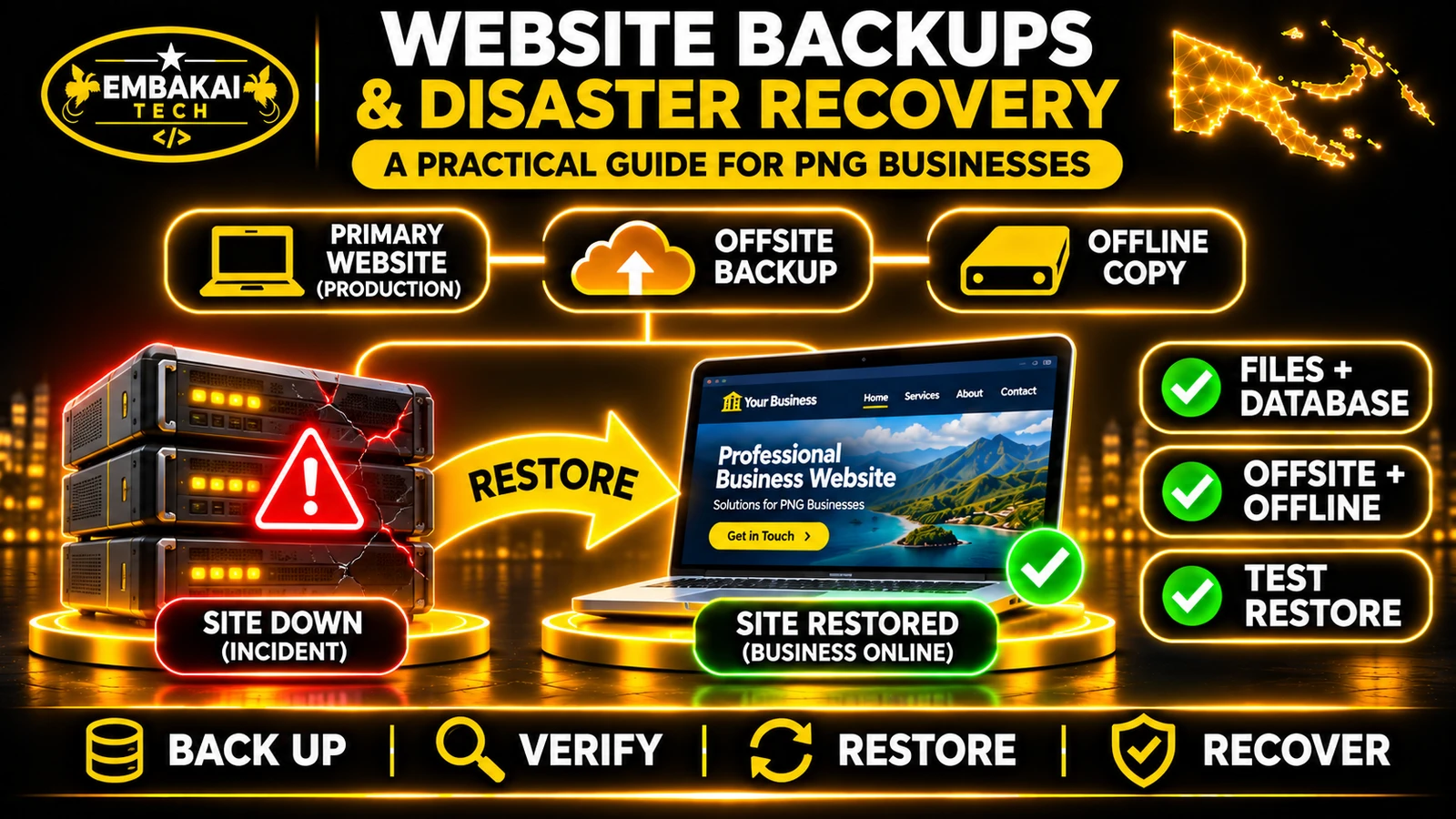
A backup gives your PNG business a copy of its website and data. A disaster recovery plan tells your team how to restore that copy, verify the site and get back online. Start by identifying which files, records and services you need, then test a restore in an isolated environment.
These terms are related, but they describe different responsibilities.
A backup is a copy of information that can be used to recover data.
For a typical business website, this may include its database, application files, uploaded documents and necessary configuration.
Backups may be created automatically or manually.
Restoration is the process of recovering the information from a backup.
For example, if an administrator accidentally deletes an important document, an authorised technician may restore that document from a previous backup.
Disaster recovery is the broader process of returning a website or business application to an operational state after a serious disruption.
It may involve rebuilding a hosting environment, recovering data, configuring applications, restoring external connections and verifying customer workflows.
Consider the difference:
Backup: You have a database export and copies of the website files.
Restoration: You can import the database and restore the required files.
Disaster recovery: You can bring the website back online, reconnect its services and verify that customers can use it.
A recovery plan must consider more than whether backup files exist.
Not all websites store information in the same way.
A simple HTML website may consist primarily of files.
A WordPress website generally uses both files and a database.
A custom business application may use a database, private file storage, background workers and third-party integrations.
Before choosing a backup system, identify what your website actually depends on.
| Component | Examples | Why it matters |
|---|---|---|
| Website files | HTML, PHP, CSS, JavaScript, themes and plugins | Required to reproduce the website |
| Database | Pages, users, enquiries, products and orders | Stores dynamic information |
| Uploaded media | Photographs, PDFs and documents | Contains business content |
| Private storage | Customer documents and generated reports | May contain records not publicly accessible |
| Configuration | Application settings and runtime requirements | Needed to rebuild the environment |
| Credentials and encryption keys | Protected configuration and key material | Needed for some services and encrypted data |
| Application dependencies | Packages and compatible runtime versions | Needed to run the software |
| Related services | Email, DNS and external integrations | May require separate recovery arrangements |
A backup system does not necessarily need to copy every dependency in the same way.
For example, application source code might be held in a private version-control repository, while uploaded customer documents require separate storage backups.
Sensitive credentials and encryption keys should be protected through an appropriate secrets-management and recovery process.
The goal is to ensure that every component required to restore the service can be recovered through the agreed procedure.
Many hosting providers advertise automatic backups.
These can be valuable, but the phrase automatic backups does not explain what protection the business actually receives.
Before relying on a hosting backup service, establish:
Suppose your website is hosted on a shared cPanel server.
You create a full-account backup and save it inside your hosting account.
This can be useful, but if the original hosting environment becomes inaccessible, retrieving that backup may also become difficult.
A copy stored only in the same hosting environment does not provide the same protection as an independently stored offsite backup.
cPanel documents that an account near or above its storage quota may experience backup failures because the system cannot write required files.
Therefore, a backup schedule being enabled does not prove that the latest backup completed successfully.
A reliable backup process needs monitoring, independent storage where appropriate, and a tested recovery method.
cPanel provides backup functionality through interfaces such as Backup and Backup Wizard, depending on the hosting provider's configuration.
These tools can help users create copies of account data.
However, the supported restoration method depends on the type of backup.
A full cPanel backup can capture the account's relevant files, databases and supported account information.
This is useful when preparing for a hosting transfer or account-level recovery.
But there is an important limitation.
An ordinary cPanel user cannot automatically restore a full-account backup through cPanel's Backup Wizard.
Full-account restoration requires an appropriate WHM restoration process or assistance from the hosting provider.
Do not assume that downloading a full backup archive means you can restore the complete hosting account yourself.
Depending on the account configuration, cPanel allows users to create partial backups of components such as:
However, the contents of each partial backup should be understood.
For example, a home-directory backup and a database backup are not interchangeable.
For a supported hosting account:
Some cPanel account backups include locally hosted email data.
However, an email service hosted externally through Microsoft 365 or another provider will not automatically be protected by a website's cPanel backup.
Always establish which systems actually hold the mailboxes.
WordPress is widely used for corporate websites, blogs and online stores.
A WordPress backup needs to protect the information required to recreate the installation.
WordPress's official documentation distinguishes between its files and database.
Relevant files can include:
wp-content/
This commonly contains themes, plugins and uploaded media.
The database may contain:
Imagine restoring the WordPress files without the database.
The website may have its themes and plugins, but its articles, settings and business records may be missing.
Now imagine restoring the database without uploaded media.
The pages may contain references to images and documents that are no longer available.
For a complete recovery, the relevant files and database need to be restored in a compatible state.
A suitable WordPress backup plugin can automate parts of this process.
But the plugin itself is not the recovery strategy.
Check whether it:
An established hosting backup service plus an independent offsite copy may be more manageable than multiple uncoordinated tools.
Custom applications may require a more detailed recovery plan.
Consider a Laravel-based customer portal using MySQL, private document storage and background workers.
The application might store customer enquiries, quotation records, invoices and user information.
Depending on the project:
Source code: The application version required to rebuild the deployment.
Database: Business records and configuration stored in MySQL or another supported database.
Uploaded files: Customer documents, reports and other application data.
Environment configuration: Required application settings and service connections.
Encryption keys: Keys needed to decrypt existing encrypted application information.
Dependencies: Compatible package versions and runtime requirements.
Job and integration state: Information required to resume or reconcile pending operations.
Laravel applications typically use an application encryption key.
If the existing key is lost, previously encrypted application values may become unreadable.
This means recovery planning must protect the correct key without exposing it in publicly accessible backup files.
A Git repository may contain the application's code, but it usually does not contain production customer records.
Similarly, a database export does not necessarily include files stored outside the database.
The recovery plan needs both where required.
Applications using queues, scheduled jobs or external APIs may require special recovery steps.
For example, an interrupted invoice-processing task should not create duplicate invoices when the system restarts.
The developer must understand which operations can safely be retried and which require reconciliation.
For custom business applications, disaster recovery should be considered part of the system's architecture, not added only after a serious outage.
One widely used backup principle is the 3-2-1 rule.
It recommends:
Consider a PNG business website hosted on a VPS.
Its recovery arrangements might include:
Primary copy: The live production website and database.
Backup copy 1: An encrypted backup stored in independent offsite storage.
Backup copy 2: A separately protected backup held on another suitable storage medium or environment.
The arrangement should avoid a single incident compromising every copy.
A more resilient approach can include an offline or immutable copy.
An offline copy is disconnected from ordinary network access.
An immutable backup is protected against alteration or deletion for an established retention period.
These controls can help protect recovery data from accidental deletion or malicious modification.
However, they need appropriate access management and testing.
Do not store downloadable SQL exports, ZIP archives containing private data or application configuration files inside a publicly accessible website directory.
A backup containing customer information should be protected at least as carefully as the live information.
There is no single backup frequency suitable for every website.
The schedule should reflect how often important information changes and how much data the business can afford to lose.
A company publishes service information and updates its portfolio occasionally.
If updates are infrequent, a suitable scheduled backup combined with backups before major changes may meet its needs.
A service company receives customer requests every day.
If the database is only backed up weekly, a failure near the end of the week could leave several days of new enquiries missing from the recovered version.
The backup schedule should reflect that business impact.
An online store may receive orders and payment updates throughout the day.
A daily database backup may be insufficient if losing an entire day's transactions would be unacceptable.
The application may need more frequent recovery points or an appropriate database recovery architecture.
| Website type | Important data | Example planning consideration |
|---|---|---|
| Informational corporate site | Pages and media | Scheduled backups and pre-update copies |
| Business enquiry website | Customer submissions | Frequency tied to acceptable enquiry loss |
| Online store | Orders, stock and payment records | More demanding data recovery requirements |
| Customer portal | User records and private documents | Coordinated database and file recovery |
| School registration platform | Applications and uploaded documents | Recovery suitable for submission deadlines |
These are planning examples, not guaranteed backup schedules.
The business and technical team should agree on specific recovery objectives.
Disaster recovery planning uses two useful measurements.
RPO describes how much recent data loss the business can tolerate, expressed as time.
For example:
A system with an agreed RPO of 24 hours should have a recovery arrangement capable of restoring data to within the required recovery window.
A lower RPO means less acceptable loss of recent information.
RTO describes how quickly the system must be restored after a disruption.
For example:
A business might require an important customer portal to return to service within four hours.
That is a recovery target, not a guarantee that the current hosting provider can achieve it.
| Business system | Illustrative RPO | Illustrative RTO |
|---|---|---|
| Company information website | 24 hours | 24 hours |
| Customer enquiry system | 4 hours | 8 hours |
| Critical order-processing platform | 15 minutes | 2 hours |
These values are hypothetical.
They must not be presented as commitments for a real website without assessing the application's capabilities, infrastructure and support arrangements.
Suppose your business receives fifty customer enquiries every day.
A backup system that runs once per week may technically work, but it may not meet your business's acceptable data-loss requirements.
Likewise, a backup stored in another country may be safe, but a slow restoration process could take longer than your business can tolerate.
Recovery planning must consider both the data you could lose and the time required to resume operations.
One of the biggest mistakes is assuming that a backup archive is valid simply because the software reports success.
A backup may be incomplete, corrupted, inconsistent or missing an important component.
The only dependable way to verify recoverability is to test the restoration process.
A suitable test may include:
A routine restoration drill should normally use a separate environment.
Restoring a backup directly over the production database can destroy newer information.
For example, replacing an online store's live database with yesterday's backup may remove orders received today.
A production restoration should follow an approved recovery procedure, not an experimental test.
A restored copy of a business application may contain scheduled tasks or email settings.
Before testing, ensure the recovery environment cannot accidentally:
A successful test should produce evidence that:
That is more meaningful than simply reporting that a backup file was downloaded.
Backups are important, but they do not automatically provide continuous website availability.
Consider a website that is backed up every night.
If the server fails at midday, the business still needs somewhere to restore the website.
That destination may require:
The disaster recovery plan explains how the service returns to operation.
High availability aims to reduce interruption through suitable redundancy and failover mechanisms.
Disaster recovery focuses on restoring services following a significant disruption.
These approaches can complement one another.
However, neither should be advertised as guaranteed zero downtime or zero data loss without architecture and operational evidence supporting those claims.
Cloudflare is often used for DNS, CDN caching, HTTPS and website protection.
Those features do not automatically create a complete, restorable copy of your website's origin files and databases.
Cloudflare may store eligible cached content at its network edge.
That can improve content delivery and reduce requests to the origin.
But cached pages and assets are not equivalent to a complete application backup.
A cache generally does not contain all database records, private uploads, application configuration or necessary recovery information.
If Cloudflare manages your DNS, its records should be documented or exported through an appropriate supported process as part of the recovery plan.
A website's cPanel backup does not automatically capture the authoritative Cloudflare configuration.
Cloudflare can remain operational even when the origin hosting server has failed.
Depending on the site's caching and configuration, some content may remain accessible while dynamic functions fail.
That does not mean Cloudflare can recreate the database or restore the complete application.
A CDN and a verified website backup solve different problems.
Many companies host their websites and email with different providers.
For example:
Determine where email is actually stored.
If mailboxes are hosted through Microsoft 365, use an appropriate email retention and recovery strategy for that platform.
If email is hosted on cPanel, check whether the applicable backup includes the required mailbox information.
Maintain access to the authoritative DNS provider and record the configuration needed for recovery.
Know which account controls your domain registration and renewal.
A complete recovery plan must consider whether you can continue using the domain after moving the website to another server.
Record which external services the application depends on.
For example, a payment gateway may require callback URLs or approved credentials to be updated when the website moves.
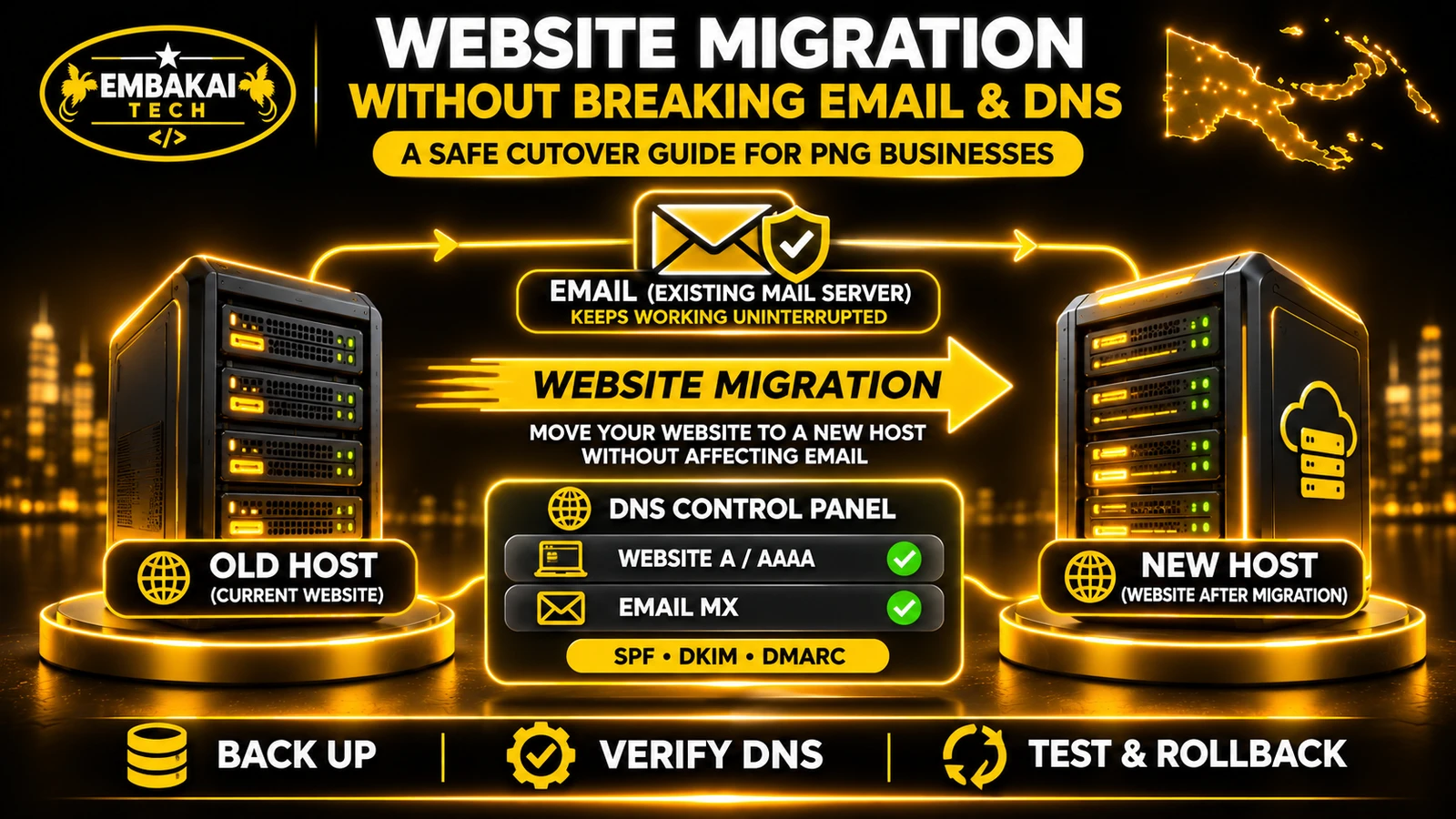
For a detailed explanation of these dependencies, read How to Migrate a Business Website Without Breaking Email or DNS.
A backup can help recover from malicious changes, but restoring the previous version is not always enough.
Suppose an attacker gained access through an outdated plugin.
The developer restores the website from a backup created before the visible damage.
If the vulnerable plugin remains installed, the underlying problem may still exist.
The website could be compromised again.
Depending on the incident:
The appropriate recovery point depends on the investigation.
If malicious activity also affects online backup storage, the business may lose both the live application and its accessible recovery copies.
Offline or appropriately immutable backups can provide valuable additional protection.
Consider a hypothetical professional services company in Port Moresby.
It operates a website with:
A deployment error damages important application data.
Staff can no longer retrieve certain customer records.
The hosting server remains online, but the application is not operating correctly.
The developer may need to investigate the damage, search for available backups, identify missing files and determine which database version is usable.
If the only backup is incomplete, customer records may be unrecoverable.
The company cannot confidently estimate when the system will return.
The team can:
Even a successful recovery may not automatically reproduce transactions created after the selected backup.
For example, payment and order records may need reconciliation against an authoritative payment provider or other external system.
The recovery process should protect against duplicate charges and duplicate business records.
This is why disaster recovery involves business data integrity, not just website availability.
There is no universal backup tool suitable for every platform.
The right solution depends on the website's architecture and the recovery requirements.
Review the provider's available backup functionality.
Confirm whether the service supports the necessary files, databases, destinations and restoration method.
Consider a supported full-site backup solution covering the database, themes, plugins, media and necessary configuration.
Ensure that an independent recovery copy is available where appropriate.
Use a backup process designed around the actual database, storage and application architecture.
For applications with frequent transactions, consider whether database recovery requirements demand more than occasional full exports.
A VPS may support provider snapshots, database backups and additional recovery services.
A server snapshot can be useful, but it should not automatically be treated as a complete replacement for independently protected application backups.
Snapshots and database exports can offer different recovery characteristics.
| Question | Why it matters |
|---|---|
| What data is protected? | Prevents missing components |
| How often does backup run? | Determines potential data loss |
| How long are copies retained? | Determines available recovery points |
| Is a copy stored independently? | Reduces single-environment risk |
| Are backups encrypted? | Protects sensitive information |
| Can restoration be tested? | Verifies recoverability |
| Who performs recovery? | Clarifies responsibility |
| How are failures reported? | Prevents unnoticed backup failures |
Choose based on evidence, not simply the number of backup features advertised.
Before relying on your existing website backup arrangements, check the following.
Do not mark recovery testing complete simply because a backup system displays a successful status.
It depends on your hosting provider and package. cPanel offers backup tools, but automatic backup scheduling, retention and restoration services vary by hosting configuration.
Ordinary cPanel Backup Wizard functionality does not automatically restore complete full-account backups. Full restoration generally requires an appropriate WHM process or hosting-provider assistance.
Not for many dynamic websites. WordPress, Laravel and other applications may store essential records in a separate database and additional private storage locations.
Choose a schedule based on how frequently important content or records change and the amount of data loss the business can tolerate. Backups before significant updates are also advisable.
Standard Cloudflare caching and DNS services do not replace a complete, restorable backup of the origin website and database.
It recommends maintaining three copies of important data, across two storage media or types, with one copy kept offsite.
RPO defines the acceptable window of lost data changes. RTO defines the target time for restoring the service after a disruption.
Appropriately protected backups can help with recovery. Offline or immutable copies may provide additional protection, but the compromised systems still need investigation and remediation.
Yes. Restoration testing verifies that the necessary data and application components can be recovered successfully.
No. A VPS gives administrators more control over the environment, but backups still need to be configured, protected, monitored and tested.
Not necessarily. Records created after the selected recovery point may be missing and may require reconciliation with external systems or other available records.
No. Backups support recovery, while maintenance addresses software updates, operational issues, monitoring and other ongoing responsibilities.
A business website can be backed up regularly and still be difficult to recover.
The backup may be incomplete.
The files may be stored on the same failed server.
The database may be outdated.
The application may depend on missing configuration or encryption keys.
Or the hosting account may lack the permissions needed to restore the complete system.
For businesses in Papua New Guinea, the practical objective is not simply to purchase hosting with an automatic backup feature.
It is to establish a recovery arrangement that matches the website's actual business importance.
Know what must be protected, where recovery copies are stored, how much data loss is acceptable and who is responsible for restoring the service.
Then test the recovery process.
The most important backup question is not “Do we have a copy?” It is “Can we restore our website and business records when we need them?”
Embakai Tech Solutions provides Domain, Hosting & DevOps services for businesses and organisations across Papua New Guinea.
Our technical services include hosting configuration, backup planning, deployment support and assistance with website infrastructure requirements.
Whether your business operates a WordPress website, corporate website, online store or custom Laravel application, a suitable backup strategy starts with understanding the data and systems your business depends on.
For related guidance, read how to migrate a business website without breaking email or DNS.
Contact Embakai Tech Solutions to discuss your website hosting, backup and recovery requirements.
Contact Embakai Tech Solutions for a focused review, implementation plan or quote for your organisation in Papua New Guinea.