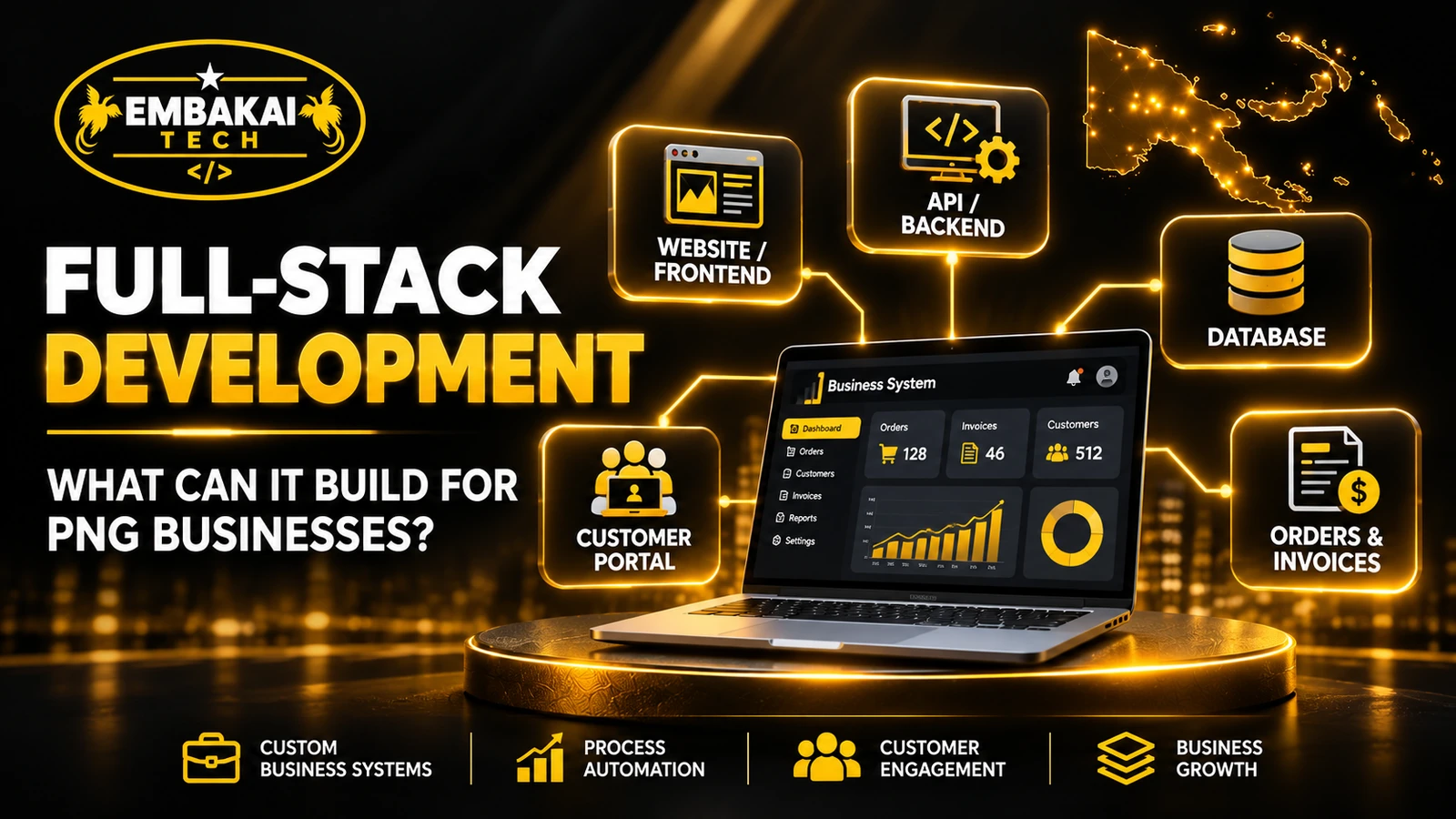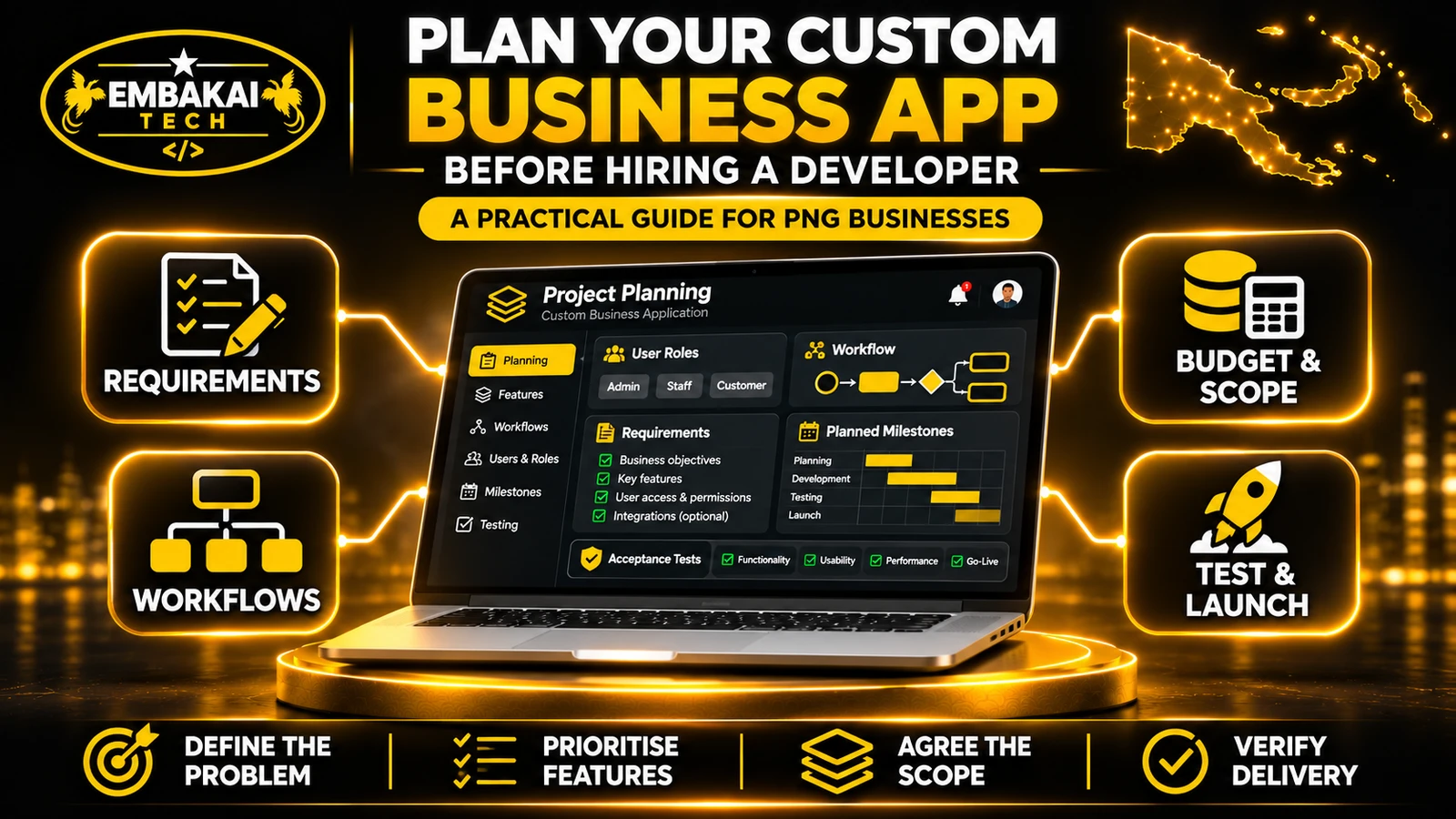
Before hiring a developer, document the business problem, map the workflow, identify who needs access and agree how you will test the first release. A clear brief helps PNG businesses compare quotations and budget for development, hosting and support.
A business owner approaches a software developer and says:
“We need a system to manage our customers, quotations, invoices, staff and reports.”
It sounds like a straightforward request. But what does manage actually mean?
Does the business want employees to prepare quotations online? Should managers approve quotations before customers receive them? Can customers log in to download invoices? Do employees from different branches have separate access? Does the system need to work when the internet connection is unavailable?
Each answer can significantly change the development scope, cost and technical requirements.
Many custom software projects become difficult not because developers cannot write the code, but because the business and development team begin with different expectations.
A business expects a complete operational system. The developer may have quoted only for a basic dashboard and a few data-entry forms.
The best way to avoid this situation is to prepare a clear project brief before hiring a developer.
For businesses in Papua New Guinea, this is particularly important when software must support multiple branches, existing spreadsheets, mobile users, payment integrations or operations in areas with unreliable internet connectivity.
This guide explains how to plan a custom business application, define its requirements, compare development quotations and prepare for successful delivery.
Before deciding between Laravel, React, Django, Windows desktop software or a cloud platform, identify the business problem.
A company might say:
“We want a modern application with a dashboard.”
That describes a possible solution, but it does not explain the problem.
A more useful statement is:
“Our sales team records quotations in spreadsheets, our accounts team prepares invoices separately, and management cannot reliably see which customer requests are awaiting approval.”
Now the developer has something meaningful to investigate.
The problem involves information being stored in different places, employees repeating work and management lacking visibility into the process.
A custom application might help, but so might improving an existing system or connecting two products already in use.
Practical tip: Write a one-paragraph problem statement explaining what happens today, why it is difficult and what the organisation wants to improve.
That single paragraph becomes the foundation of the project brief.
Developers need to understand your actual workflow.
Do not assume that describing your business as a construction company, retailer, school or professional services firm explains how your employees work.
Two companies in the same industry may have very different operating procedures.
Consider a hypothetical maintenance company in Port Moresby that also handles work in Lae.
Its current process might be:
It shows who performs each activity and how information moves between departments.
Business software must also handle situations where things do not go according to plan.
For example:
A useful workflow should describe both the normal path and important alternative paths.
A custom application may serve several groups with different responsibilities.
Before development starts, list the people who will use it and what they should be allowed to do.
| User | Main responsibilities | Access required |
|---|---|---|
| Customer | Submit requests and check progress | Own records only |
| Sales Officer | Review enquiries and prepare quotations | Assigned customer and quotation records |
| Supervisor | Assign jobs and update progress | Relevant operational records |
| Accounts Officer | Issue invoices and reconcile payments | Authorised billing information |
| Manager | Review approvals and reports | Agreed management information |
| System Administrator | Manage users and application settings | Controlled administrative access |
This is an illustrative matrix, not a requirement that every organisation use these exact roles.
An application that shows every employee all customer information may create unnecessary operational and privacy risks.
The developer needs to know:
These decisions affect the database, backend permissions and interface design.
Do not leave them until the end of development.
One of the biggest planning mistakes is treating every proposed feature as equally important.
A business may request customer management, invoicing, inventory, HR, payroll, email automation, analytics and a mobile app in the first release.
That can produce a project too large to implement and test effectively.
Instead, divide features into priorities.
| Feature | Priority | Reason |
|---|---|---|
| Staff login and role permissions | Must have | Required for controlled access |
| Customer records | Must have | Central to the workflow |
| Quotation creation | Must have | Main business requirement |
| Manager approval | Must have | Existing company procedure |
| Invoice records | Must have | Required operational handover |
| Basic reports | Should have | Helps management monitor work |
| Automated customer reminders | Could have | Useful but not essential at launch |
| Dedicated mobile application | Later phase | Mobile web access may be sufficient initially |
A practical prioritisation approach is MoSCoW:
Must have: Essential for the application to perform its core function.
Should have: Important, but a temporary alternative is possible.
Could have: Valuable enhancement that can wait.
Won't have in this release: Explicitly outside the initial scope.
This method helps both the customer and developer understand the intended first release.
It also makes quotations easier to compare.
A feature name alone does not tell a developer enough.
For example, “customer management” could mean storing contact details, tracking service history, assigning account managers or providing a customer login portal.
A better approach is to describe specific user actions.
Software teams often call these user stories.
“As a sales officer, I want to create a quotation from a customer enquiry so that I do not have to re-enter customer information.”
That statement identifies:
“As a manager, I want to review quotations awaiting approval so that customers do not receive unapproved pricing.”
These statements are useful starting points, but they still require additional detail.
Acceptance criteria explain what must work before a feature can be accepted.
For the quotation feature, they might include:
Compare that with a vague requirement such as:
“The system must have a modern quotation module.”
The second statement provides very little information about what the module needs to do.
Good acceptance criteria reduce disagreements about whether development work is complete.
Software development is not just about screens.
Behind each form, dashboard and report is information that must be stored and maintained.
Prepare a list of the main records your organisation needs.
For a contractor management application, that might include:
For example, one customer may have multiple enquiries. An enquiry may lead to a quotation. An accepted quotation may be linked to a job and subsequent billing records.
These relationships affect the database structure.
If your organisation currently uses Excel, provide representative copies of the existing forms and spreadsheets, with unnecessary personal or confidential information removed.
The developer can use them to understand current fields and processes.
However, spreadsheet data often needs cleaning before migration.
Common problems include:
Agree which records need migration, who will verify the data and what happens to the original files afterward.
Many businesses already use software that a new application must connect with.
Examples include:
A business may ask for BSP Pay, Kina IPG or another payment service.
Before including it in the development scope, confirm whether the intended provider supports the required payment workflow and whether the business has the necessary merchant approval and credentials.
The developer should investigate:
An integration should not be promised simply because the provider's name is familiar.
For each external system, record:
System name: Which product or service is involved?
Purpose: What information must be exchanged?
Direction: Is the application reading data, sending data or both?
Frequency: Real-time, scheduled or manual?
Access: Who provides credentials and authorisation?
Failure handling: What should happen when the external system is unavailable?
A reliable application needs a plan for failed and repeated requests, not only successful transactions.
Papua New Guinea organisations operate across different connectivity environments.
A web application that works well on a fast office connection may perform differently for staff using mobile data in remote locations.
Before selecting the architecture, identify where the application will be used.
A Windows desktop application may suit workstation-specific tasks, specialised hardware or particular local workflows.
Offline operation is a separate requirement.
A browser-based application does not automatically function offline, and a desktop application does not automatically synchronise correctly between branches.
For offline workflows, the developer needs to define:
Before commissioning a custom application, check whether an existing product can solve the problem.
For example, a business needing ordinary accounting and invoicing functions may be better served by established accounting software.
A school needing a standard learning platform may find a suitable existing learning management system.
Custom software becomes more relevant when the organisation has specialised workflows, unique reporting requirements or several systems that must operate together.
| Consideration | Existing software | Custom application |
|---|---|---|
| Initial setup | May be quicker | Usually requires discovery and development |
| Features | Defined by product capabilities | Built around agreed requirements |
| Customisation | Limited by vendor and product | Greater design flexibility |
| Integrations | Depends on supported interfaces | Depends on accessible systems and budget |
| Maintenance | Usually vendor-managed within service terms | Requires an agreed maintenance arrangement |
| Ongoing costs | Licences or subscriptions may apply | Hosting, support and development costs may apply |
Custom software is not automatically the better choice.
The correct decision depends on total cost, operational suitability and long-term support.
A capable developer should be willing to recommend adapting an existing system rather than building something unnecessary.
One of the first questions business owners ask is:
“How much will it cost to build the application?”
The problem is that custom development does not have one universal price.
A simple customer record system is very different from a multi-branch platform with inventory, payment integration, staff approvals and financial reporting. What affects the cost? Important factors include:
One form with complicated calculations and approvals may require more development than several informational pages.
A development quotation should explain:
Two developers may offer substantially different systems under the same general description.
In addition to development, the application may need:
A large custom application is usually easier to manage when delivered in defined stages.
For example:
| Stage | Work involved | What the business should receive |
|---|---|---|
| Discovery | Requirements and workflow review | Agreed project brief |
| Design | Interface and process design | Reviewable screens and workflow diagrams |
| Development | Core application modules | Working testable features |
| Testing | Functional and user acceptance testing | Test results and corrected issues |
| Deployment | Production configuration and release | Accessible live application |
| Handover | Training and documentation | Access, instructions and support arrangements |
A suitable first release is commonly called a Minimum Viable Product, or MVP.
An MVP is not a broken or unfinished system.
It is the smallest usable release that reliably performs the essential workflow.
For example, a quotation-management MVP could include customer records, quotations, manager approvals and basic status reporting.
More advanced analytics, customer portals or mobile applications could follow.
The first release must still meet its agreed quality, usability and reliability requirements.
A custom application may become essential to daily business operations.
Before development starts, agree who will control the application and its operational assets.
Important questions include:
Do not assume that paying for development automatically transfers ownership of every third-party library, framework, design asset or licence.
A good handover also includes sufficient operational information for the client or another authorised developer to maintain the agreed system.
An application should not be accepted merely because it loads successfully or displays a polished dashboard.
The business should test what employees actually need to accomplish.
For a quotation-management application:
Create a customer with valid details.
Verify that the record is saved and can be retrieved.
Prepare a quotation using agreed products, quantities and prices.
Verify the calculations and reference number.
Attempt to issue a quotation before approval.
Confirm the application applies the agreed restrictions.
Use an employee account without manager privileges.
Verify that it cannot approve quotations through the interface or backend.
Submit incomplete or invalid information.
Confirm that the system displays useful feedback without creating corrupted records.
Verify that authorised staff can retrieve the relevant records after an interrupted session or other agreed failure scenario.
The developer and business should document expected results before testing.
Individual acceptance criteria determine whether a particular feature works.
The project's broader Definition of Done may also include automated tests, documentation, deployment validation and completion of required handover material.
These are related but distinct requirements.
Agree on both.
Requesting React, Laravel or another technology without defining the workflow can lead to unnecessary complexity.
An oversized initial scope makes prioritisation, testing and project management harder.
Old spreadsheets, documents and databases may require significant migration and cleanup work.
Different employees and departments may need different levels of access.
External systems may require documentation, commercial approval, provider access or additional development.
A visually impressive dashboard is of little value if the underlying workflows do not work.
Without clear acceptance criteria, the business and developer may disagree about whether the project is finished.
A custom application needs a clear operating plan beyond its launch date.
Before contacting a developer, prepare a document using the following structure.
Organisation: Your registered business or organisation name.
Location: Town, province and operating locations.
Primary contact: Person authorised to discuss the project.
Explain what currently happens and what needs improvement.
Example:
“Our company uses separate spreadsheets for customer enquiries, quotations and job assignments. We want authorised staff to manage the workflow in one system.”
List each type of user and the activities they need to perform.
Separate features into:
Describe the main process from beginning to end.
Include approval, rejection, cancellation and correction scenarios where applicable.
List the data the application will store and identify any existing spreadsheets, documents or databases.
Identify payment gateways, email services, POS systems, accounting software or other services that may need to connect.
Explain where the system will be used, which devices employees have and whether offline functionality is needed.
List the reports management actually needs.
Example:
“Show quotations awaiting approval, invoices outstanding and jobs assigned to each department.”
State the available budget range if the business has one, required milestones and any important operational deadlines.
Describe how the business will determine whether essential functions are working.
Record expectations about application ownership, deployment, backups, training and ongoing maintenance.
A completed brief does not have to answer every technical question.
Its purpose is to give the developer enough information to investigate, clarify and produce a realistic proposal.
No. You should understand your business problem, users and operating procedures. A competent developer can help translate those requirements into technical specifications.
It depends on the scope. A qualified full-stack developer may handle a modest project. Larger systems may require dedicated design, backend, frontend, testing and infrastructure responsibilities.
Often, yes. The developer must examine the existing records, identify relationships, clean relevant data and design suitable import and validation processes.
A responsive web application can operate in supported browsers on both platforms. Dedicated desktop and mobile apps may require additional development. Hardware access and offline needs can influence the decision.
Use the agreed acceptance criteria, test real workflows and verify handover deliverables. Do not rely solely on screenshots, demonstrations or the developer's claim that the system is finished.
Usually, yes, if the application is maintainable and the proposed changes are compatible with its architecture. New functionality should be assessed, scoped and tested separately.
Custom software can help businesses organise customer information, connect departments, track approvals and improve operational visibility.
But software development is most effective when the organisation knows what problem it is trying to solve.
Before hiring a developer, identify the users, document current workflows, prioritise essential features and agree on what successful delivery means.
This provides a better foundation for estimating costs, choosing technology, comparing quotations and controlling changes throughout the project.
The aim is not to commission the most complicated application.
It is to develop a system that reliably supports the work your business needs to perform.
Embakai Tech Solutions provides custom software and full-stack development services for businesses and organisations across Papua New Guinea.
Projects may include customer portals, quotation systems, staff dashboards, inventory applications, business directories and other database-backed solutions.
If you are planning a custom application, share your existing workflow, sample documents, intended users and the problem you want to solve.
You can also read What Can a Full-Stack Developer Build for a Business in Papua New Guinea? for practical examples of the types of applications businesses can develop.
Contact Embakai Tech Solutions to discuss your requirements and request a tailored development quotation.
Contact Embakai Tech Solutions for a focused review, implementation plan or quote for your organisation in Papua New Guinea.