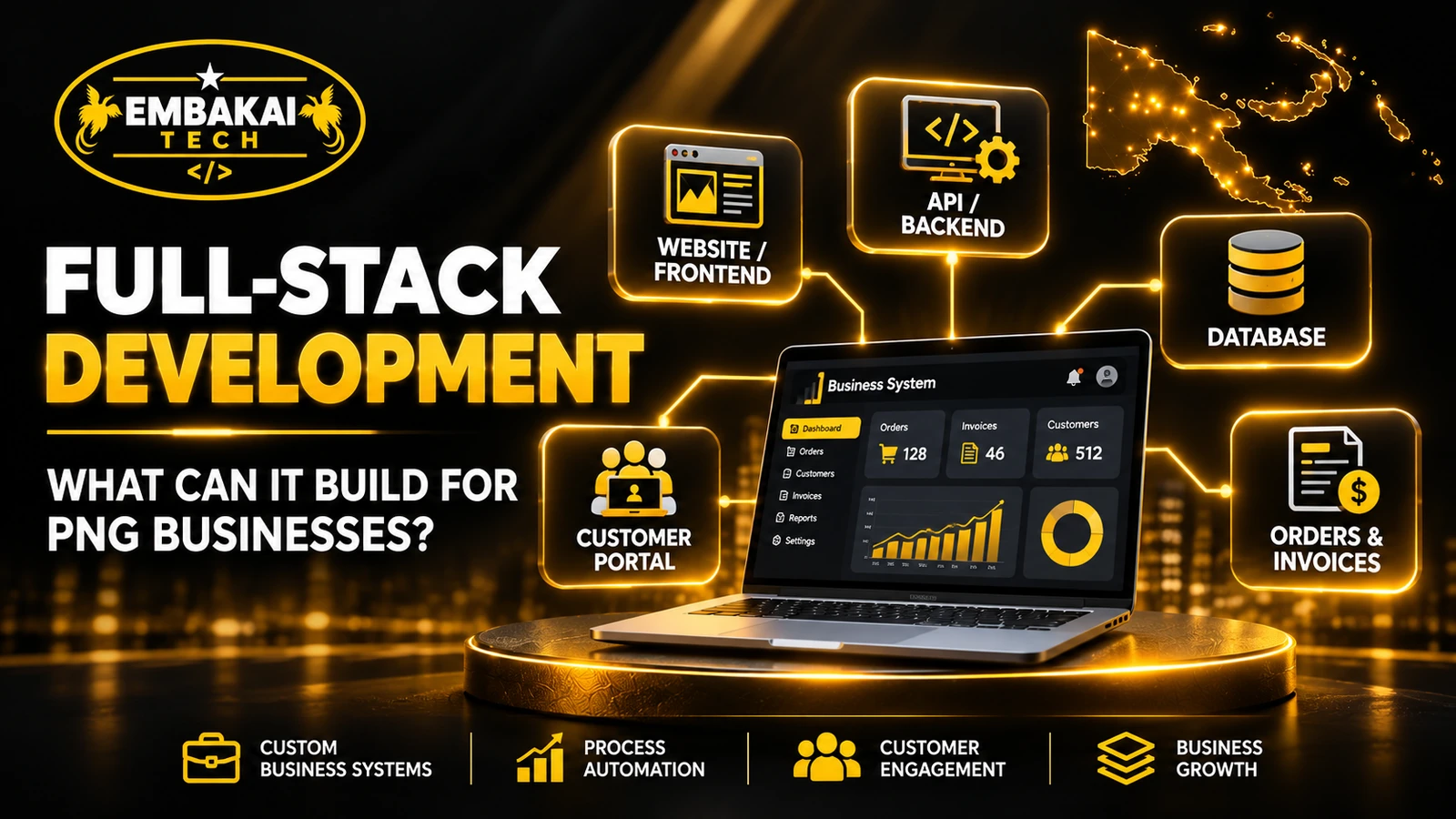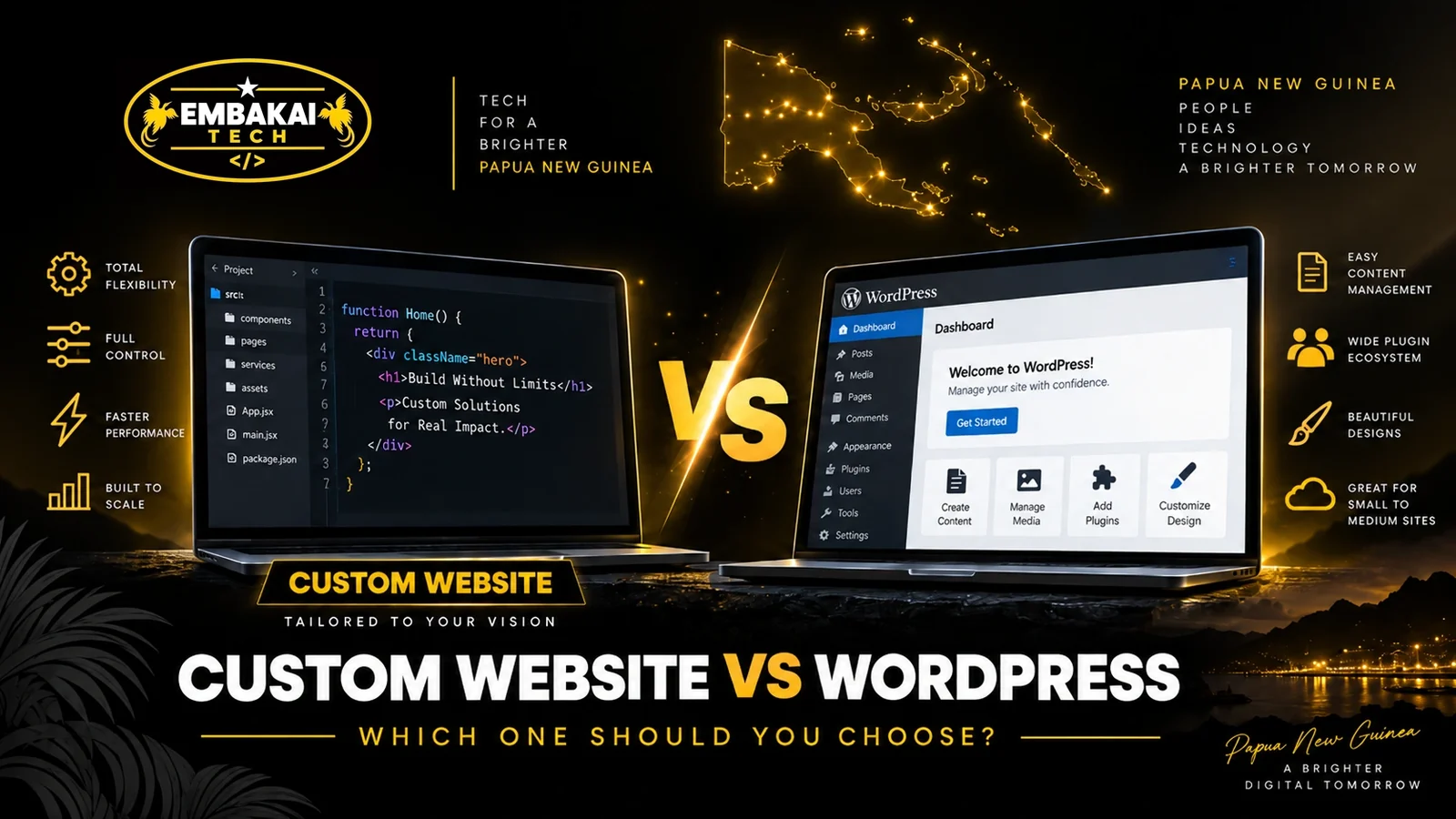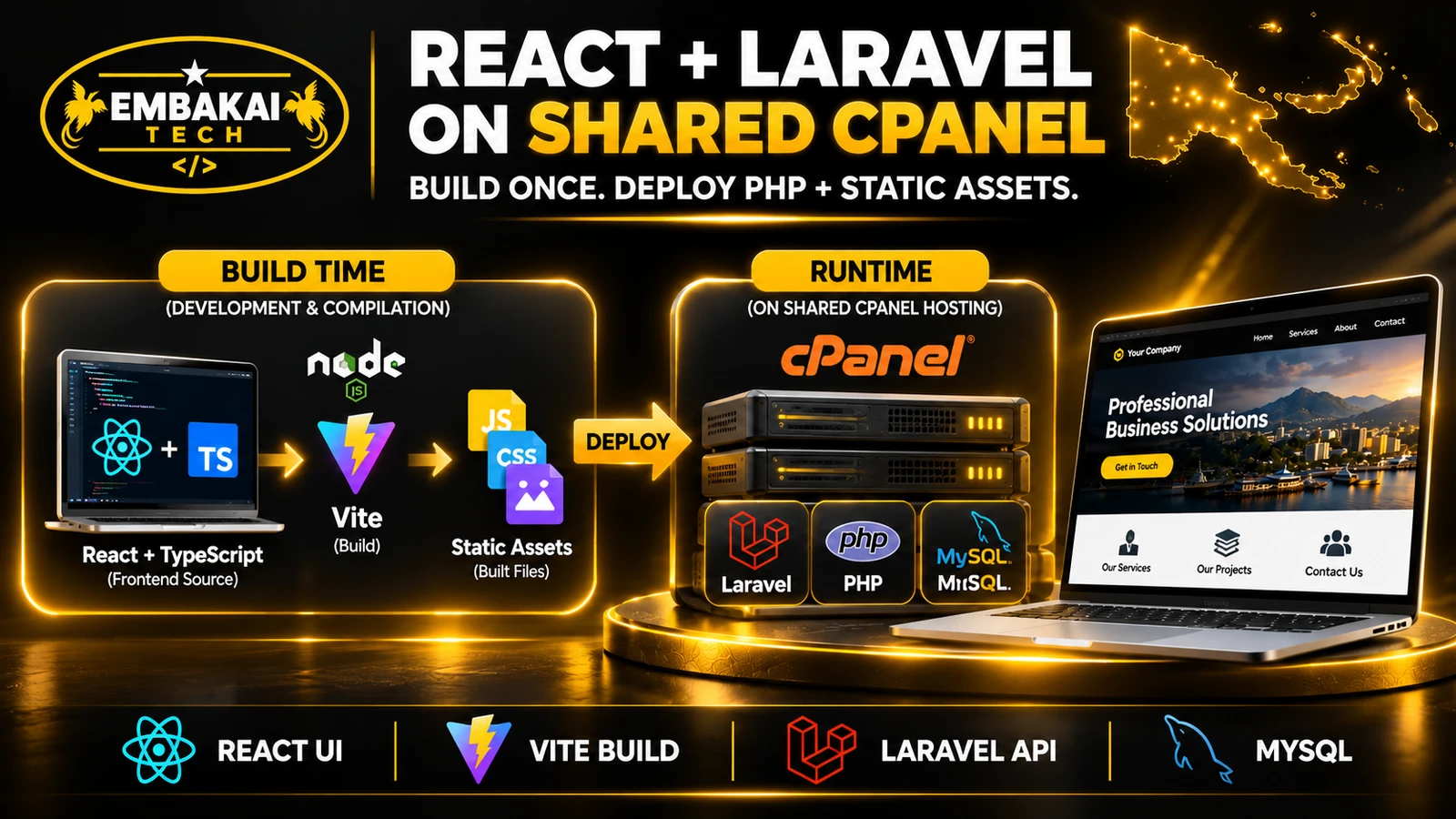
React and Laravel can run together on compatible shared cPanel hosting. Build React with Vite before deployment, then serve the compiled JavaScript and CSS while Laravel runs on PHP and connects to MySQL. Check the public document root, PHP support and background jobs before choosing a hosting plan.
A PNG business can use this setup for public service pages, interactive quotation forms and a customer dashboard. The examples below show how to configure it and what to test before launch.
Before deciding on hosting, it helps to understand the responsibility of each technology.
React is a JavaScript library for building user interfaces.
It can power interactive forms, searchable tables, filters, dashboard widgets, customer portals and other features that need to respond to user actions without repeatedly loading entire pages.
For example, a quotation form could let a customer select services, add requirements, review their selections and submit an enquiry.
React manages those interactions in the browser.
Laravel is a PHP framework that handles server-side application functionality.
It can process submitted forms, validate information, authenticate users, enforce permissions, communicate with databases, send notifications and expose APIs.
For a corporate website, Laravel might manage service pages, project portfolios, quotation requests, staff accounts and administrative workflows.
Laravel can also render public-facing HTML using Blade templates.
That is useful when the website needs its main content available immediately in the server response.
MySQL stores application data such as customer enquiries, service records, projects, users and quotation statuses.
Laravel communicates with the database using its database layer.
React should not connect directly to MySQL. Browser requests pass through appropriately controlled backend endpoints.
cPanel provides tools for managing hosting accounts, files, domains, databases, PHP settings, email and scheduled tasks.
It is not itself the web server or application runtime.
Depending on the hosting provider, the environment may use Apache, LiteSpeed or another supported configuration.
The capabilities available through cPanel vary by hosting package.
The key distinction is between build-time requirements and production runtime requirements.
During development, Node.js and npm can install frontend dependencies and run Vite.
Vite processes React components, TypeScript, CSS and related assets into browser-ready files.
Those generated files are then deployed with the Laravel application.
On a compatible shared hosting account, the production web server serves the compiled JavaScript and CSS while PHP executes Laravel.
DEVELOPMENT / BUILD ENVIRONMENT

React + TypeScript source
          |
          v
      Vite Build
          |
          v
Compiled JS, CSS and assets
          |
          v
       Deployment

--------------------------------

SHARED CPANEL PRODUCTION HOSTING

Apache / LiteSpeed
          |
          +--> Laravel public pages
          |
          +--> Compiled React assets
          |
          +--> Laravel routes / APIs
                         |
                         v
                     MySQL DB
The production application does not need a persistent Node.js process when React runs in the browser and Laravel handles the server-side application.
This does not apply to every React architecture.
Server-side rendering with a Node-based SSR process, Next.js server features or other continuously running Node services may require a different hosting arrangement.
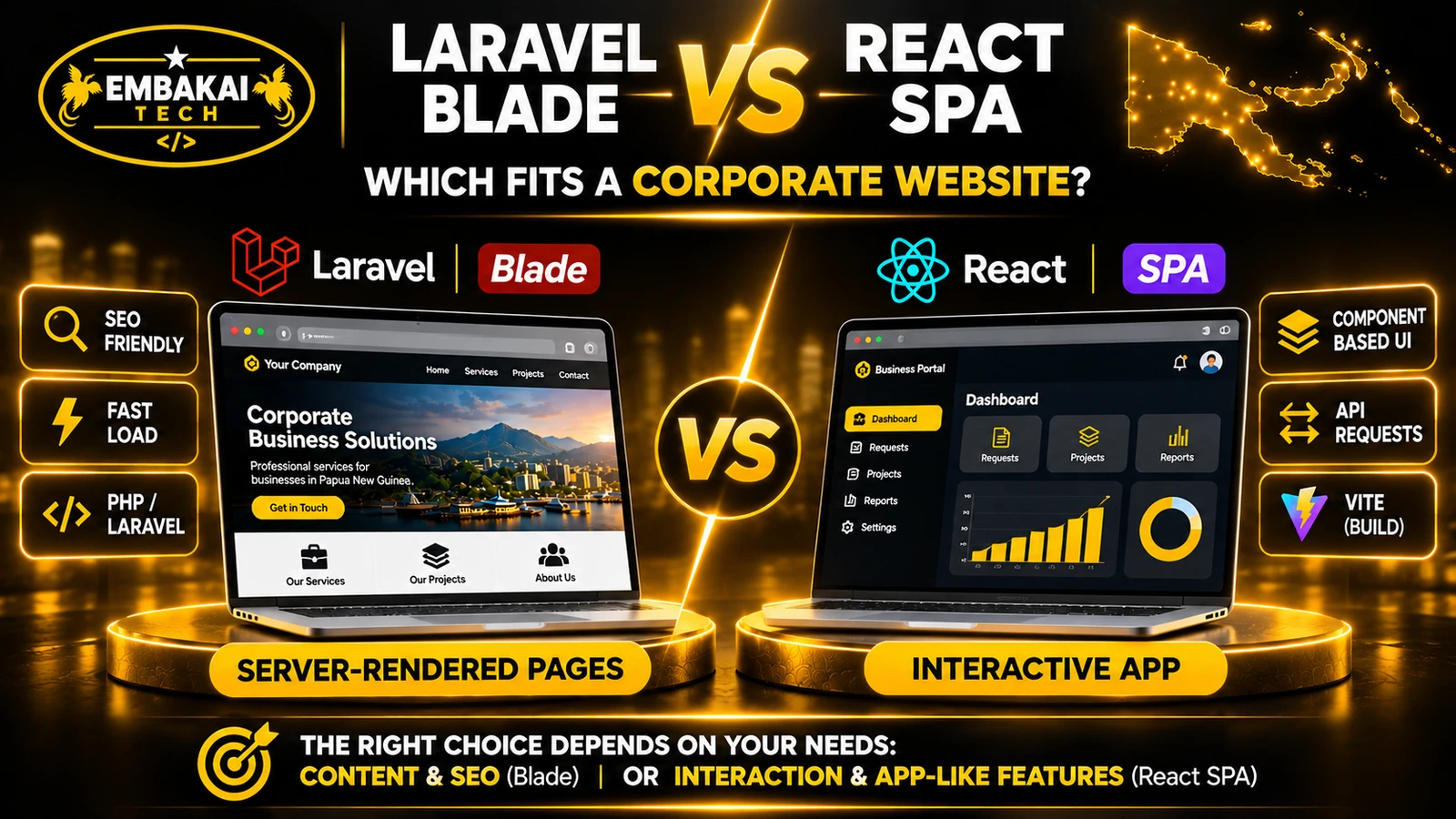
There are several ways to combine the technologies.
For a corporate website, two common approaches deserve attention.
Laravel serves public pages such as Home, About, Services, Projects and Contact.
The HTML includes the page content, headings and relevant metadata.
React is mounted only where more sophisticated interactions are useful.
Examples include:
This architecture has practical advantages.
Public content is delivered in HTML, the frontend has fewer moving parts, and React can be introduced without turning every public page into a client-rendered application.
For many corporate websites in Papua New Guinea, this is a sensible starting point.
A larger portal may use React for most of its interface, with Laravel supplying backend functionality.
For example, a customer dashboard may include navigation, account information, invoices, service requests and reporting features inside a React application.
Laravel handles the data and permissions.
This can work on shared hosting when the React application is compiled into static assets and does not require a dedicated JavaScript server.
However, routing, authentication and direct page refreshes need careful configuration.
For a corporate website that depends heavily on organic search, public content should be accessible without relying entirely on client-side JavaScript execution.
Blade-rendered public pages provide a straightforward way to deliver content in the initial HTML response.
React can still handle interactive elements.
A client-rendered React application is not automatically invisible to Google, but rendering behaviour can introduce additional crawling and indexing complexity.
The architecture should reflect the website's search requirements.
For more examples of public websites and private dashboards, see what a full-stack developer can build for a business in PNG.
Not every shared cPanel hosting plan is suitable.
Before committing to the architecture, confirm the following.
Different Laravel versions have different minimum PHP requirements.
For example, according to the official deployment documentation:
The application must also have the PHP extensions required by its Laravel version and installed packages.
Do not assume a hosting plan supports the required PHP version simply because it advertises PHP hosting.
Check the actual version available to the domain.
Also verify the PHP version used by command-line tasks. The website and terminal may use different PHP executables.
Confirm that the hosting plan provides a compatible database server and the necessary database privileges.
Review the supported database version, available storage and any limits affecting connections or resource consumption.
Composer manages PHP dependencies.
SSH access can simplify deployment, migrations and troubleshooting, but it may be unavailable on some shared hosting plans.
If Composer cannot run on the hosting account, dependencies may need to be prepared in a compatible build environment.
That workflow requires testing because PHP extensions and platform differences can affect package compatibility.
Some Laravel applications require scheduled tasks.
For example, a system may periodically check overdue enquiries or prepare scheduled reports.
cPanel can provide Cron Jobs functionality, but its availability and permitted frequency depend on the hosting provider.
Continuous queue workers, WebSockets, large imports and resource-intensive processing are common constraints on shared hosting.
If these features are essential, assess them before development rather than attempting to force an unsuitable deployment onto the account.
One of the most consequential Laravel deployment decisions is the web document root.
Laravel is designed to serve web requests through its public directory.
The rest of the application contains source code, configuration, dependencies and other files that should not be directly accessible to web visitors.
A simplified project structure looks like this:
corporate-app/
├── app/
├── bootstrap/
├── config/
├── database/
├── public/
│   ├── index.php
│   └── build/
├── resources/
├── routes/
├── storage/
├── vendor/
└── .env
The web server should expose the contents of public/, not the entire application directory.
Some hosting accounts allow you to configure an addon domain or subdomain with an appropriate document root.
Other plans are more restrictive.
Importantly, cPanel's current documentation states that the document root of the account's main domain cannot be changed through its standard domain-management interface.
This means the correct deployment approach depends on the hosting environment.
Do not simply upload an entire Laravel project into a publicly accessible directory and assume that .htaccess will protect everything.
If your plan cannot provide a secure document-root arrangement, ask the hosting provider about supported options or choose a suitable hosting environment.
This should be resolved before the application is deployed.
Consider a hypothetical corporate website with Blade-rendered service pages and a React-powered customer enquiry form.
The project uses Laravel, React, TypeScript and Vite.
The following examples illustrate the integration. Adapt them to the installed Laravel version and project structure.
Create or open an existing Laravel application.
Install the appropriate frontend dependencies.
For a project that does not already include them:
npm install react react-dom
npm install --save-dev typescript @types/react @types/react-dom @vitejs/plugin-react
Use versions compatible with your existing Laravel Vite integration.
For an established application, inspect its package.json and lockfile before adding or upgrading dependencies.
An illustrative vite.config.ts file could contain:
import { defineConfig } from 'vite';
import laravel from 'laravel-vite-plugin';
import react from '@vitejs/plugin-react';

export default defineConfig({
  plugins: [
    laravel({
      input: [
        'resources/css/app.css',
        'resources/js/app.tsx',
      ],
      refresh: true,
    }),
    react(),
  ],
});
The Laravel Vite integration manages references to the generated assets.
The React plugin supports JSX and TSX compilation.
For example, resources/js/app.tsx:
import { createRoot } from 'react-dom/client';
import EnquiryForm from './components/EnquiryForm';

const target = document.getElementById('enquiry-app');

if (target) {
  createRoot(target).render(<EnquiryForm />);
}
This mounts React only when the relevant element exists on the page.
The EnquiryForm component would contain the actual interactive form.
That component should handle loading states, validation feedback, submission results and error messages.
A simplified Blade page might include:
<!doctype html>
<html lang="en">
<head>
    <meta charset="utf-8">

    <meta name="viewport"
          content="width=device-width, initial-scale=1">

    <meta name="csrf-token"
          content="{{ csrf_token() }}">

    <title>Business Enquiries</title>

    @viteReactRefresh

    @vite([
        'resources/css/app.css',
        'resources/js/app.tsx'
    ])
</head>
<body>
    <main>
        <h1>Request a Business Quotation</h1>

        <p>
            Describe your requirements
            and our team will review them.
        </p>

        <div id="enquiry-app"></div>
    </main>
</body>
</html>
In production, Laravel's Vite integration uses the built asset manifest rather than the development server.
This allows Blade to render public HTML while React handles the enquiry interface.
The form can submit data to a Laravel route.
Laravel must validate the submitted information and apply appropriate request protections.
For example, the backend might require:
The frontend should display validation errors, but frontend validation alone is not sufficient.
The backend remains responsible for enforcing the rules.
For JavaScript requests using a Laravel session, configure CSRF handling according to the application's Laravel version.
A same-origin browser request can use the CSRF token provided in the page and include the appropriate header.
If the system instead uses an authenticated SPA API, configure its authentication and CSRF flow appropriately, such as through Laravel Sanctum where applicable.
Do not disable CSRF protection simply because the request originates from React.
This is the stage that makes the shared-hosting architecture possible.
During development, Vite provides a development server.
Before deployment, run the production build in the development or CI environment:
npm ci
npm run build
The project must have a valid lockfile and a configured build script.
With a standard Laravel Vite setup, the build produces files such as:
public/
└── build/
    ├── manifest.json
    └── assets/
        ├── app-[hash].js
        └── app-[hash].css
The exact filenames depend on the build.
The manifest tells Laravel which generated assets belong to each configured entry point.
These JavaScript and CSS files are served directly to browsers.
Node.js is needed to build the frontend, but it is not necessarily needed to run the production website.
Do not confuse that with an application using server-side React rendering, which may require a separate runtime.
A practical deployment should be treated as a release process, not simply a file upload.
Confirm that the project passes its relevant tests.
Install PHP dependencies using the appropriate production configuration.
Build the frontend assets.
Check that the generated files match the application revision being deployed.
Avoid compiling production assets from one code revision and deploying them with a different Laravel version or configuration.
Make sure the domain serves the application's intended public directory.
If the hosting plan does not support the necessary arrangement, resolve it before proceeding.
Do not expose .env, private source files, database exports or application logs to the public web.
Typical Laravel production configuration includes:
APP_ENV=production
APP_DEBUG=false
APP_URL=https://your-domain.example
Configure the actual database and other application settings through the appropriate private environment mechanism.
Generate and preserve a valid application key.
Do not regenerate the application key during routine updates to an existing application, because doing so may affect encrypted application data.
Keep credentials out of Git repositories and frontend build variables.
Create the database and database user using the supported hosting tools.
Apply appropriate permissions.
Run migrations only after reviewing them and preparing a suitable database backup or rollback strategy.
For a verified deployment, the relevant command may be:
php artisan migrate --force
Use the correct PHP executable for the hosting environment.
Never run this command blindly against production.
Review destructive schema changes carefully.
Laravel supports production caching for configuration, routes and views.
Examples include:
php artisan config:cache
php artisan view:cache
Route caching may also be appropriate when the application's route definitions support it.
Test cached configuration in staging, particularly when deployment variables change.
Laravel needs writable access to its required runtime directories, such as storage and framework cache locations.
Use the hosting provider's supported ownership and permission model.
Avoid making the application directories globally writable.
Open the site using its real HTTPS domain.
Check that:
Do not mark the deployment successful just because the homepage loads.
Several issues tend to appear during the first deployment.
A Laravel application may report that its Vite manifest is missing.
Possible causes include:
Fix: Confirm the build completed successfully and the manifest exists in the expected public build location.
Do not manually create a fake manifest.
The public page loads but the React interface is missing.
Check whether the generated JavaScript asset loads successfully.
Also inspect the browser console for import, runtime or MIME-type errors.
Confirm that the React entry point is included in the Blade page and that the mounting element exists.
This often indicates incorrect asset paths, an incomplete deployment or incorrect web-server routing.
Verify the generated file paths against the Vite manifest.
Avoid broad rewrite rules that interfere with static asset requests.
A 419 response commonly indicates a session or request-forgery validation problem in Laravel.
Check:
Do not disable the protection to make the error disappear.
A client-rendered route may work when reached through React navigation but return 404 when opened directly.
The server must have an appropriate route or application entry point for the intended URL.
However, blindly routing every unknown request to the React application creates another problem.
Missing images, unavailable public pages and invalid API endpoints should still return suitable HTTP errors.
Test public routes, protected routes and API routes separately.
The PHP version used by cPanel's cron environment may differ from the web PHP version.
Verify the command-line executable, file paths and permissions.
Check the scheduler's logs and confirm that the hosting provider permits the required execution frequency.
Some business applications need processes that run independently of a web request.
Examples include:
Laravel supports scheduled tasks and queues, but not every shared hosting plan supports continuously running worker processes.
A lightweight application may use synchronous processing for short tasks, or a permitted scheduled worker approach for modest workloads.
That requires evaluating execution time, concurrency, failure handling and resource limits.
For example, Laravel queue workers can be configured to stop when an existing queue is empty, but scheduling such workers on shared hosting must be compatible with the provider's process restrictions.
If your business needs reliable continuous workers, high-volume processing or WebSockets, a suitable VPS or managed application platform may be more appropriate.
Do not design a large background processing system around a hosting plan that cannot reliably operate it.
It can be, but the result depends on how the public pages are rendered and structured.
For a corporate site targeting searches such as website development in Port Moresby or software development in Papua New Guinea, public content should have:
Using Laravel Blade for core public pages makes it straightforward to deliver this information in the original HTML.
React can then support interactive forms, product filters or dashboards.
A full client-rendered SPA requires greater attention to how search engines discover and render its content.
Neither React nor Laravel automatically guarantees a good search ranking.
Content relevance, accessibility, technical quality and the user's experience remain important.
A website can be technically modern and still feel slow.
The final experience depends on the page's size, server response time, asset delivery, database queries and the quality of the user's connection.
For websites serving customers across Papua New Guinea, prioritise practical performance improvements.
Do not load a large dashboard application on every public service page unless that functionality is needed.
Consider loading interactive features only where they are used.
Use appropriately sized assets and modern formats where practical.
A large hero image can delay page rendering even when the server itself is responsive.
Inspect repeated queries, expensive searches and poorly designed relationships.
Use appropriate indexing, pagination and caching where they provide real benefits.
Test the experience using network throttling as well as normal desktop browsing.
Check whether forms remain usable, whether loading states are clear and whether users can recover from interrupted requests.
Use tools such as Lighthouse and browser performance measurements to identify actual bottlenecks.
Do not assume that switching from shared hosting to a VPS will solve an oversized frontend bundle or inefficient application code.
Shared hosting can be a reasonable choice for some corporate websites and relatively modest applications.
A VPS or managed application platform becomes more attractive when the project needs:
Consider the actual workloads, not simply the number of users registered in the database.
A small portal with heavy file processing may require more resources than a larger site serving mostly cached information.
Also account for the operational responsibility of managing a VPS.
Server administration, patching, monitoring, backups and recovery all need an owner.
Consider a hypothetical engineering services company in Port Moresby.
It wants its public website to display services, projects, a company profile and contact information.
It also wants customers to submit quotations online and staff to track those submissions through a dashboard.
A suitable first version might use:
Laravel Blade: Public homepage, services, project pages, company profile and SEO content.
React: Multi-step quotation form, customer-facing interactions and internal staff dashboard.
Laravel backend: Form validation, staff authentication, quotation processing, role permissions and application logic.
MySQL: Customers, enquiries, quotations, activity records and related data.
Vite: Compile React, TypeScript and CSS for production deployment.
cPanel hosting: Serve the application where the plan's PHP, document-root and process capabilities meet the requirements.
This arrangement could avoid requiring a permanently running Node.js service.
However, if the company later adds continuous notifications, complex integration workers or resource-intensive reports, the hosting requirements should be reviewed.
The architecture provides a practical starting point, not a promise that shared hosting will accommodate every future feature.
Use this checklist before approving a React and Laravel production release.
A successful deployment should be verified through real customer and staff workflows, not just a green status message from the hosting panel.
Not always. A browser-rendered React application can be built with Vite before deployment. The resulting static files can be served by the web server without a permanent Node.js process.
Server-rendered Node applications have different requirements.
React does not directly use the database. React communicates with Laravel, and Laravel reads or writes the records through its database layer.
This keeps database credentials and access control on the server.
It depends on whether the hosting provider can support a secure document-root arrangement. Standard cPanel domain management does not permit changing the main domain's document root through that interface.
Verify the provider's supported deployment options before proceeding.
Yes, when the application's workload fits the hosting plan. React can support the interactive interface while Laravel enforces backend permissions and processes requests.
A dashboard with heavy background workloads may need more capable hosting.
Shared hosting commonly has a lower entry cost, but the right comparison includes maintenance, capacity, support, operational work and possible future migration.
Do not select the hosting environment based on price alone.
React and Laravel can work together on shared cPanel hosting when the architecture and hosting environment are compatible.
The practical approach is to use React where rich frontend interactions provide value, Laravel for backend processing and public HTML rendering where appropriate, MySQL for structured records, and Vite to compile the frontend before deployment.
The hosting account then needs to run the supported PHP application and serve its compiled frontend assets.
But shared hosting is not a universal replacement for a VPS.
Document-root restrictions, background processing, PHP compatibility and resource limits must be evaluated before committing to deployment.
For PNG businesses, the best architecture is the one that supports the required functionality, search visibility, performance and ongoing maintenance without introducing unnecessary complexity.
Embakai Tech Solutions provides website development services across Papua New Guinea and custom software development.
If your project requires a corporate website, React-powered frontend, Laravel backend, customer portal or administration dashboard, the starting point should be a review of your business requirements and intended hosting environment.
Discuss the pages, workflows, users, data and integrations you need before selecting the final architecture.
Contact Embakai Tech Solutions to discuss a suitable development scope and request a quotation.
This article is based on the current official documentation:
Contact Embakai Tech Solutions for a focused review, implementation plan or quote for your organisation in Papua New Guinea.


Explore our PNG service areas and industry website options, or discuss full-stack and custom software development. Embakai is based in Port Moresby and supports remotely managed projects across PNG.
Request a Quotation