When planning a new business website, one of the first technical decisions you may face is:
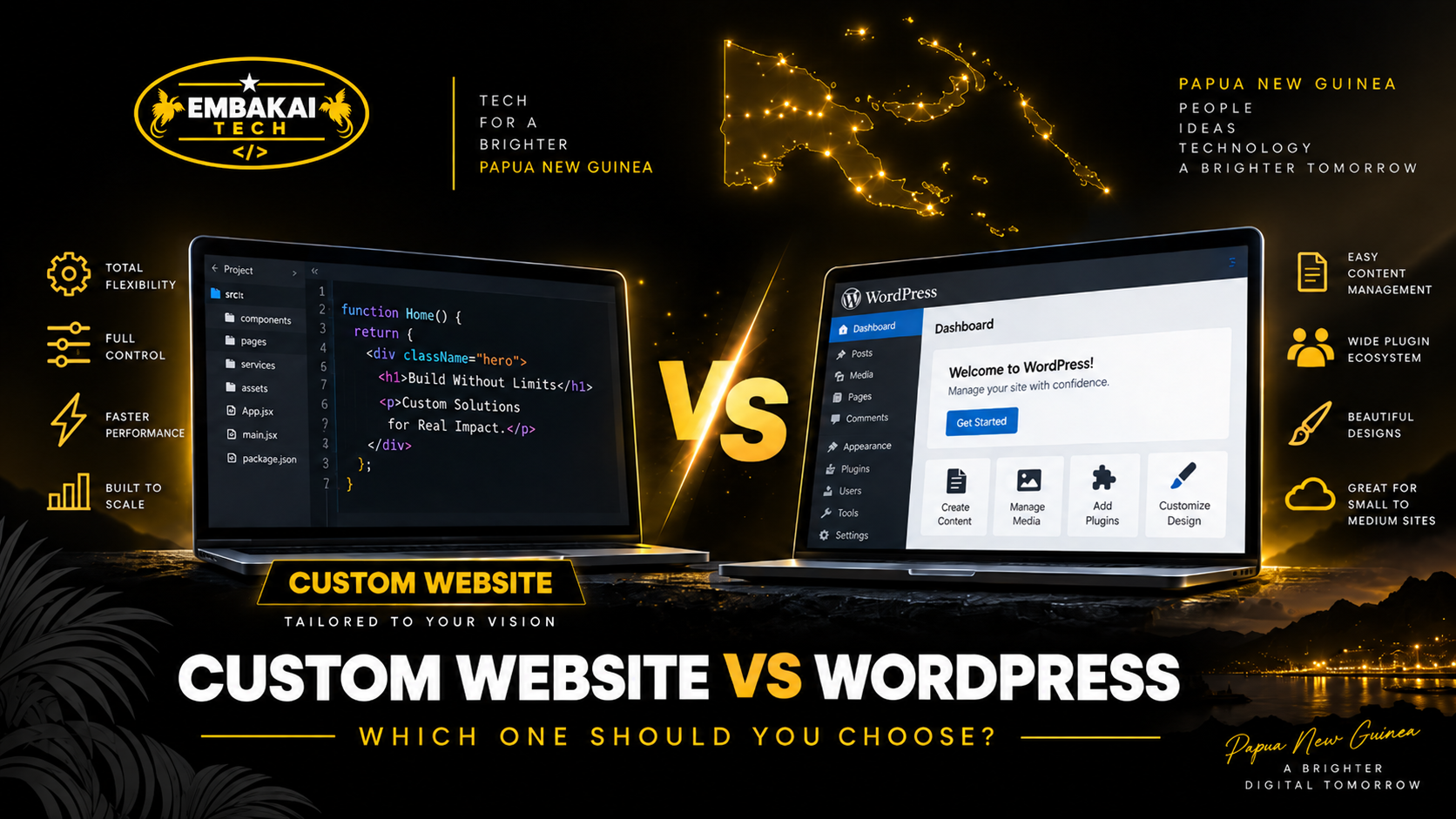
Should we build a custom website or use WordPress?
Both approaches can produce professional, secure, mobile-friendly, SEO-ready websites.
Both can support businesses in Papua New Guinea.
And neither option is automatically better for every project.
The correct choice depends on what the website actually needs to do.
A small company that mainly wants to publish its services, contact information, portfolio, and blog may have very different requirements from a business building a customer portal, quotation system, online marketplace, booking platform, payroll application, or highly customised e-commerce system.
This is where confusion often begins.
Some people assume WordPress is only for cheap or basic websites.
Others assume a custom-coded website is always faster, safer, and more professional.
Neither statement is automatically true.
A badly developed custom website can perform worse than a well-built WordPress website.
A poorly maintained WordPress installation can also become slow, insecure, or difficult to manage.
The real question is not:
“Which technology sounds more advanced?”
It is:
“Which approach best matches the business requirements, budget, maintenance needs, and long-term growth?”
This guide explains the difference between custom websites and WordPress websites, what each option does well, and how PNG businesses can decide which one makes more sense.
WordPress is a content management system, commonly called a CMS.
It provides an administration interface that allows website owners or staff to manage content without editing source code directly.
Depending on how the website is built, WordPress can be used for:
A WordPress website can use an existing theme, a heavily customised theme, or a completely custom theme created specifically for the business.
It can also be extended through plugins.
For example, plugins can add functionality such as:
This flexibility is one of the main reasons WordPress is widely used.
A custom website is developed specifically around the requirements of a particular project rather than being built primarily around a general-purpose CMS.
It may use technologies such as:
Django, Laravel, Node.js, React, Vue, Next.js, custom PHP, Python, or other frameworks and development stacks.
The exact technology depends on the system being built.
A custom website or web application may include:
The developer has greater freedom to design the database, workflows, interfaces, permissions, and business logic around the organisation's specific requirements.
That flexibility is one of the biggest advantages of custom development.
It is important to clarify something before comparing the two.
A WordPress website does not necessarily mean:
Download a template → change the logo → publish.
WordPress itself can be heavily customised.
A developer can create:
At some point, however, the question becomes whether WordPress remains the best foundation for the application.
If large amounts of custom application logic are being added, a dedicated framework may provide a cleaner architecture.
So the distinction is usually not simply:
Custom = professional
and
WordPress = template
A better distinction is:
CMS-based development vs purpose-built application development.
Technology should come after the business requirement.
Before choosing WordPress or custom development, ask what the website needs to do.
A typical company may only need:
WordPress can handle this very well.
Now imagine another organisation needs:
That project is moving beyond a normal company website.
Custom development may make more sense.
The right technology should follow the functionality.
WordPress is particularly effective when the website is primarily content-driven.
For example, a PNG business may want to regularly update:
WordPress already provides a mature content-management environment.
This means the developer does not need to build every basic publishing feature from scratch.
For many businesses, that can reduce development time and cost.
WordPress may be particularly suitable for SMEs, consultants, contractors, schools, churches, NGOs, training providers, professional firms, news sites, and businesses needing a manageable company website.
Custom development becomes attractive when the website is really a business application.
For example, suppose a company wants customers to:
This is no longer just website content.
It is a workflow.
Custom development allows the developer to design the application around that exact process.
The same applies to systems such as:
In many cases, WordPress can be less expensive initially because much of the basic CMS functionality already exists.
The developer does not need to build:
from scratch.
This makes WordPress efficient for traditional business websites.
Custom development usually requires more planning and development time because more of the application is created specifically for the project.
However, the cheapest option at the beginning is not necessarily the cheapest option long term.
If you force a complex business platform into WordPress using dozens of plugins and workarounds, maintenance may eventually become expensive.
Likewise, paying for a fully custom application when your company only needs five informational pages may be unnecessary.
Cost should follow complexity.
WordPress can usually be deployed faster for standard business websites.
A professional developer can start with an established CMS foundation and focus on:
instead of building the administration system first.
Custom development generally takes longer because the developer may need to create:
This additional work is justified when the project actually requires it.
For a normal company website, it may not be necessary.
Both WordPress and custom websites can have unique designs.
A well-developed WordPress website does not need to look like a generic template.
Developers can create custom layouts around:
Custom development provides even greater architectural freedom because the developer is not working inside the conventions of a CMS.
This can be valuable for highly interactive websites or unique user experiences.
But design alone is usually not enough reason to avoid WordPress.
WordPress can support highly customised designs when developed properly.
This is one area where WordPress is particularly strong.
WordPress was built around content management.
A business owner can usually log into the dashboard and manage:
depending on the configuration.
A custom application can provide the same capabilities, but the developer may need to build or configure the administrative experience specifically for the project.
Frameworks such as Django provide strong administration capabilities, but the interface still needs to be structured around the application's data and workflows.
If easy day-to-day publishing is the main requirement, WordPress is difficult to ignore.
Where custom development becomes more powerful is when the business needs an administration system that does much more than edit pages.
Imagine a dashboard showing:
New quotation requests
Pending invoices
Customers
Payments
Orders
Staff
Reports
System activity
This can be designed around the actual business workflow.
You are no longer adapting the company to a generic CMS.
The application can be adapted to the company.
This is one of the strongest reasons to choose custom development.
There is a common claim that:
Custom websites are fast and WordPress websites are slow.
That is too simplistic.
A well-optimised WordPress website can be fast.
A poorly written custom application can be very slow.
WordPress performance can be affected by:
A custom website can suffer from:
Speed depends on implementation.
The platform is only one part of the performance stack.
WordPress works on a wide range of hosting environments.
For many normal websites, shared hosting can be sufficient.
Larger WordPress sites may use:
Custom applications may require more specific infrastructure.
For example, a Django system may need:
Some ordinary shared hosting plans may not support these requirements.
Custom applications may therefore require VPS or cloud infrastructure earlier than WordPress websites.
This can increase the technical management required.
WordPress can be secure when it is properly configured and maintained.
However, because WordPress is widely used, it attracts significant attention from attackers.
Many WordPress compromises are associated with:
This means maintenance matters.
A business should not launch WordPress and then ignore updates for several years.
Security may include:
The number of plugins should also be controlled.
Every additional plugin introduces more code that must be maintained.
Not automatically.
A custom website can reduce dependence on third-party plugins, which gives the developer more control over the application.
But custom code can also contain vulnerabilities.
Security depends on whether the developer properly implements:
A custom website that is never reviewed or updated can still become insecure.
The difference is that responsibility moves more directly to the development team.
WordPress needs regular maintenance.
This may include:
Core → Themes → Plugins → PHP → Hosting
When updates are released, they should be tested and applied.
Custom websites also require maintenance.
The development stack may need updates to:
So custom development does not eliminate maintenance.
It changes the type of maintenance.
Every production website requires ongoing technical attention.
Plugins are one of WordPress's greatest strengths.
They allow developers to add functionality quickly.
Instead of building everything from scratch, a developer may use mature plugins for:
This can significantly reduce development time.
But plugins also create dependencies.
If the website relies on twenty or thirty plugins from different developers, updates may occasionally conflict.
Some plugins may stop being maintained.
Others may become security risks.
A good WordPress developer does not install plugins simply because they exist.
They choose them carefully.
In a custom application, functionality can be built directly around the project.
For example, instead of installing:
Quotation plugin + invoice plugin + membership plugin + workflow plugin
a developer can build one integrated system designed around the business.
That can create a cleaner architecture.
However, this also means the company depends more heavily on the quality of the custom code and the developer maintaining it.
There is always a trade-off.
WordPress combined with WooCommerce can work very well for many online stores.
It can support:
For a typical retailer, this may be all that is required.
But some businesses need more specialised e-commerce.
For example:
At that point, custom development may provide more flexibility.
The choice should depend on the selling process.
Both WordPress and custom applications can integrate payment gateways.
WordPress may already have plugins for supported payment providers.
This can reduce development time.
Custom systems may require direct API integration.
That creates more development work but also allows the checkout process to be designed specifically for the application.
For PNG businesses, the appropriate approach depends on the available gateway, its technical documentation, supported transaction flow, and the website's architecture.
Payment security and webhook validation should be treated seriously regardless of the platform.
Both WordPress and custom websites can perform well in search.
WordPress provides convenient SEO tooling through plugins that can help manage:
Custom websites can implement the same technical SEO features directly.
Neither platform automatically guarantees rankings.
SEO still depends on:
The advantage of WordPress is convenience.
The advantage of custom development is control.
If regular blogging is an important part of your marketing strategy, WordPress is particularly strong.
Its publishing system makes it easy to manage:
A custom website can certainly include a blogging system, but that functionality needs to be implemented.
If content publishing is central to the project, WordPress may save significant development effort.
Scalability is often misunderstood.
People sometimes say:
“WordPress cannot scale.”
That is not accurate.
WordPress can support very large websites when properly architected.
However, highly customised application workflows can become difficult to maintain when everything is implemented through plugins and CMS extensions.
Custom frameworks give developers more control over application architecture.
For complex systems, that can make scaling particular services or workloads easier.
The relevant question is:
What exactly needs to scale?
Traffic?
Products?
Users?
Transactions?
Database processing?
API calls?
There is no useful answer without understanding the workload.
Modern websites rarely operate alone.
A business may need to integrate:
WordPress can support many integrations through plugins or custom development.
Custom applications can integrate directly with external systems.
For simple integrations, WordPress may be quicker.
For deep business-process integration, custom development usually provides greater control.
Your business should understand what it owns regardless of the platform.
Ask:
A business should not become unnecessarily locked into one provider simply because the technical setup was never explained.
Good documentation and clear access arrangements matter.
WordPress is familiar to many developers and content managers.
This can make staff training easier.
A business can learn how to:
Custom dashboards can also be easy to use — and sometimes easier — because they can show only what staff actually need.
For example, instead of a large CMS interface, a custom system may provide:
Orders | Customers | Quotes | Reports
Nothing else.
The best administrative interface is the one that matches the people using it.
Both WordPress and custom websites can be fully responsive.
Mobile-friendly design depends on how the frontend is developed, not simply on which platform runs behind it.
Both should support:
A modern website should be mobile-friendly regardless of the technology used.
Custom applications are often a natural fit for more advanced Progressive Web App functionality.
Depending on requirements, a PWA may provide:
WordPress can also be extended with PWA functionality.
Again, the decision should depend on what the business actually needs.
| Area | WordPress | Custom Development |
|---|---|---|
| Initial development | Usually faster | Usually longer |
| Initial cost | Often lower | Usually higher |
| Content management | Excellent | Built around requirements |
| Blogging | Excellent | Must be implemented |
| Standard company website | Very suitable | Often unnecessary |
| Custom workflows | Possible but can become complex | Strong |
| Plugins | Large ecosystem | Less reliance on plugins |
| Administration | Ready-made CMS | Can be fully customised |
| Hosting | Widely supported | May require VPS/cloud |
| Security | Strong when maintained | Depends heavily on development quality |
| Maintenance | Core/theme/plugin updates | Framework/dependency/server updates |
| SEO | Strong tooling available | Full developer control |
| E-commerce | Strong with WooCommerce | Best for specialised workflows |
| Scalability | Can scale well | More architectural freedom |
| Development control | CMS structure | Maximum control |
| Business applications | Possible, but not always ideal | Often the better fit |
Neither column is automatically the winner.
The right answer depends on your project.
WordPress is usually worth considering when the website is primarily focused on content, marketing, standard business information, blogging, portfolios, or conventional e-commerce.
It can be an excellent choice when you want to launch efficiently and allow staff to manage content without needing a developer for every update.
For many PNG SMEs, WordPress can provide everything required without unnecessary custom development.
Custom development is worth considering when the project contains unique workflows or application logic that cannot be handled cleanly by a normal CMS.
For example, if your business requires a quotation and invoicing platform, advanced portal, custom reporting system, marketplace, specialised booking engine, payroll application, or complex internal workflow, a purpose-built solution may make more sense.
Custom development should solve a real requirement.
It should not be selected only because it sounds more advanced.
Sometimes the best architecture uses more than one technology.
For example, a company may use:
WordPress for its public marketing website and blog.
Then use a separate custom Django application for the customer portal.
This can provide the best characteristics of both systems.
The public team gets a convenient content-management system.
The application team gets the flexibility of a custom platform.
The systems can be connected through navigation, authentication, or APIs where appropriate.
Modern digital platforms do not always need to be built with one technology.
Every developer has preferred technologies.
That is normal.
But the platform should still suit the project.
If a developer builds everything in WordPress, they may try to force a complex application into WordPress.
If another developer only builds custom applications, they may recommend custom development for a simple brochure site that WordPress could handle easily.
The technology should serve the business.
The business should not be forced to serve the technology.
Before deciding between WordPress and custom development, determine:
These questions are much more useful than asking which platform is “better.”
A small business sometimes asks for a completely custom platform because it sounds more professional.
But if the company only needs:
Home + About + Services + Projects + Contact + Blog
building a large custom system may waste budget.
Technology should be proportional to the problem.
A good developer should be willing to recommend the simpler option when the simpler option is enough.
The opposite mistake also happens.
A business knows it eventually needs:
but starts with a basic WordPress configuration that was never designed for those requirements.
As the system grows, plugin after plugin is added.
Eventually the architecture becomes difficult to maintain.
Planning the future system early can avoid expensive rebuilding later.
Whether you choose WordPress or custom development, your website should still include a proper security strategy.
That may involve:
WordPress needs security.
Custom applications need security.
There is no platform where security can simply be ignored.
Do not only ask:
“How much will it cost to build?”
Also ask:
“How will we maintain it for the next five years?”
WordPress may require plugin and theme maintenance.
A custom application may require framework and dependency maintenance.
Hosting may need upgrading.
Security patches need to be applied.
Backups need to work.
Domains need to be renewed.
The long-term maintenance model is part of the technology decision.
For many small and medium businesses in Papua New Guinea, WordPress can be an excellent option for a professional company website.
It provides good content management, flexible design, blogging, SEO tools, and e-commerce capabilities without requiring every feature to be built from the beginning.
For businesses that need highly specialised processes, custom portals, internal systems, unique customer workflows, or application-level functionality, custom development may provide a stronger foundation.
There is no universal winner.
The right answer depends on the requirements.
Embakai Tech Solutions provides both WordPress development and custom web development for businesses and organisations in Papua New Guinea.
The platform should be selected based on what the project actually needs.
A standard business website does not necessarily need a large custom application.
A complex business platform should not automatically be forced into a collection of WordPress plugins either.
Depending on project requirements, solutions can include:
The goal is to choose technology that supports the business today without unnecessarily limiting where it can go tomorrow.
WordPress and custom development are both powerful tools.
The important thing is using the right tool for the right project.
WordPress can be an excellent choice when your business needs a professional, manageable, content-focused website.
Custom development becomes more valuable when the website needs to operate as a specialised business application.
Do not choose custom development simply because it sounds more advanced.
Do not choose WordPress simply because it appears cheaper.
Instead, look at:
Functionality → Budget → Management → Security → Infrastructure → Maintenance → Future Growth
Then choose the platform that makes the most technical and business sense.
For a PNG business, the best website is not the one built with the most fashionable technology.
It is the one that works properly for your customers and continues to support your business as it grows.
Not sure whether your business needs WordPress or a fully custom website?
Embakai Tech Solutions can help you evaluate the requirements before development begins.
Whether your project needs a professional WordPress business website, online shop, custom Django platform, customer portal, quotation system, admin dashboard, or specialised web application, we can design the solution around the business rather than forcing the business into the wrong technology.
Choose the right platform. Build the right foundation. Grow without unnecessary limitations.
Contact Embakai Tech Solutions for a focused review, implementation plan or quote for your organisation in Papua New Guinea.