Website security is no longer something only large companies should worry about. Today, even small business websites, online shops, booking forms, contact forms, login pages, and registration pages can be targeted by bots, spam scripts, fake submissions, and automated attacks.
For many SMEs in Papua New Guinea, a website is used to receive customer enquiries, quote requests, job applications, online orders, bookings, payments, or account registrations. If those forms are not protected, they can quickly become a target for spam.
You may receive fake contact messages, fake account registrations, junk form submissions, suspicious login attempts, or automated abuse that wastes your time and puts pressure on your website.
This is where Cloudflare Turnstile can help.
Cloudflare Turnstile is a modern alternative to traditional CAPTCHA systems. Instead of forcing users to click traffic lights, select buses, solve puzzles, or type distorted text, Turnstile helps check whether a visitor is likely to be human in a smoother and more privacy-friendly way.
For business websites, this means better protection without making life difficult for genuine customers.
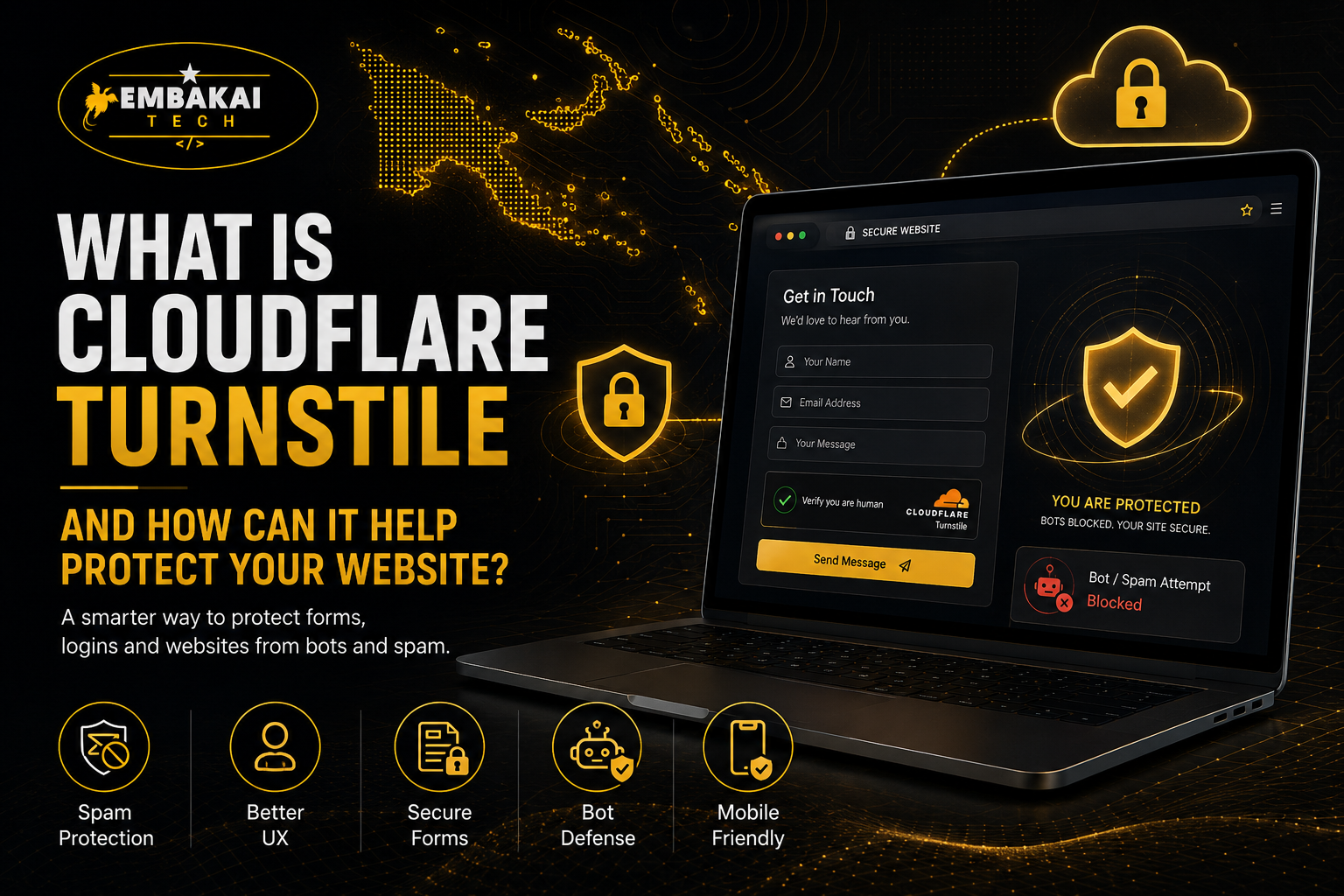
Cloudflare Turnstile is a website verification tool designed to help protect websites from bots, spam, and automated abuse.
Most people already know CAPTCHA. CAPTCHA is the system that asks users to prove they are human by solving a challenge. For example, users may be asked to select images, click a checkbox, or type letters from a distorted image.
The problem is that traditional CAPTCHA can be annoying. It slows people down. It can frustrate real customers. It may also create problems for users on mobile devices, slow internet connections, or accessibility tools.
Cloudflare Turnstile is different. It is designed to confirm whether a visitor is real without always forcing them to solve a visible puzzle.
In simple terms, Turnstile works quietly in the background or with a simple widget depending on how it is configured. It checks the visitor’s browser and interaction signals, then gives your website a token. Your server then verifies that token with Cloudflare before allowing the form submission, login, registration, or action to continue.
That means Turnstile acts like a checkpoint between your website and suspicious automated activity.
Many business owners think bots only target large companies. That is not true.
Bots can target any website that has forms, login pages, or public submission features. Even a small five-page business website can receive spam through its contact form.
Common problems caused by bots include:
For SMEs, this creates real problems. Staff may waste time sorting fake enquiries from real customers. Website emails may get flooded. Forms may become unreliable. In some cases, bots may try to attack login pages or abuse weak systems.
A website should make it easy for real customers to contact your business, but difficult for bots to abuse it.
Cloudflare Turnstile helps add that extra layer of protection.
Cloudflare Turnstile works in two main steps.
First, a small Turnstile widget or script is added to your website. This usually appears on pages such as contact forms, login pages, registration forms, quote request forms, checkout pages, or booking forms.
Second, when a visitor interacts with the page, Turnstile performs checks and generates a verification token. That token is then sent to your website server together with the form submission.
Your server must then verify the token with Cloudflare. If the token is valid, the request can continue. If the token is missing, invalid, expired, or reused, the request should be rejected.
This server-side verification step is very important. It prevents attackers from simply bypassing the front-end widget and sending fake requests directly to your form endpoint.
A proper Turnstile integration should always include:
Without server-side validation, the protection is incomplete.
Cloudflare Turnstile is useful anywhere your website accepts input from users.
Good places to use Turnstile include:
For example, if your business website has a “Request a Quote” form, bots may try to submit fake messages. Adding Turnstile helps filter those requests before they reach your email inbox or database.
If your website has a login page, Turnstile can help reduce automated login abuse. It should not replace strong passwords, rate limiting, firewall rules, and two-factor authentication, but it can become part of a stronger security setup.
For e-commerce websites, Turnstile can help protect customer account registration, checkout flows, and review submissions.
For organisations, schools, NGOs, churches, service providers, and government-related websites, Turnstile can help protect online forms from spam and automated misuse.
Cloudflare Turnstile has several benefits for business websites.
Traditional CAPTCHA can annoy real users. People do not like solving puzzles just to submit a contact form or log in.
Turnstile is designed to reduce that friction. In many cases, real users can continue without solving a visible challenge.
This is important for PNG businesses because many customers use mobile phones. If the verification process is hard, slow, or confusing, users may leave the website before submitting the form.
A smooth user experience means more real enquiries and fewer abandoned forms.
One of the biggest reasons to use Turnstile is to reduce spam.
If your website receives fake enquiries, junk messages, or suspicious submissions, Turnstile can help block automated bots before they reach your inbox or database.
This saves time and makes your website forms more useful.
For example, a business owner should not have to waste time checking whether every contact form message is real. A protected form helps improve the quality of enquiries.
Forms are one of the most common entry points for abuse.
A public form can be used by real customers, but it can also be abused by automated scripts. Turnstile helps protect these forms by checking whether the request is likely coming from a real visitor.
This is useful for:
If your website depends on forms, Turnstile is a smart security layer to add.
Many website owners want protection without tracking users unnecessarily.
Turnstile is promoted as a privacy-focused CAPTCHA alternative. It is designed to verify visitors without relying on the same frustrating puzzle-based experience that many users dislike.
For businesses, this is good because it helps balance security with user trust.
A website should protect itself without making customers feel uncomfortable or blocked.
Cloudflare Turnstile can be integrated into many types of websites and systems.
It can be added to:
The exact setup depends on the website platform. For WordPress, there may be plugins that simplify the setup. For Laravel or custom websites, developers can add the widget and server-side verification manually.
This flexibility makes Turnstile suitable for both simple business websites and advanced web applications.
Traditional CAPTCHA usually asks users to prove they are human through visible challenges. This may include selecting images, typing text, solving puzzles, or clicking checkboxes.
Cloudflare Turnstile aims to reduce or remove that friction.
Here is the difference in simple terms:
Traditional CAPTCHA:
Cloudflare Turnstile:
The goal is simple: protect the website without punishing real users.
Cloudflare Turnstile is useful, but it should not be the only security measure on your website.
Think of it as one layer of protection.
A proper website security setup should also include:
For WordPress websites, outdated plugins and weak passwords are still major risks. For custom websites, insecure code and poor server configuration can create problems. For e-commerce websites, payment and customer data protection must be handled carefully.
Turnstile helps with bot and spam protection, but it does not replace full website security.
Papua New Guinea businesses are becoming more digital. More SMEs are using websites, Facebook pages, WhatsApp, online forms, Google Business Profiles, e-commerce stores, and digital marketing.
As businesses move online, website protection becomes more important.
A small business website may receive enquiries from customers, suppliers, partners, students, applicants, or donors. If bots start abusing those forms, the business may waste time and lose trust in its own website system.
Cloudflare Turnstile is useful for PNG businesses because it helps:
For businesses that rely heavily on WhatsApp, enquiry forms, bookings, and quote requests, this matters.
A website should not only look professional. It should also be protected properly.
Cloudflare Turnstile must be implemented correctly. If it is added badly, it may not protect the website properly.
Common mistakes include:
The most serious mistake is skipping server-side validation. The front-end widget alone is not enough because attackers can send direct requests to your form endpoint.
A proper integration must verify the Turnstile token on the server before processing the form.
At Embakai Tech Solutions, we help businesses build and protect modern websites for the PNG market.
We can help integrate Cloudflare Turnstile into websites, online forms, login systems, registration pages, e-commerce checkout flows, and custom web applications.
Our integration support can include:
We do not just add a security badge and call it done. We make sure the protection is connected properly to the form or system that needs it.
For SMEs, this can make a big difference. Your website can stay easier for real customers to use while becoming harder for bots to abuse.
Cloudflare Turnstile is useful for many types of websites, including:
If your website has a form, login page, registration page, checkout page, or public submission feature, Turnstile is worth considering.
You do not need to wait until spam becomes a big problem. It is better to protect your website early.
Cloudflare Turnstile is a modern way to protect websites from bots, spam, and automated abuse without forcing real users through frustrating CAPTCHA puzzles.
For PNG businesses, this is especially useful because many customers use mobile phones and expect websites to be simple, fast, and easy to use. If your security system makes the website difficult, customers may leave. If your website has no protection, bots may abuse your forms.
Turnstile gives businesses a better balance between protection and user experience.
It can help secure contact forms, quote forms, login pages, registration forms, booking forms, checkout pages, and other important website areas.
But it must be implemented properly. A secure setup should include both the front-end widget and server-side validation. It should also be part of a broader website security plan that includes SSL, updates, backups, strong passwords, secure hosting, and monitoring.
A professional website should not only look good. It should also be protected, reliable, and ready for real business use.
Want to protect your website from spam bots and fake submissions?
Contact Embakai Tech Solutions for a focused review, implementation plan or quote for your organisation in Papua New Guinea.