When a business decides to build a website, one of the first questions is often:
“Do I need a web designer or a web developer?”
Many people use both terms as if they mean the same thing. They are connected, but they are not exactly the same.
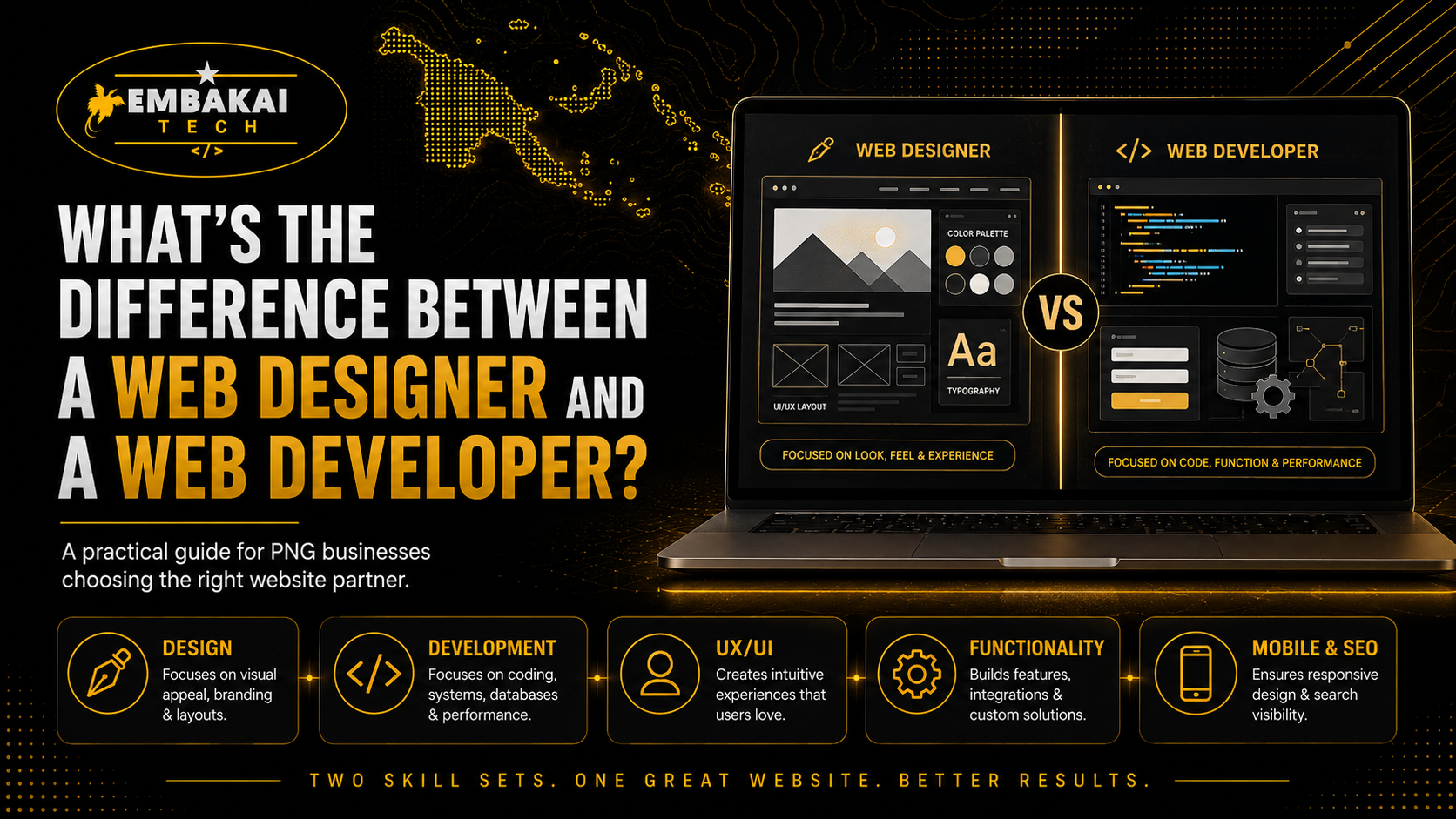
A web designer focuses mainly on how a website looks, feels, and guides visitors through the information. A web developer focuses mainly on how the website works behind the scenes.
In simple terms:
For a small business in Papua New Guinea, you may need one person who can handle both roles. For a larger project, you may need a designer, frontend developer, backend developer, content writer, SEO specialist, and cybersecurity support.
The important thing is not only the job title. The important thing is whether the person or company can deliver a website that is professional, mobile-friendly, secure, fast, easy to use, and built around your business goals.
A good website needs both strong design and strong development. It must look professional, but it must also work properly.
This guide explains the difference between a web designer and a web developer, what each role does, when your business may need one or both, and how to choose the right person for your website project.
A web designer focuses on the visual and user-facing part of a website.
Their role is to make sure the website looks professional, matches the business brand, is easy to understand, and gives visitors a good experience.
A web designer thinks about questions such as:
A website can have excellent coding behind it, but if the layout is confusing, the text is difficult to read, or the pages look outdated, visitors may leave.
That is why design matters.
A web designer may be responsible for:
For example, a web designer may create a homepage structure like this:
This structure helps visitors quickly understand the business and take action.
Web design is more than making a website look attractive.
A professional website design should help the business communicate clearly and guide users toward an action.
That action may be:
Good web design should make these actions easy.
For example, if a customer is using a phone and wants to contact a business, the website should have a visible call button, WhatsApp button, contact form, and clear contact details.
If the customer has to search through several pages just to find a phone number, the design is not doing its job properly.
A web designer usually works across several important areas.
User Interface Design, often called UI design, focuses on the parts of the website users can see and interact with.
This includes:
The goal is to make the interface look clean, organised, and easy to use.
User Experience Design, often called UX design, focuses on how users move through the website.
A good user experience means the visitor can quickly understand:
Good UX reduces confusion.
For example, a training provider website should make it easy for users to find available courses, registration details, training dates, contact information, and payment instructions.
An online shop should make it easy for users to find products, add items to a cart, check out, and receive order confirmation.
Mobile design is extremely important.
Many people in Papua New Guinea access the internet through smartphones. A website must work properly on mobile screens, not only on laptops and desktops.
A web designer should think about:
A desktop layout cannot simply be copied onto a mobile screen. It must be adjusted carefully.
Your website should match your business identity.
A web designer helps make sure your website uses consistent:
For example, a corporate engineering company may need a professional, clean, technical design. A coffee business may need warm colours, product images, storytelling, and a more lifestyle-focused design. A legal service provider may need a structured and trustworthy design.
The website should feel like part of the business, not a random template.
A web developer focuses on the technical side of the website.
Their job is to take the design and turn it into a working website.
A developer builds the pages, forms, database connections, user accounts, systems, integrations, and technical features behind the website.
A web developer thinks about questions such as:
A developer makes the website functional.
A web developer may be responsible for:
A developer may use technologies such as:
The specific technology depends on the website or system being built.
Web development can also be divided into two main areas: frontend development and backend development.
Frontend development focuses on the parts of the website users can see and interact with.
This includes:
A frontend developer works closely with the web design.
They turn the design into a working website interface.
Backend development focuses on the systems behind the website.
This includes:
For example, when a customer submits a quote form, the frontend is the form they see. The backend is what receives the information, validates it, sends the email, saves the request, and displays it in an admin dashboard if needed.
A backend developer handles that logic.
A full-stack developer is someone who can work on both frontend and backend development.
This means they can help with:
For SMEs, working with a full-stack developer can be practical because one person or one company may be able to handle the full website solution.
However, the developer should still have strong design sense or work with a web designer when the project needs detailed branding, advanced UI/UX, or high-quality visual design.
A full-stack developer is not automatically a graphic designer. They may be excellent at building systems but may need a designer for branding, layout, and visual direction.
The best websites are built when design and development work together.
A website needs to look good and work well.
If the website is only designed but not properly developed, it may look attractive in a mockup but fail when users try to submit a form, make a payment, create an account, or use the site on mobile.
If the website is only developed but not properly designed, it may work technically but look confusing, outdated, or unprofessional.
For a complete business website, both design and development are important.
Think of it like building an office.
A website needs the same balance.
You may only need a web designer when:
For example, a company may have an internal IT team that can build websites, but they need a professional designer to create the layout and user experience first.
You may mainly need a web developer when:
For example, a business may already have branding and page designs but need someone to build the working website.
You should use both design and development skills when:
For most professional SME websites, both areas are needed.
For businesses in Papua New Guinea, a website should do more than display a company name and phone number.
Customers may find your business through Google, Facebook, WhatsApp, referrals, or social media. When they visit your website, they should quickly understand:
A strong website helps you build trust.
But it must be built properly.
A well-designed website that does not work properly can lose customers.
A technically functional website that looks poor can also lose customers.
That is why businesses should not focus only on the word “designer” or “developer.” They should focus on the complete result.
Before hiring someone, ask these questions:
These questions help you understand whether the provider can deliver what your business needs.
Be careful if someone:
A professional provider should be able to explain their process clearly.
At Embakai Tech Solutions, we provide practical website design and web development solutions for businesses in Papua New Guinea.
We help businesses with:
We combine design, development, security, and business strategy to help businesses build websites that work in the real world.
Whether you need a simple company website or a complex business system, the goal is the same: build a professional digital platform that supports your growth.
A web designer and a web developer play different but equally important roles.
A web designer focuses on how the website looks, feels, and guides users.
A web developer focuses on how the website works, connects, protects data, and handles business functions.
For a successful website, both design and development matter.
Your website should look professional, but it should also load fast, work on mobile phones, allow customers to contact you, protect your forms, support SEO, and grow with your business.
Before hiring anyone, make sure you understand what they do and what your website needs.
The best website is not just beautifully designed or technically coded. It is designed and developed to help your business succeed.
Need a professional website that looks good and works properly?
Embakai Tech Solutions helps SMEs, startups, organisations, and businesses in Papua New Guinea with complete website design and web development services.
From business websites and online shops to booking systems, customer portals, dashboards, and custom web applications, we build secure, mobile-friendly, scalable digital solutions.
Contact Embakai Tech Solutions today and build a website that works for your business.
Contact Embakai Tech Solutions for a focused review, implementation plan or quote for your organisation in Papua New Guinea.