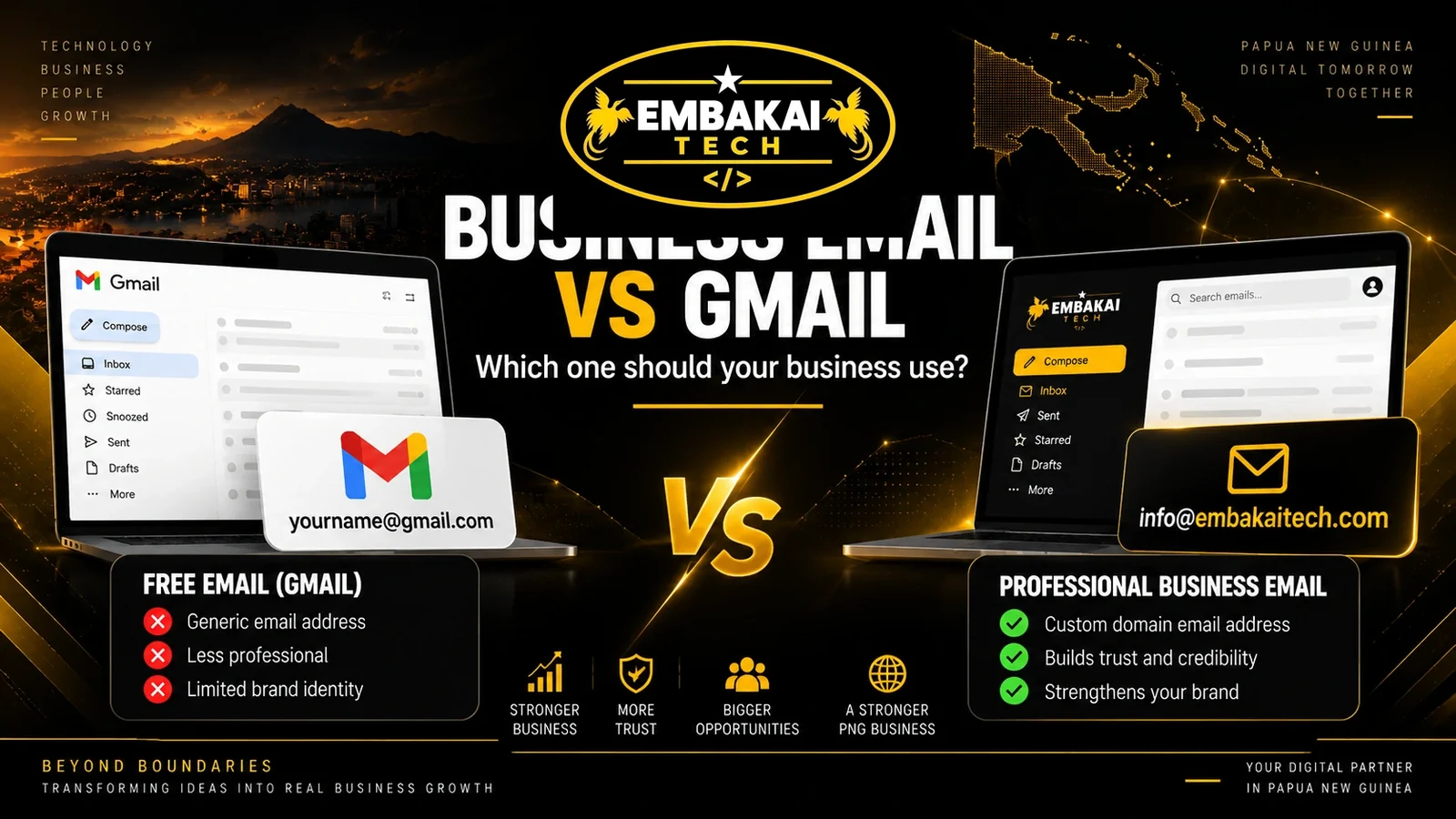
Many small businesses in Papua New Guinea start with a free Gmail address.
You may see addresses such as:
or
There is nothing wrong with using Gmail when you are just starting. It is easy to create, familiar, reliable, and works well on phones and computers.
But as your business grows, you may start asking an important question:
Should I continue using a Gmail address, or should I move to a professional business email using my own domain?
For example:
A professional business email gives your company a stronger identity because the email address matches your website and business name.
However, there is an important distinction.
Gmail itself is not only for free personal accounts. Google also offers Google Workspace, which allows businesses to use Gmail with their own custom domain.
So when people compare “business email vs Gmail,” what they usually mean is:
A professional email address using your own domain vs a free @gmail.com address.
This article explains the difference, the advantages of each option, and which one is more suitable for a serious PNG business.
A free Gmail account normally looks like:
It is created directly through Google and uses the @gmail.com domain.
For individuals and very small businesses, Gmail has several advantages.
It is:
For someone starting a small business with little or no existing infrastructure, Gmail can be a practical first step.
The limitation is that the email address belongs to Gmail's domain rather than your company's domain.
A business email uses your company's own domain name.
For example, if your website is:
your email addresses might be:
Instead of promoting Gmail's domain in every message, you are promoting your own business name.
Professional email usually requires:
It takes more setup than opening a free Gmail account, but it provides a much stronger business identity.
Consider receiving quotations from these two addresses:
and
Which one immediately looks more established?
For most customers, the second address creates a stronger professional impression.
A custom email address tells people that your company has invested in its own digital identity.
This can be particularly important when dealing with:
A Gmail address does not automatically mean a business is unreliable.
But a custom-domain email gives the business a more professional presentation.
Every email you send is an opportunity to reinforce your business name.
If your website is:
and your email is:
the branding is consistent.
Your customers see the same domain on:
This makes your business easier to recognise.
With a free Gmail account, the branding stops at:
@gmail.com
Your business name may appear before it, but the domain still belongs to Google.
With professional business email, the entire address supports your brand.
Trust matters online.
Customers may be more comfortable responding to:
than an unfamiliar personal-looking email address.
This becomes especially important when emails involve:
A professional email address does not guarantee that an organisation is legitimate.
But combined with a professional website, registered business information, proper branding, and consistent contact details, it strengthens the company's overall credibility.
One major advantage of professional email is that you can create addresses for different business functions.
For example:
You can also give individual staff members their own addresses:
This creates a much cleaner organisational structure than having everything handled through one Gmail account.
Customers know where to send specific enquiries.
Your business can also change staff without changing the public-facing department address.
For example, the person handling accounts may change, but customers can continue sending invoices to:
Imagine an employee creates:
and uses it to communicate with customers.
If that employee leaves and the business does not properly control the account, retrieving access may become difficult.
With centrally managed business email, the company can normally manage:
This allows email accounts to be treated as company assets rather than personal accounts.
For a growing business, that distinction is important.
If you already own a professional domain for your website, using it for email makes sense.
For example:
Website: www.yourbusiness.com.pg
Email: [email protected]
This gives your company one consistent digital identity.
You do not necessarily need to host your website and email with the same provider.
Your domain can point the website to one server while mail is handled by another email service.
This flexibility allows businesses to choose the right infrastructure for each service.
This is where many people become confused.
Moving from:
to:
does not necessarily mean you must stop using the Gmail interface.
There are different ways professional email can work.
For example, businesses can use Google Workspace and have a custom-domain email address while still using Gmail's familiar interface.
A business could therefore have:
but read and send mail through Gmail.
Other email hosting services may work through:
So the real comparison is not always Gmail software versus another email application.
The important question is:
Are you using a professional company domain or a free public email domain?
As a business grows, one mailbox becomes difficult to manage.
Imagine all of these emails going into one account:
It quickly becomes messy.
With business email, different addresses can separate different functions.
For example:
[email protected]
Receives customer and sales enquiries.
[email protected]
Receives invoices and financial correspondence.
[email protected]
Handles technical or customer support.
[email protected]
Handles general administration.
This makes communication easier to manage.
Email security is more than having a strong password.
A properly configured business domain can use important email authentication technologies such as:
These help receiving mail servers verify whether a message is authorised to come from your domain.
SPF tells receiving servers which systems are authorised to send email for your domain.
DKIM adds a cryptographic signature to messages so receiving systems can verify that the email was authorised and was not altered in transit.
DMARC works with SPF and DKIM and allows the domain owner to define how unauthenticated messages should be handled.
These technologies help reduce email spoofing and improve the legitimacy of mail sent from your domain when correctly configured.
They do not guarantee that every message will reach the inbox, but they are an important part of professional email infrastructure.
It would be misleading to say that free Gmail is insecure.
Google provides strong security features for Gmail accounts, including tools such as:
The issue is not simply that Gmail is less secure.
The bigger differences involve:
For some businesses, a properly secured Gmail account may actually be better than a badly configured business mail server.
Professional email needs to be configured and maintained properly.
Using one personal Gmail account for both business and personal communication can create problems.
Important business messages may become mixed with:
A dedicated business email keeps professional communication separate.
That makes it easier to manage:
It also means you do not need to give your personal email address to every customer.
Suppose your company has:
One staff member manages it today.
Next year, someone else may take over accounts.
The business can update access while keeping the same public email address.
Customers do not need to learn a new address.
This is useful for:
Role-based email addresses make the company less dependent on individual employees.
Professional documents should have consistent company information.
Imagine a quotation showing:
Website: www.yourbusiness.com.pg
Email: [email protected]
It works, but the branding is inconsistent.
Compare that with:
Website: www.yourbusiness.com.pg
Email: [email protected]
The second setup looks much cleaner.
For businesses sending quotations, invoices, proposals, EOIs, contracts, or official letters, this matters.
Small details contribute to the overall impression of the organisation.
Using a custom business email address does not automatically mean every email will reach the recipient's inbox.
Email delivery depends on several factors, including:
Poorly configured professional email can sometimes have deliverability problems.
This is why business email should be set up properly.
Your provider should configure the domain correctly and monitor important DNS records.
Professional email depends heavily on DNS.
Important records may include:
Tell the internet which mail servers receive email for your domain.
Defines authorised sending systems.
Helps authenticate messages.
Provides a policy for handling authentication failures.
Incorrect DNS configuration can cause problems such as:
This is one reason businesses may prefer having someone technically experienced manage the setup.
Professional email depends on your domain.
If:
yourbusiness.com.pg
expires, email services using that domain may eventually stop functioning properly.
This means domain renewal is critical.
Businesses should know:
The domain should be treated as an important business asset.
One advantage of free Gmail is obvious:
A standard personal Gmail account is available without a monthly business-email hosting fee.
Professional email normally has recurring costs.
Depending on the service, costs may include:
Those costs should be considered part of maintaining a professional digital presence.
For a serious business, the branding and organisational benefits can justify the cost.
A free Gmail account may still be suitable if:
There is nothing wrong with starting small.
What matters is knowing when it is time to upgrade.
Consider moving to business email when:
If customers regularly see your email address, it becomes part of your brand.
That makes professional email increasingly valuable.
| Feature | Free Gmail Address | Custom Business Email |
|---|---|---|
| Example | [email protected] | [email protected] |
| Easy to start | Yes | Requires setup |
| Professional branding | Limited | Strong |
| Uses your domain | No | Yes |
| Department addresses | Possible only as separate public accounts | Designed for this |
| Company identity | Limited | Strong |
| Domain control | No | Yes |
| Central staff management | Limited for ordinary personal accounts | Depends on hosting platform |
| SPF/DKIM/DMARC control | Managed under Gmail's domain | Configurable for your own domain |
| Suitable for startups | Yes | Yes |
| Suitable for established businesses | Can work | Usually preferable |
| Recurring hosting cost | Typically no business hosting fee | Usually yes |
The important point is not that one option is automatically good and the other bad.
The right choice depends on the stage of your business.
Google Workspace offers an important middle ground.
It lets businesses use professional addresses such as:
while still using Google's Gmail interface and related productivity tools.
This means you can have:
Professional company branding + Gmail's familiar interface.
Google Workspace is a paid service, so it should not be confused with an ordinary free @gmail.com account.
Other providers can also host custom-domain business email.
The best option depends on your:
For an established PNG business, a professional online presence could look like this:
Website:
www.yourbusiness.com.pg
General Email:
[email protected]
Accounts:
[email protected]
Sales:
[email protected]
Facebook:
Used for promotions and engagement
WhatsApp:
Used for fast customer communication
Google Business Profile:
Used for local discovery and maps
This creates a much stronger identity than depending on one Gmail address or one social media account.
When setting up professional email, avoid:
Professional email should be treated as business infrastructure.
If you are just starting, a free Gmail account can be perfectly reasonable.
It is simple, accessible, and reliable.
But once your business starts building a professional identity, dealing with customers regularly, sending formal documents, employing staff, or operating a website, a custom-domain email becomes the stronger option.
Instead of:
consider:
The difference looks small.
But from a branding and business-management perspective, it can be significant.
Embakai Tech Solutions provides professional business email solutions for SMEs, organisations, and businesses in Papua New Guinea.
We can assist with:
Whether you need one mailbox or email accounts for multiple departments, your setup should be structured around how your business actually operates.
A free Gmail address can be useful when a business is starting and needs a simple way to communicate.
But a serious business should eventually consider whether its email address properly represents its brand.
A professional business email gives you:
The question is not:
“Is Gmail bad?”
It is:
“Is a free @gmail.com address still the right identity for my business?”
For many growing PNG businesses, the answer will eventually be no.
A professional domain-based email address is a relatively small part of your digital infrastructure, but customers see it every time you communicate.
Make it represent your business properly.
Embakai Tech Solutions can help you set up professional business email using your own company domain.
Build a more professional digital identity with business email that matches your website and brand.
Contact Embakai Tech Solutions for a focused review, implementation plan or quote for your organisation in Papua New Guinea.